How to change system language in openSUSE and SLES
Changing the system language keeps login screens, system tools, service messages, and default user sessions aligned with the people administering the host. A server or workstation installed with the wrong locale can show dates, prompts, and diagnostic text in a language that slows support work and makes shared procedures harder to follow.
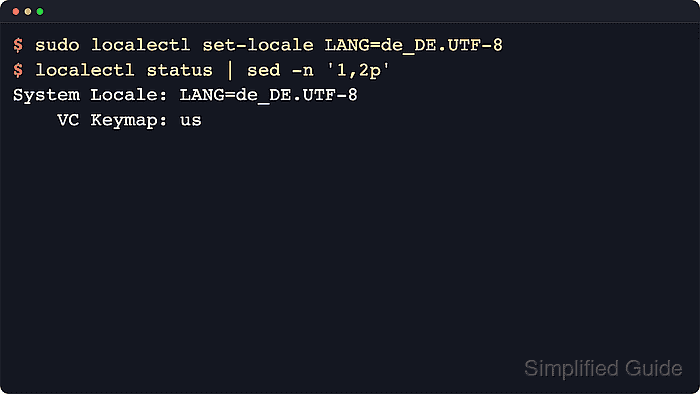
On current openSUSE and SLES releases, the persistent system locale is stored in /etc/locale.conf and applied by systemd-localed for services, display managers, and new logins. The localectl command updates that file safely and exposes the current setting through localectl status, which makes it the cleanest way to change the default system language without editing locale files by hand.
The replacement value should be a generated locale such as de_DE.UTF-8 or fr_FR.UTF-8 rather than a bare two-letter language code. Existing shells keep the old environment until a new login session starts, and some desktop applications remain untranslated until the matching -lang packages are installed, so the change is only fully visible after signing out, reconnecting, or rebooting.
Steps to change the system language in openSUSE and SLES:
- Open the Terminal application.
- Check the current system locale before changing it.
$ localectl status System Locale: LANG=en_US.UTF-8 VC Keymap: us X11 Layout: us - Search the generated locales on the system for the language and region that should become the new default.
$ localectl list-locales | grep -i '^de_DE'
de_DE.UTF-8
Copy one exact locale value from this output and use that same value in the next step.
- Set the persistent system locale with localectl.
$ sudo localectl set-locale LANG=de_DE.UTF-8
Replace de_DE.UTF-8 with the exact locale string required on the host, such as fr_FR.UTF-8 or ja_JP.UTF-8.
This changes the default locale for new sessions and services, not the environment already loaded in the current shell.
- Confirm that systemd now reports the new locale and that /etc/locale.conf stores the same value.
$ localectl status | sed -n '1,2p'
System Locale: LANG=de_DE.UTF-8
    VC Keymap: us
$ cat /etc/locale.conf
LANG=de_DE.UTF-8
On upgraded systems, variables left in /etc/sysconfig/language can still override login-shell locale settings even after /etc/locale.conf has been updated.
- Sign out and back in, reconnect the SSH session, or reboot so the new locale is inherited by a fresh login shell.
$ echo $LANG
de_DE.UTF-8
If a fresh session still shows the old language, review /etc/sysconfig/language for stale RC_LANG or LC_* overrides carried forward from older SUSE installations.
Desktop menus and some application messages may stay in the previous language until the matching -lang packages are installed.