How to read Suricata eve.json logs
Suricata writes EVE output as one JSON event per line, so a busy sensor can mix alerts, protocol metadata, flow summaries, statistics, and file records in the same file. Reading /var/log/suricata/eve.json with jq lets an operator pull the fields needed for triage without opening the whole log in an editor.
The default regular-file output is named eve.json when the eve-log output is enabled, but the path can change when the configuration uses a different filename, output type, or log directory. Each event has a common field such as event_type, and many network events also include flow_id, endpoint addresses, ports, protocol, and an event-specific object such as alert, dns, tls, http, flow, or stats.
The filters read an existing log and do not enable EVE output or generate new traffic. Use them after Suricata has processed live traffic or an offline capture, and sanitize internal addresses, domains, payload excerpts, and certificate details before sharing copied output.
Related: How to enable Suricata EVE JSON output
Related: How to view Suricata alert logs
Steps to read Suricata eve.json logs with jq:
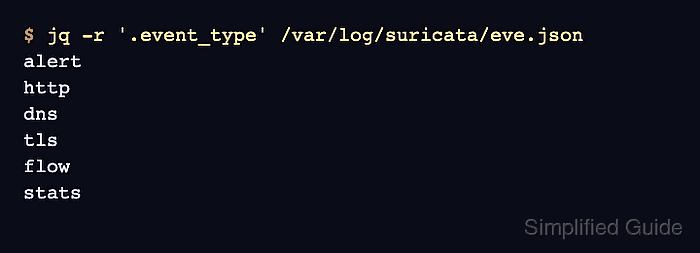
- List the event types present in the EVE log.
$ jq -r '.event_type' /var/log/suricata/eve.json
alert
http
dns
tls
flow
stats
eve.json uses JSON Lines, so each nonblank line is one complete JSON object. Run the same filter with sudo if the log file is not readable by the current user.
Tool: JSON Validator - Summarize the common timestamp, event type, endpoint, and protocol fields.
$ jq -c '{timestamp,event_type,src_ip,src_port,dest_ip,dest_port,proto}' /var/log/suricata/eve.json
{"timestamp":"2026-06-25T02:14:33.512884+0000","event_type":"alert","src_ip":"198.51.100.23","src_port":4444,"dest_ip":"10.20.30.40","dest_port":80,"proto":"TCP"}
{"timestamp":"2026-06-25T02:14:33.512884+0000","event_type":"http","src_ip":"198.51.100.23","src_port":4444,"dest_ip":"10.20.30.40","dest_port":80,"proto":"TCP"}
{"timestamp":"2026-06-25T02:15:04.201110+0000","event_type":"dns","src_ip":"10.20.30.40","src_port":53821,"dest_ip":"192.0.2.53","dest_port":53,"proto":"UDP"}
{"timestamp":"2026-06-25T02:16:11.884010+0000","event_type":"tls","src_ip":"10.20.30.40","src_port":52344,"dest_ip":"203.0.113.20","dest_port":443,"proto":"TCP"}
{"timestamp":"2026-06-25T02:16:12.510337+0000","event_type":"flow","src_ip":"10.20.30.40","src_port":52344,"dest_ip":"203.0.113.20","dest_port":443,"proto":"TCP"}
{"timestamp":"2026-06-25T02:17:00.000000+0000","event_type":"stats","src_ip":null,"src_port":null,"dest_ip":null,"dest_port":null,"proto":null}
stats and other internal records can omit endpoint fields because they describe sensor state rather than one packet flow.
- Extract alert signatures and endpoints for triage.
$ jq -r 'select(.event_type=="alert") | [.timestamp, .alert.signature_id, .alert.signature, .proto, .src_ip, .src_port, .dest_ip, .dest_port] | @tsv' /var/log/suricata/eve.json
2026-06-25T02:14:33.512884+0000	2100498	GPL ATTACK_RESPONSE id check returned root	TCP	198.51.100.23	4444	10.20.30.40	80
The alert.signature_id field is the rule sid, and alert.signature is the rule message recorded with the event.
- Read DNS answers from dns events.
$ jq -r 'select(.event_type=="dns" and .dns.type=="answer") | [.timestamp, .dns.queries[0].rrname, (.dns.answers[]?.rdata // "-")] | @tsv' /var/log/suricata/eve.json
2026-06-25T02:15:04.201110+0000	updates.example.net	203.0.113.10
The default DNS event format can contain a query list and one or more answer records, so a single DNS event may print more than one answer row.
- Read TLS server name and certificate fields from tls events.
$ jq -r 'select(.event_type=="tls") | [.timestamp, .tls.sni, .tls.subject, .tls.issuer] | @tsv' /var/log/suricata/eve.json
2026-06-25T02:16:11.884010+0000	portal.example.net	CN=portal.example.net	CN=Example Intermediate CA
Certificate fields appear only when Suricata observes the handshake data needed for them; resumed sessions and encrypted-client-hello traffic can leave some fields absent.
- Read packet counters from flow events.
$ jq -r 'select(.event_type=="flow") | [.flow_id, .app_proto, .src_ip, .src_port, .dest_ip, .dest_port, .flow.pkts_toserver, .flow.pkts_toclient] | @tsv' /var/log/suricata/eve.json
1870010003	tls	10.20.30.40	52344	203.0.113.20	443	11	9
flow records summarize a connection and can appear after alert, HTTP, DNS, TLS, or file events that shared the same traffic.
- Correlate events that share one flow_id.
$ jq -c 'select(.flow_id==1870010001) | {event_type, flow_id, app_proto, signature: .alert.signature, method: .http.http_method, url: .http.url}' /var/log/suricata/eve.json
{"event_type":"alert","flow_id":1870010001,"app_proto":"http","signature":"GPL ATTACK_RESPONSE id check returned root","method":"GET","url":"/uid/index.html"}
{"event_type":"http","flow_id":1870010001,"app_proto":"http","signature":null,"method":"GET","url":"/uid/index.html"}
Use flow_id when one connection has separate alert, protocol, file, and flow records that need to be reviewed together.