How to view Suricata alert logs
Suricata alert logs show which rule matched traffic and which endpoints were involved. Reading them after a live sensor run or packet-capture test confirms whether the expected detection fired and gives the fields needed for triage.
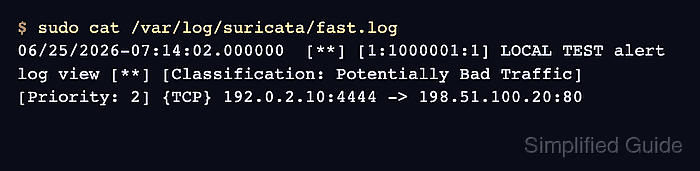
The compact /var/log/suricata/fast.log file is built for quick scanning. The structured /var/log/suricata/eve.json file carries the same alert as JSON, including fields such as timestamp, signature_id, proto, source address, destination address, and optional flow details.
The compact line confirms that an alert exists, and the JSON record supplies the exact fields for a ticket, incident note, or rule test result. The default local log directory is /var/log/suricata/; adjust the path only when the active suricata.yaml writes logs somewhere else.
Related: How to test a Suricata rule
Related: How to troubleshoot missing Suricata alerts
Steps to view Suricata alert logs:
- Open the compact Suricata alert log.
$ sudo cat /var/log/suricata/fast.log
06/25/2026-07:14:02.000000  [**] [1:1000001:1] LOCAL TEST alert log view [**] [Classification: Potentially Bad Traffic] [Priority: 2] {TCP} 192.0.2.10:4444 -> 198.51.100.20:80
fast.log keeps each alert on one line with the timestamp, generator ID, signature ID, revision, message, classification, priority, protocol, and endpoints.
- Read the same alert from eve.json with the triage fields only.
$ sudo jq 'select(.event_type=="alert") | {timestamp, signature_id: .alert.signature_id, signature: .alert.signature, proto, src_ip, src_port, dest_ip, dest_port}' /var/log/suricata/eve.json
{
  "timestamp": "2026-06-25T07:14:02.000000+0000",
  "signature_id": 1000001,
  "signature": "LOCAL TEST alert log view",
  "proto": "TCP",
  "src_ip": "192.0.2.10",
  "src_port": 4444,
  "dest_ip": "198.51.100.20",
  "dest_port": 80
}
eve.json must contain alert events before this filter prints anything.
Related: How to enable Suricata EVE JSON output
Related: How to read Suricata eve.json logs - Open the full JSON record for the signature ID from the compact log.
$ sudo jq 'select(.event_type=="alert" and .alert.signature_id == 1000001)' /var/log/suricata/eve.json
{
  "timestamp": "2026-06-25T07:14:02.000000+0000",
  "flow_id": 562953329878231,
  "pcap_cnt": 1,
  "event_type": "alert",
  "src_ip": "192.0.2.10",
  "src_port": 4444,
  "dest_ip": "198.51.100.20",
  "dest_port": 80,
  "proto": "TCP",
  "ip_v": 4,
  "pkt_src": "wire/pcap",
  "alert": {
    "action": "allowed",
    "gid": 1,
    "signature_id": 1000001,
    "rev": 1,
    "signature": "LOCAL TEST alert log view",
    "category": "Potentially Bad Traffic",
    "severity": 2
  },
  "direction": "to_server",
  "flow": {
    "pkts_toserver": 1,
    "pkts_toclient": 0,
    "bytes_toserver": 129,
    "bytes_toclient": 0,
    "start": "2026-06-25T07:14:02.000000+0000",
    "src_ip": "192.0.2.10",
    "dest_ip": "198.51.100.20",
    "src_port": 4444,
    "dest_port": 80
  }
}
Use the signature ID from fast.log so several alerts in the JSON file do not get mixed into the same investigation note.