How to run a command as another group with sudo
Running a single command with another primary group lets a Linux operator test group-scoped access without changing the login session or adding a permanent shell. When a directory, socket, device, or application path depends on group permissions, sudo -g can make one command enter that group boundary and then return to the original shell.
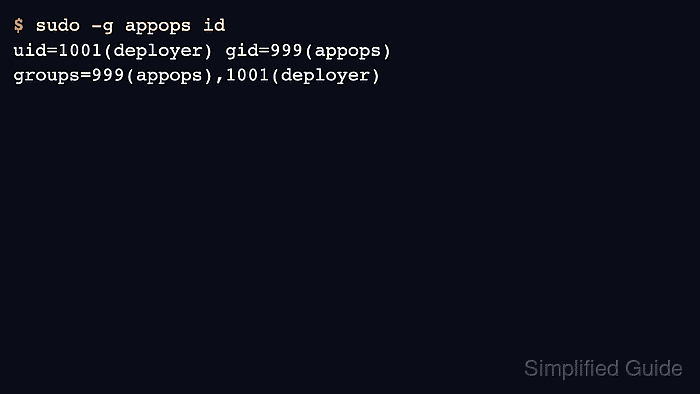
The --group option, commonly written as sudo -g <group>, sets the command's primary group to a named group or numeric GID. If no -u option is supplied, sudo runs the command as the invoking user and changes only the primary group. Combine -u <user> -g <group> when the command also needs another run-as user.
The sudoers policy must allow that run-as group. A rule with a group-only Runas spec such as (:appops) permits the listed command to run with sudo -g appops, while a root-only rule can reject the same command before it starts. The command examples use a deployer account and an appops group for a group-owned application directory.
Steps to run a command as another group with sudo:
- Confirm the account that will request the group-scoped command.
$ whoami
deployer
- Check whether sudoers allows the command with the target run-as group.
$ sudo -l -g appops /usr/bin/id
/usr/bin/id
If this command is denied, ask an administrator to add or adjust a sudoers rule for the command and run-as group before running the real command.
- Run a harmless identity command with the target primary group.
$ sudo -g appops id
uid=1001(deployer) gid=999(appops) groups=999(appops),1001(deployer)
The effective user remains deployer because no -u option was supplied. Add -u appuser only when the command must run as another account as well as another group.
- Run the intended command with the same group option.
$ sudo -g appops install -m 640 /dev/null /srv/app/group-owned.conf
The command runs with the requested primary group, so file creation, device access, and application side effects follow that group context. Check the path and command arguments before using this pattern on production data.
- Verify the resulting group ownership or access state from a normal shell.
$ ls -l /srv/app/group-owned.conf
-rw-r----- 1 deployer appops 0 Jun  5 01:43 /srv/app/group-owned.conf