How to suppress SSH login banners and MOTD
SSH login text can clutter automation logs, screen recordings, and support transcripts before the shell prompt appears. Suppressing the server-side banner, MOTD (message of the day), and last-login line keeps interactive SSH sessions focused on the command prompt while leaving authentication and logging behavior unchanged.
The OpenSSH server controls the pre-authentication banner with the Banner directive. Post-login text is split across PrintMotd, PrintLastLog, and, on Ubuntu or Debian systems that use PAM, pam_motd.so entries in /etc/pam.d/sshd.
Suppress only messages that are operational noise. Keep legal notices, access warnings, and maintenance notices enabled when policy requires them, and keep an existing SSH session or console path open until a new login reaches the prompt without the old text.
Related: How to reduce SSH client output
Related: How to increase SSH client verbosity
Steps to suppress SSH login banners and MOTD:
- Open a terminal on the SSH server with an account that can use sudo.
Keep the current session open until a separate test login succeeds after the reload.
- Back up the PAM SSH session file before changing MOTD handling.
$ sudo cp /etc/pam.d/sshd /etc/pam.d/sshd.bak
Ubuntu and Debian commonly print MOTD text from PAM even when OpenSSH reports PrintMotd no.
- Open an early OpenSSH server drop-in file.
$ sudoedit /etc/ssh/sshd_config.d/00-suppress-login-messages.conf
Use /etc/ssh/sshd_config instead if the server configuration does not include /etc/ssh/sshd_config.d/*.conf.
- Set the server-side login message directives.
Banner none
PrintMotd no
PrintLastLog no
Banner none removes the pre-authentication notice. PrintMotd no and PrintLastLog no suppress MOTD and last-login output handled directly by sshd.
- Open the PAM SSH session file.
$ sudoedit /etc/pam.d/sshd
Skip this edit on hosts that do not use PAM for SSH sessions or do not contain pam_motd.so entries.
- Comment the pam_motd.so session lines.
#session    optional     pam_motd.so motd=/run/motd.dynamic
#session    optional     pam_motd.so noupdate
Commenting these lines suppresses SSH MOTD output for all users who pass through /etc/pam.d/sshd. Do not remove policy-required notices.
- Test the OpenSSH server configuration.
$ sudo sshd -t
No output means the active sshd configuration parsed successfully.
Related: How to test SSH server configuration
- Reload the SSH service.
$ sudo systemctl reload ssh
Use sudo systemctl reload sshd on systems where the unit is named sshd. If reload is unsupported, restart only after sshd -t succeeds.
Related: How to manage the SSH server service with systemctl - Verify the effective server settings.
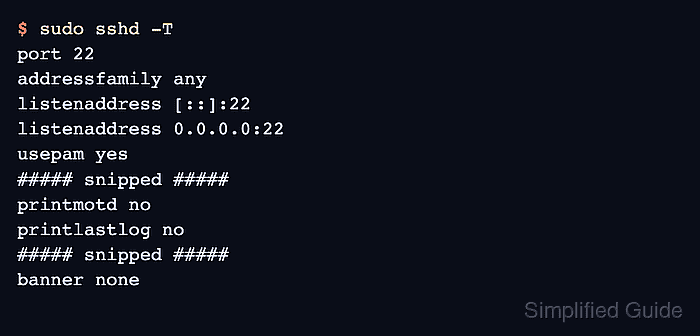
$ sudo sshd -T
port 22
addressfamily any
listenaddress [::]:22
listenaddress 0.0.0.0:22
usepam yes
##### snipped #####
printmotd no
printlastlog no
##### snipped #####
banner none
##### snipped #####
Related: How to view SSH server configuration
- Open a new SSH session from another client.
$ ssh user@host.example.net
user@host:~$
The prompt should appear without the previous banner, MOTD, or last-login text. If other text still appears, check shell startup files such as /etc/profile, files under /etc/profile.d, or the user's shell profile.