How to log in to an SSH server from Linux
Remote server work often starts with one SSH login from a local Linux terminal. The login has to reach the intended host, trust the presented host key, and authenticate as the right remote account before any administration command is safe to run.
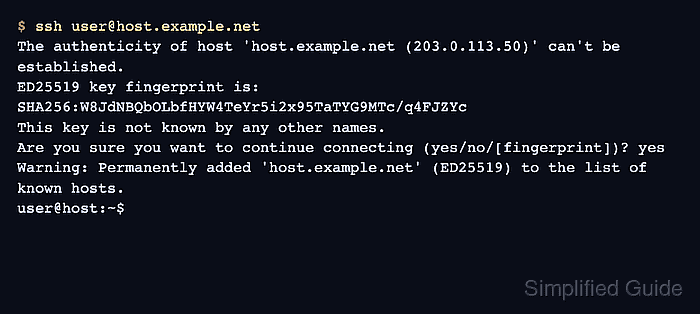
The OpenSSH client uses the ssh command to connect to a remote sshd service. The destination is normally written as user@host, where the username selects the remote account and the hostname or address selects the server endpoint.
The first connection to a new server can show a host-key prompt before authentication. Compare the fingerprint with a trusted reference, continue only on a match, and expect either a remote account password prompt or a local key passphrase prompt depending on how the server account is configured.
Steps to log in to an SSH server with OpenSSH:
- Open a terminal on the local Linux system.
- Start the SSH login with the remote username and server hostname.
$ ssh user@host.example.net
The authenticity of host 'host.example.net (203.0.113.50)' can't be established.
ED25519 key fingerprint is: SHA256:W8JdNBQbOLbfHYW4TeYr5i2x95TaTYG9MTc/q4FJZYc
This key is not known by any other names.
Are you sure you want to continue connecting (yes/no/[fingerprint])? yes
Warning: Permanently added 'host.example.net' (ED25519) to the list of known hosts.
user@host:~$
Accept the host key only when the displayed fingerprint matches a trusted value from the server owner, console, inventory, or DNS SSHFP record.
Related: How to verify SSH host key fingerprints before connecting
Tool: Secure Shell (SSH) Key Fingerprint Checker - Check the remote account name from inside the SSH session.
user@host:~$ whoami
user
- Check the remote host name before running administrative commands.
user@host:~$ hostname
host
- Exit the remote shell when finished to close the SSH session cleanly.
user@host:~$ exit
logout
Connection to host.example.net closed.