How to enable verbose SSH server logging
SSH access investigations often need server-side proof of which key, user, and session request reached the daemon. Raising the OpenSSH server LogLevel to VERBOSE records accepted public keys and session starts without changing the authentication policy itself.
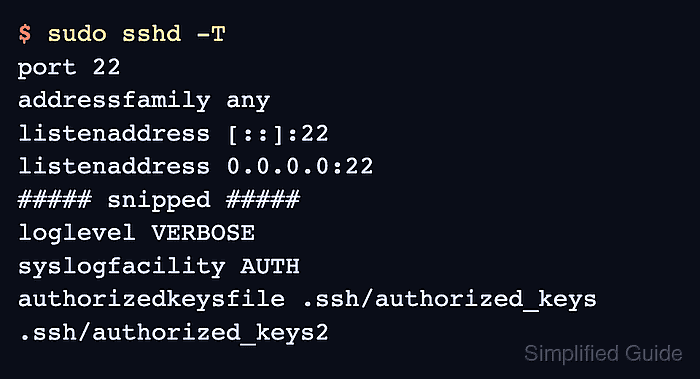
The OpenSSH daemon reads LogLevel from the active sshd_config tree, including packaged drop-ins when /etc/ssh/sshd_config contains an Include line. On systemd hosts, reloading the ssh or sshd unit applies the validated setting to new connections, and journalctl shows the resulting daemon entries.
Keep verbose logging narrow and temporary. VERBOSE is usually enough for login and key-audit detail, while DEBUG1, DEBUG2, and DEBUG3 can expose more user activity and grow logs quickly; restore INFO after the troubleshooting capture.
Related: How to view SSH server configuration
Related: How to increase SSH client verbosity
Related: How to limit failed login attempts in SSH
Steps to enable verbose SSH server logging:
- Check whether the server loads sshd_config drop-in files.
$ sudo grep '^Include ' /etc/ssh/sshd_config
Include /etc/ssh/sshd_config.d/*.conf
If no Include line appears, make the same LogLevel change in /etc/ssh/sshd_config instead of a drop-in file.
- Open a log-level drop-in file with elevated privileges.
$ sudoedit /etc/ssh/sshd_config.d/80-loglevel.conf
- Add the verbose server log level.
LogLevel VERBOSE
VERBOSE records login and session detail without using the DEBUG levels that the OpenSSH manual warns can expose user privacy-sensitive activity.
- Test the sshd configuration before applying the change.
$ sudo sshd -t
No output means the configuration parsed successfully and the configured host keys passed the sanity check.
Related: How to test SSH server configuration
- Reload the ssh service to apply the validated log level.
$ sudo systemctl reload ssh
Use sudo systemctl reload sshd on distributions that package the OpenSSH server as sshd.service.
- Confirm the effective server log level.
$ sudo sshd -T | grep '^loglevel '
loglevel VERBOSE
sshd -T prints the effective configuration after parsing the active files and applying the same validation checks as sshd -t.
- Make one fresh SSH connection from a separate client.
$ ssh user@host.example.net 'echo SSH verbose logging test'
SSH verbose logging test
- Inspect the recent SSH service log entries.
$ sudo journalctl --unit=ssh --no-pager --since "5 minutes ago"
Jun 13 10:18:34 host sshd[2147]: Accepted publickey for user from 203.0.113.10 port 51522 ssh2: ED25519 SHA256:Q5fJb9b2sk9Hh2F7xL8aVn4e1Jm3Pq6Yt3zR9kM2xP0
Jun 13 10:18:34 host sshd[2147]: Starting session: command for user from 203.0.113.10 port 51522 id 0
##### snipped #####
Use journalctl --unit=sshd when the service unit is sshd. File-based logging setups commonly write the same daemon messages to /var/log/auth.log or /var/log/secure.
- Restore the normal server log level after troubleshooting.
LogLevel INFO
Leaving high-volume logging enabled can bury authentication failures among routine session messages and grow system logs faster than expected.
- Test the restored configuration.
$ sudo sshd -t
Fix any syntax error before reloading the daemon.
Related: How to test SSH server configuration
- Reload SSH after restoring normal logging.
$ sudo systemctl reload ssh
- Confirm that the server log level returned to INFO.
$ sudo sshd -T | grep '^loglevel '
loglevel INFO