How to execute remote SSH commands in the background
Remote jobs started over SSH can keep the local terminal tied up when the command stays attached to its session streams. Backups, exports, and maintenance scripts that should continue after the launcher exits need a detached remote command, not only a local backgrounded SSH client.
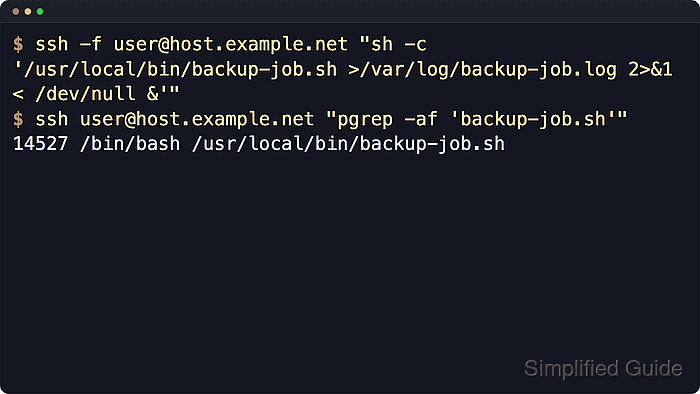
The ssh client can fork locally with -f after authentication, and current OpenSSH documents that -f implies -n, so stdin is disconnected from /dev/null. That does not make the remote process independent by itself because stdout, stderr, and the remote shell command still decide whether the SSH channel can close.
Use non-interactive authentication, a trusted host key, nohup, a writable log file, and a trailing remote & when the remote process should outlive the launcher. The command examples use /home/user/bin/backup-job.sh and /home/user/backup-job.log; replace both with paths that exist and are writable for the remote account.
Steps to execute remote SSH commands in the background:
- Open a terminal on the local machine and confirm that the target host accepts a non-interactive SSH login.
$ ssh -o BatchMode=yes user@host.example.net 'echo ssh-login-ok'
ssh-login-ok
BatchMode=yes makes ssh fail instead of waiting for a password, passphrase, or host-key confirmation prompt, which is the behavior needed for unattended background launches.
- Run a simple remote command normally to observe the default blocking behavior.
$ ssh user@host.example.net 'sleep 30'
The local prompt returns only after the remote sleep command exits.
- Start the same kind of command with -f to send the SSH client into the local background after authentication.
$ ssh -f user@host.example.net 'sleep 120'
Current ssh(1) still documents -f as backgrounding the client just before command execution, and it already implies -n so stdin is redirected from /dev/null.
-f alone does not fully detach the remote job. The local ssh client stays alive in the background until the remote command exits because that command is still attached to the original SSH session.
- Check the local process list to confirm that ssh -f alone left a background client process behind.
$ pgrep -af "^ssh .*sleep 120"
62 ssh -f user@host.example.net sleep 120
A matching local ssh process here is expected because the remote sleep command is still using the same session.
- Launch the remote job with nohup, explicit redirection, and a remote background operator.
$ ssh -f user@host.example.net "nohup /home/user/bin/backup-job.sh >/home/user/backup-job.log 2>&1 < /dev/null &"
nohup ignores hangup signals, but it does not background the command by itself. The trailing & backgrounds the job on the remote host, while the redirections detach stdin, stdout, and stderr from the SSH channel.
If stdout or stderr stays attached to the SSH channel, the local ssh client can remain in the background until the remote process closes those streams.
- Verify from a separate SSH session that the detached process is still running after the launcher exits.
$ ssh user@host.example.net "pgrep -af '^/bin/sh /home/user/bin/backup-job.sh'"
109 /bin/sh /home/user/bin/backup-job.sh
Use a process pattern that matches the command actually left running on the remote host. Scripts may appear under their interpreter, such as /bin/sh or /bin/bash.
- Confirm that the local ssh client from the detached launch has already exited.
$ pgrep -af "^ssh .*backup-job.sh"
No output indicates that the remote job is running independently instead of holding a backgrounded local ssh process open.