How to automatically mount an SMB/CIFS share on Linux
A Linux host can stall during boot when a network SMB/CIFS share is configured as a normal /etc/fstab mount and the file server is slow or offline. A systemd automount entry keeps the mount point present and delays the actual CIFS connection until a process opens that path.
With x-systemd.automount, systemd-fstab-generator creates an .automount unit and a matching .mount unit from the fstab line. The automount unit waits on the local directory, and the mount unit runs mount.cifs only when the directory is accessed.
Keep the SMB password in a root-owned credentials file instead of placing it in /etc/fstab. The SMB server still enforces access through the account in that file, while uid, gid, file_mode, and dir_mode control how files appear on the Linux client when the server does not provide Unix ownership.
Steps to automatically mount an SMB/CIFS share with systemd automount:
- Confirm that the CIFS mount helper is available.
$ mount.cifs -V
mount.cifs version: 7.4
Install the cifs-utils package first when this command is missing. On Debian and Ubuntu clients, use sudo apt install cifs-utils.
- Create a protected directory for SMB credentials.
$ sudo install -d -m 0750 /etc/samba/credentials
- Create the credentials file for the share account.
$ sudo vi /etc/samba/credentials/team-share
- /etc/samba/credentials/team-share
username=files-team
password=replace-with-share-password
domain=WORKGROUP
Omit domain= when the account is local to the SMB server. Keep the file format as key=value lines without spaces around the equals sign.
- Set the credentials file owner to root.
$ sudo chown root:root /etc/samba/credentials/team-share
- Restrict the credentials file permissions.
$ sudo chmod 600 /etc/samba/credentials/team-share
- Verify that only root can read the credentials file.
$ stat -c '%a %U %G %n' /etc/samba/credentials/team-share
600 root root /etc/samba/credentials/team-share
- Create the local mount point.
$ sudo mkdir -p /mnt/team
- Identify the local user and group that should own files in the mounted tree.
$ id appuser
uid=1001(appuser) gid=1001(appuser) groups=1001(appuser)
The uid and gid options affect ownership as shown on the Linux client. They do not replace the SMB account used to authenticate to the server.
- Open /etc/fstab for editing.
$ sudo vi /etc/fstab
- Add the CIFS automount entry.
- /etc/fstab
//files.example.net/team /mnt/team cifs credentials=/etc/samba/credentials/team-share,uid=1001,gid=1001,file_mode=0660,dir_mode=0770,iocharset=utf8,nofail,_netdev,x-systemd.automount,x-systemd.idle-timeout=10min,x-systemd.mount-timeout=30s 0 0
x-systemd.automount creates the on-demand automount unit. nofail lets boot continue if the mount cannot be completed, _netdev marks the entry as network-backed, and x-systemd.mount-timeout=30s limits each mount attempt.
A malformed /etc/fstab entry can delay boot or leave the share unmounted. Test the entry during the current session before relying on the next reboot.
- Reload systemd units generated from /etc/fstab.
$ sudo systemctl daemon-reload
- Find the generated automount unit name for the mount point.
$ systemd-escape --path --suffix=automount /mnt/team
mnt-team.automount
- Start the generated automount unit for the current boot.
$ sudo systemctl start mnt-team.automount
- Check that the automount unit is waiting for access.
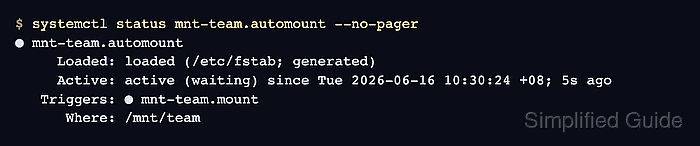
$ systemctl status mnt-team.automount --no-pager
● mnt-team.automount
     Loaded: loaded (/etc/fstab; generated)
     Active: active (waiting) since Tue 2026-06-16 10:30:24 +08; 5s ago
   Triggers: ● mnt-team.mount
      Where: /mnt/team
The matching .mount unit starts when a process opens /mnt/team. After a reboot, systemd regenerates the same automount unit from /etc/fstab.
- Trigger the automount by listing the mount point.
$ ls /mnt/team
quarterly-plan.txt
- Confirm that the path is mounted through cifs.
$ findmnt --target /mnt/team --output TARGET,SOURCE,FSTYPE
TARGET    SOURCE                   FSTYPE
/mnt/team //files.example.net/team cifs
- Create a temporary file on the mounted share.
$ touch /mnt/team/automount-check.txt
Use a read-only check such as ls /mnt/team instead when the share is intentionally mounted read-only.
- Confirm that the file appears with the expected local owner and mode.
$ ls -l /mnt/team/automount-check.txt
-rw-rw---- 1 appuser appuser 0 Jun 16 10:31 /mnt/team/automount-check.txt
- Remove the temporary test file.
$ rm /mnt/team/automount-check.txt