How to export Scrapy items to CSV
Exporting Scrapy items to CSV keeps a crawl result easy to open in spreadsheet tools, compare between runs, and hand to another process that expects one row per item.
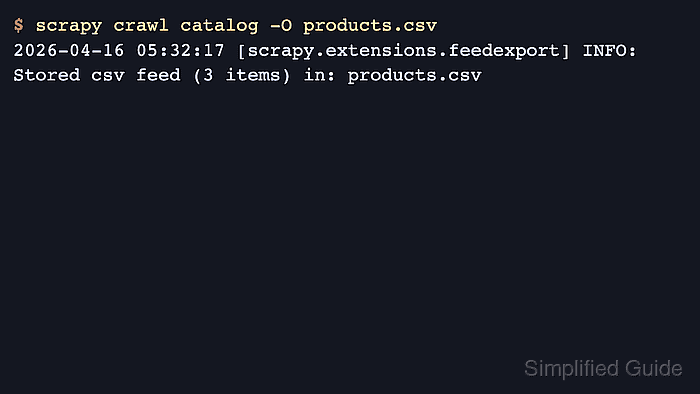
Scrapy writes CSV through its feed export system while the spider runs. Using scrapy crawl with -O and a target name that ends in .csv selects the built-in CsvItemExporter, writes one header row, and then adds one row for each yielded item.
CSV uses a fixed column layout, so set FEED_EXPORT_FIELDS before longer runs when the header order must stay predictable. Recent Scrapy project templates already set FEED_EXPORT_ENCODING to utf-8, while -O replaces the existing file and -o appends instead. List-like or nested values still end up serialized into one cell unless the spider flattens them first.
Steps to export Scrapy items to CSV:
- Set FEED_EXPORT_FIELDS in settings.py when the CSV header must stay in a fixed order.
FEED_EXPORT_FIELDS = [
    "name",
    "price",
    "url",
]
Recent project templates already set FEED_EXPORT_ENCODING to utf-8, so only the field list is usually needed here.
- Run the spider from the project directory with a .csv output target.
$ scrapy crawl catalog -O products.csv
The .csv suffix selects Scrapy's built-in CSV feed exporter automatically, and the crawl log should end with Stored csv feed (... items) in: products.csv when the export finishes cleanly.
-O replaces any existing products.csv before the crawl writes new rows. Use -o products.csv only when appending to the current file is acceptable.
- Open the saved file and confirm the header row plus one row for each exported item.
$ cat products.csv
name,price,url
Starter Plan,$29,https://catalog.example/starter
Team Plan,$79,https://catalog.example/team
Growth Plan,$129,https://catalog.example/growth
The header should match FEED_EXPORT_FIELDS exactly. If that setting is omitted, Scrapy infers the CSV columns from the first exported item.