How to run Rust tests with Cargo
Rust projects usually collect correctness checks in Cargo's test harness before code review, release, or dependency updates. A single cargo test run can exercise unit tests next to the code, integration tests under tests/, and documentation examples compiled by rustdoc.
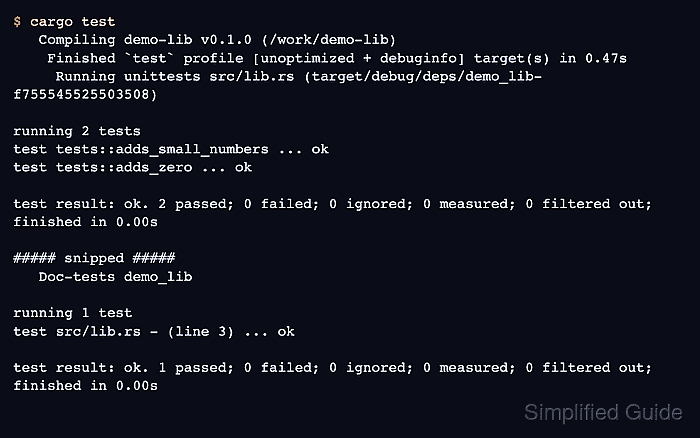
Cargo builds temporary test executables through Rust's libtest harness. Arguments before -- belong to Cargo, while arguments after -- are passed to the test binary; a name before -- filters tests by module or function name.
An installed Rust toolchain and a terminal opened beside Cargo.toml are enough for package-level test runs. Cargo returns exit status 0 when every selected test target passes and 101 when compilation fails or a test target fails.
Related: How to create a Rust project with Cargo
Related: How to check Rust code with Cargo
Steps to run Rust tests with Cargo:
- Open a terminal in the package directory that contains Cargo.toml.
For a workspace, run from the workspace root when the selected tests span more than one member package.
- Confirm that unit tests and documentation examples are in code that Cargo can build.
- src/lib.rs
//! Small arithmetic helpers.
//!
//!     use demo_lib::add;
//!
//!     assert_eq!(add(2, 3), 5);

pub fn add(left: u64, right: u64) -> u64 {
    left + right
}

#[cfg(test)]
mod tests {
    use super::*;

    #[test]
    fn adds_small_numbers() {
        assert_eq!(add(2, 2), 4);
    }

    #[test]
    fn adds_zero() {
        assert_eq!(add(7, 0), 7);
    }
}
Rustdoc treats the indented example in the documentation comment as a documentation test for the library target.
- Confirm that integration tests are under tests/ so Cargo builds them as separate test targets.
- tests/addition.rs
use demo_lib::add;

#[test]
fn adds_large_numbers() {
    assert_eq!(add(40, 2), 42);
}
Each Rust file under tests/ becomes an integration test target. Use the filename without .rs when selecting it with --test.
- Run the full test suite for the package.
$ cargo test
   Compiling demo-lib v0.1.0 (/work/demo-lib)
    Finished `test` profile [unoptimized + debuginfo] target(s) in 0.47s
     Running unittests src/lib.rs (target/debug/deps/demo_lib-f755545525503508)

running 2 tests
test tests::adds_small_numbers ... ok
test tests::adds_zero ... ok

test result: ok. 2 passed; 0 failed; 0 ignored; 0 measured; 0 filtered out; finished in 0.00s

     Running tests/addition.rs (target/debug/deps/addition-c1d7ea1f2dcecab1)

running 1 test
test adds_large_numbers ... ok

test result: ok. 1 passed; 0 failed; 0 ignored; 0 measured; 0 filtered out; finished in 0.00s

   Doc-tests demo_lib

running 1 test
test src/lib.rs - (line 3) ... ok

test result: ok. 1 passed; 0 failed; 0 ignored; 0 measured; 0 filtered out; finished in 0.00s

all doctests ran in 0.37s; merged doctests compilation took 0.37s
If a test fails, Cargo marks the failed test name and exits with status 101. Re-run the named test with a filter before changing broader code.
- Run one integration test target when only one file under tests/ needs feedback.
$ cargo test --test addition Finished `test` profile [unoptimized + debuginfo] target(s) in 0.01s Running tests/addition.rs (target/debug/deps/addition-c1d7ea1f2dcecab1) running 1 test test adds_large_numbers ... ok test result: ok. 1 passed; 0 failed; 0 ignored; 0 measured; 0 filtered out; finished in 0.00s - Filter by test name when a single case fails or a narrow code path changed.
$ cargo test adds_large_numbers
    Finished `test` profile [unoptimized + debuginfo] target(s) in 0.01s
     Running unittests src/lib.rs (target/debug/deps/demo_lib-f755545525503508)

running 0 tests

test result: ok. 0 passed; 0 failed; 0 ignored; 0 measured; 2 filtered out; finished in 0.00s

     Running tests/addition.rs (target/debug/deps/addition-c1d7ea1f2dcecab1)

running 1 test
test adds_large_numbers ... ok

test result: ok. 1 passed; 0 failed; 0 ignored; 0 measured; 0 filtered out; finished in 0.00s
Pass test-harness options after --, for example cargo test adds_large_numbers -- --no-capture when a test prints debugging output.
- Run only documentation tests after editing Rustdoc examples.
$ cargo test --doc
    Finished `test` profile [unoptimized + debuginfo] target(s) in 0.01s
   Doc-tests demo_lib

running 1 test
test src/lib.rs - (line 3) ... ok

test result: ok. 1 passed; 0 failed; 0 ignored; 0 measured; 0 filtered out; finished in 0.00s

all doctests ran in 0.31s; merged doctests compilation took 0.31s