How to create a Rust module
Rust modules split a crate into named code areas so functions, types, and tests can live in separate files without losing a clear path from the crate root. A module file fits when one source file starts mixing unrelated items or when a library needs to expose one group of items through a stable module path.
The crate root is where the compiler first discovers top-level modules, usually src/lib.rs for a library crate or src/main.rs for a binary crate. A declaration such as pub mod greeting; points Rust at src/greeting.rs, and pub on the module and its items decides what callers outside that module can use.
A library crate keeps the public module path easy to test from the crate root. Binary crates use the same file layout with mod greeting; in src/main.rs when only the binary target needs the module.
Related: How to create a Rust project with Cargo
Related: How to check Rust code with Cargo
Steps to create a Rust module:
- Open a terminal in the Rust package root.
The directory should contain Cargo.toml and a src directory. Create the package first when the module belongs in a new project.
- Create the module source file.
- src/greeting.rs
pub fn message(name: &str) -> String {
    format!("Hello, {name}!")
}
The filename becomes the module name after a matching declaration from the parent module. Rust also accepts src/greeting/mod.rs, but src/greeting.rs keeps the parent module filename visible when a directory of submodules grows later.
- Replace the library crate root with the module declaration and a test that calls the public function.
- src/lib.rs
pub mod greeting;

#[cfg(test)]
mod tests {
    use crate::greeting::message;

    #[test]
    fn builds_message_from_module() {
        assert_eq!(message("Ada"), "Hello, Ada!");
    }
}
Use mod greeting; instead of pub mod greeting; when only code inside the same crate root should use the module. The function still needs pub when callers outside greeting need access.
- Run the test suite.
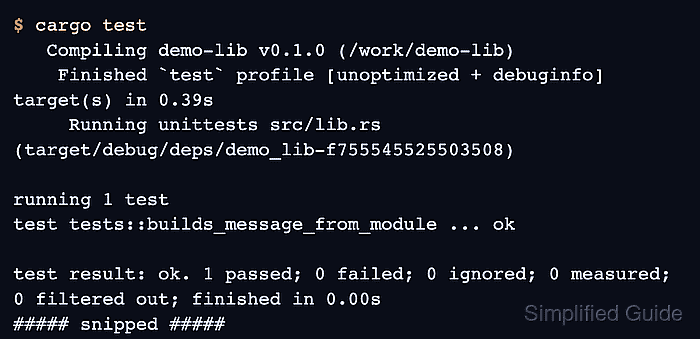
$ cargo test
   Compiling demo-lib v0.1.0 (/work/demo-lib)
    Finished `test` profile [unoptimized + debuginfo] target(s) in 0.39s
     Running unittests src/lib.rs (target/debug/deps/demo_lib-f755545525503508)

running 1 test
test tests::builds_message_from_module ... ok

test result: ok. 1 passed; 0 failed; 0 ignored; 0 measured; 0 filtered out; finished in 0.00s

   Doc-tests demo_lib

running 0 tests

test result: ok. 0 passed; 0 failed; 0 ignored; 0 measured; 0 filtered out; finished in 0.00s
The passing test proves the crate root loaded src/greeting.rs and that message() is visible through crate::greeting.
Related: How to run Rust tests with Cargo