How to install a Rust binary with Cargo
Cargo can install executable targets from a Rust package into the user's Cargo bin directory, which makes a project CLI available as a normal shell command. The same install mechanism can build published crates, Git sources, and local crate paths, but a local path install keeps the source package and resulting command easy to inspect while developing or testing an internal tool.
The default install root is Cargo's home directory, usually $HOME/.cargo, and Cargo writes executable files under its bin subdirectory. The installed command only resolves by name when that bin directory is on PATH for the active shell.
Start from a shell where cargo already runs and the current package has a binary target. Installing with --path . rebuilds the package in release mode and records it in Cargo's installed-crate list; use a crate name instead of --path . when installing a published command from crates.io.
Related: How to create a Rust project with Cargo
Related: How to build a Rust release binary with Cargo
Related: How to install Rust on Ubuntu
Steps to install a Rust binary with Cargo:
- Open a terminal in the Rust package directory that contains the binary target.
If the package does not exist yet, create one before installing its command.
Related: How to create a Rust project with Cargo - Install the package's binary target into the Cargo install root.
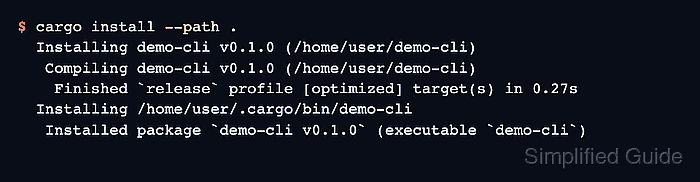
$ cargo install --path .
  Installing demo-cli v0.1.0 (/home/user/demo-cli)
   Compiling demo-cli v0.1.0 (/home/user/demo-cli)
    Finished `release` profile [optimized] target(s) in 0.27s
  Installing /home/user/.cargo/bin/demo-cli
   Installed package `demo-cli v0.1.0` (executable `demo-cli`)
Use cargo install <crate> for a published crates.io binary crate. Add --locked when the package publishes a lockfile and Cargo should use that dependency set.
- Confirm the installed command resolves from the Cargo bin directory.
$ command -v demo-cli
/home/user/.cargo/bin/demo-cli
If the command is not found, add $HOME/.cargo/bin to PATH for the shell that will run the binary.
- Run the installed command.
$ demo-cli --version
demo-cli 0.1.0
- List the binary in Cargo's installed package registry.
$ cargo install --list
demo-cli v0.1.0 (/home/user/demo-cli):
    demo-cli