How to compress rsync network transfers
Network capacity often becomes the limiting part of a remote copy when the source contains logs, CSV exports, or other repetitive text. rsync can compress that file data before sending it over SSH, reducing the bytes that cross a slow or costly link without changing the files stored at the destination.
The --compress option negotiates a compression method supported by both rsync processes. Recent versions may choose zstd, lz4, zlibx, or zlib from their compiled lists, while an older remote peer may fall back to zlib.
Measure the same source against two empty remote directories so rsync's delta algorithm cannot distort the comparison. Repetitive text should send fewer bytes with compression, but media files, encrypted data, and archives such as .gz or .zip usually gain little and may consume extra CPU.
Steps to compress rsync network transfers:
- Check the local rsync compression list.
$ rsync --version
rsync  version 3.4.1  protocol version 32
##### snipped #####
Compress list:
    zstd lz4 zlibx zlib none
##### snipped #####
- Check the remote rsync compression list.
$ ssh backup@backup.example.net 'rsync --version'
rsync  version 3.4.1  protocol version 32
##### snipped #####
Compress list:
    zstd lz4 zlibx zlib none
##### snipped #####
Leave the algorithm negotiated unless the transfer requires a specific method. Both sides must list a forced value such as --compress-choice=zstd.
- Transfer the representative file without compression to an empty baseline directory.
$ rsync --archive --stats /srv/source/reports/transactions.csv backup@backup.example.net:/srv/incoming/reports-baseline/

Number of files: 1 (reg: 1)
Number of created files: 1 (reg: 1)
Number of regular files transferred: 1
Total file size: 522,720 bytes
Total transferred file size: 522,720 bytes
Literal data: 522,720 bytes
Matched data: 0 bytes
##### snipped #####
Total bytes sent: 522,948
Total bytes received: 35

sent 522,948 bytes  received 35 bytes  1,045,966.00 bytes/sec
total size is 522,720  speedup is 1.00
The baseline and compressed destination directories must both be empty before their runs. Reusing a populated destination measures rsync's delta transfer as well as compression.
- Transfer the same file with compression to a second empty directory.
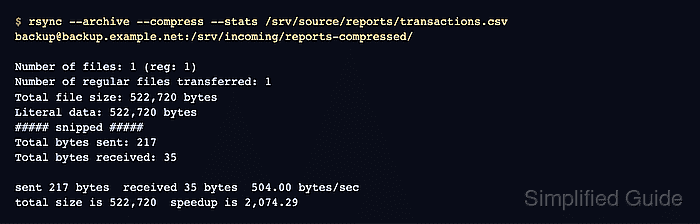
$ rsync --archive --compress --stats /srv/source/reports/transactions.csv backup@backup.example.net:/srv/incoming/reports-compressed/

Number of files: 1 (reg: 1)
Number of created files: 1 (reg: 1)
Number of regular files transferred: 1
Total file size: 522,720 bytes
Total transferred file size: 522,720 bytes
Literal data: 522,720 bytes
Matched data: 0 bytes
##### snipped #####
Total bytes sent: 217
Total bytes received: 35

sent 217 bytes  received 35 bytes  504.00 bytes/sec
total size is 522,720  speedup is 2,074.29
Compare Total bytes sent with the baseline. These statistics describe the rsync stream rather than every byte counted by a network interface.
Do not assume compression helps every file type. In a matched test, an already-compressed 4,194,962-byte .gz file sent 4,196,091 bytes without --compress and 4,196,023 bytes with it, while adding compression work to the transfer.
- Calculate the source file checksum.
$ sha256sum /srv/source/reports/transactions.csv
17fc847e895cc56c006d5ff3e083afc5616fbdead32fbd5a1f6444fdfde8b37d  /srv/source/reports/transactions.csv
- Calculate the compressed destination checksum.
$ ssh backup@backup.example.net 'sha256sum /srv/incoming/reports-compressed/transactions.csv'
17fc847e895cc56c006d5ff3e083afc5616fbdead32fbd5a1f6444fdfde8b37d  /srv/incoming/reports-compressed/transactions.csv
The matching hashes confirm that compression reduced transmitted bytes without changing the destination file.