How to mirror a directory with rsync and delete extra files
A directory mirror is stricter than an additive copy because paths removed from the source must also disappear from the destination. rsync can converge the receiving tree on the source while identifying each destination-only path before the destructive run.
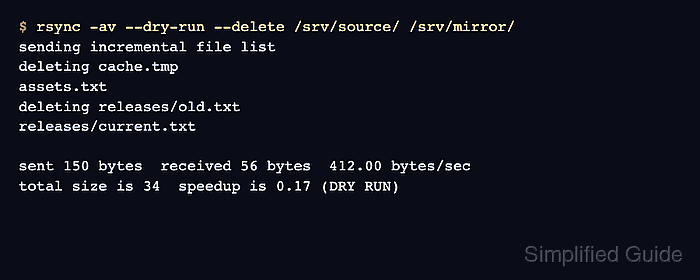
The --delete option applies only inside directories being synchronized. Exclude rules protect matching receiver paths from deletion by default, so the sample keeps cache/ outside the mirror while removing other stale data.
Pass the whole source directory with a trailing slash instead of a shell-expanded wildcard. Keep the source spelling, destination, filters, archive behavior, and deletion policy identical in the preview, live mirror, and final checksum check so the reviewed deletion scope does not change between runs.
Steps to mirror a directory with rsync and delete extra files:
- Preview the mirror and list destination-only paths that would be removed.
$ rsync --archive --dry-run --itemize-changes --delete --exclude='cache/' /srv/source/ /srv/mirror/
*deleting   releases/old.txt
*deleting   releases/
*deleting   obsolete.log
>f+++++++++ releases-current.txt
>f.s....... documents/report-hardlink.txt
>f.s....... documents/report.txt
--delete removes destination-only files during the live run. Stop if any *deleting line names data that must remain, and back up any irreplaceable receiver-only file before continuing.
The trailing slash on /srv/source/ mirrors its contents into /srv/mirror/. The cache/ exclusion keeps matching paths outside the deletion scope.
Related: How to control rsync directory copies with trailing slashes
Related: How to exclude files and folders when using rsync - Delete the listed destination-only paths by running the approved live mirror.
$ rsync --archive --itemize-changes --delete --exclude='cache/' /srv/source/ /srv/mirror/
*deleting   releases/old.txt
*deleting   releases/
*deleting   obsolete.log
>f+++++++++ releases-current.txt
>f.s....... documents/report-hardlink.txt
>f.s....... documents/report.txt
- Confirm that the excluded destination path remains.
$ ls /srv/mirror/cache/keep.db
/srv/mirror/cache/keep.db
Ordinary exclude rules protect matching receiver paths from --delete. Do not add --delete-excluded unless those paths should also be removed.
- Repeat the mirror as a checksum dry run.
$ rsync --archive --checksum --dry-run --itemize-changes --delete --exclude='cache/' /srv/source/ /srv/mirror/
No output means no non-excluded file, attribute, or deletion entry remains for the selected mirror scope. --checksum reads matching file contents on both sides, so it can add substantial disk I/O on a large tree.