How to preview rsync changes before syncing
A transfer plan is easier to trust when every affected path is visible before the destination changes. rsync can calculate its file list without writing or deleting anything, exposing new files, content updates, metadata changes, and optional removals for review.
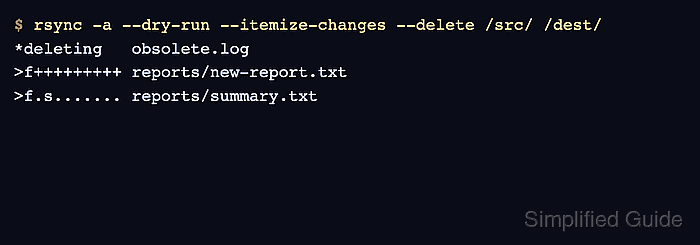
Pair --dry-run with --itemize-changes and keep the source path, destination path, trailing slash, archive options, filters, and deletion policy unchanged when the approved command runs live. The upstream rsync behavior is designed to produce the same itemized lines in a dry run and the corresponding real run unless the filesystem changes or an error interrupts the operation.
Destination-only files are not listed for removal until --delete is present. Treat that option as a separate approval boundary, and finish by saving another itemized dry run so an empty result can be checked with a command whose exit status changes when pending lines remain.
Steps to preview rsync changes before syncing:
- Preview the planned sync without destination deletions.
$ rsync -a --dry-run --itemize-changes /srv/source/ /srv/destination/
>f+++++++++ reports/new-report.txt
>f.s....... reports/summary.txt
.f...p..... scripts/run.sh
The trailing slash on /srv/source/ compares that directory's contents with /srv/destination/. Keep the same source spelling in every later command.
- Add --delete only when the destination must mirror the source.
$ rsync -a --dry-run --itemize-changes --delete /srv/source/ /srv/destination/
*deleting   obsolete.log
>f+++++++++ reports/new-report.txt
>f.s....... reports/summary.txt
.f...p..... scripts/run.sh
The live command removes every destination-only path shown by a *deleting line. Stop if the list contains a file that must remain.
- Match each itemized line to an intended create, update, attribute change, or deletion.
>f+++++++++ marks a new regular file, >f.s....... includes a size change, .f...p..... is a permission-only update, and *deleting marks a destination removal.
Related: How to read rsync itemized changes - Correct the planned paths, filters, options, or deletion policy when the preview contains an unintended line, then run the dry run again.
Keep any --exclude or --exclude-from rules identical in the approved preview and live command.
Related: How to exclude files and folders when using rsync - Run the approved sync by removing only --dry-run.
$ rsync -a --itemize-changes --delete /srv/source/ /srv/destination/
*deleting   obsolete.log
>f+++++++++ reports/new-report.txt
>f.s....... reports/summary.txt
.f...p..... scripts/run.sh
If deletion was not approved in the preview, omit --delete here as well. Keep --itemize-changes so the live output can be compared with the reviewed list.
- Save a post-run preview with the same sync options.
$ rsync -a --dry-run --itemize-changes --delete /srv/source/ /srv/destination/ > /tmp/rsync-post-check.txt
The rsync command must exit successfully before the saved preview is treated as evidence; connection, permission, and I/O errors are written separately.
- Confirm that the saved preview contains no pending lines.
$ cmp --silent /tmp/rsync-post-check.txt /dev/null
cmp exits with status 0 only when the preview file is empty. A nonzero status means the source and destination still differ for the selected rsync options.
- Remove the temporary preview file after the check passes.
$ rm /tmp/rsync-post-check.txt