How to render an R document with Quarto
Quarto combines prose and executable R in one .qmd source, then turns the evaluated document into a shareable output format. Rendering from the command line makes the same report repeatable outside an editor or interactive R session.
An inline R expression places a computed value inside a sentence without displaying a separate code cell. Because the source contains only inline code, the engine: knitr field explicitly selects R execution for the document.
The source requires working Quarto and R installations plus the rmarkdown and knitr R packages. Installing rmarkdown from CRAN also installs knitr; no external input file is needed. Success means quarto render creates report.html and the rendered file contains the computed mean fuel economy of 20.09 mpg.
Steps to render an R document with Quarto:
- Confirm that the rmarkdown and knitr namespaces load for Quarto's Knitr engine.
$ Rscript -e 'invisible(lapply(c("rmarkdown", "knitr"), loadNamespace))' - Create report.qmd with HTML metadata and opening text.
- report.qmd
---
title: "Motor trend summary"
format: html
engine: knitr
---

The report calculates a summary from the built-in `mtcars` data.
- Add the inline R expression after the opening text.
- report.qmd
Mean fuel economy: `{r} round(mean(mtcars$mpg), 2)` mpg.
The expression starts with `{r} and ends at the next backtick. The built-in mtcars data keeps the calculation independent of external files and packages.
- Review the completed source.
- report.qmd
---
title: "Motor trend summary"
format: html
engine: knitr
---

The report calculates a summary from the built-in `mtcars` data.

Mean fuel economy: `{r} round(mean(mtcars$mpg), 2)` mpg.
- Render the document from its working directory.
$ quarto render report.qmd
processing file: report.qmd
1/1
output file: report.knit.md

##### snipped #####

Output created: report.html
The input path report.qmd belongs first. Quarto uses the HTML format declared in the document and writes report.html beside the source file.
- Confirm that the generated HTML contains the evaluated R result.
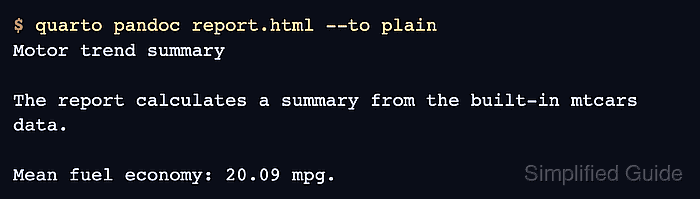
$ quarto pandoc report.html --to plain
Motor trend summary

The report calculates a summary from the built-in mtcars data.

Mean fuel economy: 20.09 mpg.
The metric and 20.09 value must appear in text extracted from report.html. A missing value means the R expression did not produce the promised report content.