How to update or delete PuTTY host key fingerprints on Windows
PuTTY caches SSH host key fingerprints to detect unexpected changes and block spoofed servers. When a server is rebuilt, migrated, or its SSH host keys are rotated, the cached fingerprint no longer matches and PuTTY can refuse the connection until the stored entry is updated or removed.
On Windows, PuTTY stores these fingerprints per user in the Windows Registry under
HKEY_CURRENT_USER\Software\SimonTatham\PuTTY\SshHostKeys
. Each cached host key is a registry value whose name encodes the key type, port, and host, while the value data contains the server public key in PuTTY format.
Registry changes are sensitive and removing the wrong entry can trigger host key prompts for other servers. Deleting a stale entry forces PuTTY to prompt again on the next connection, and accepting the new fingerprint should only happen after verification from a trusted source (for example, a console login, documented fingerprint from the server owner, or a secured internal runbook), rather than trusting the network prompt alone.
Steps to update or delete PuTTY host key fingerprints on Windows:
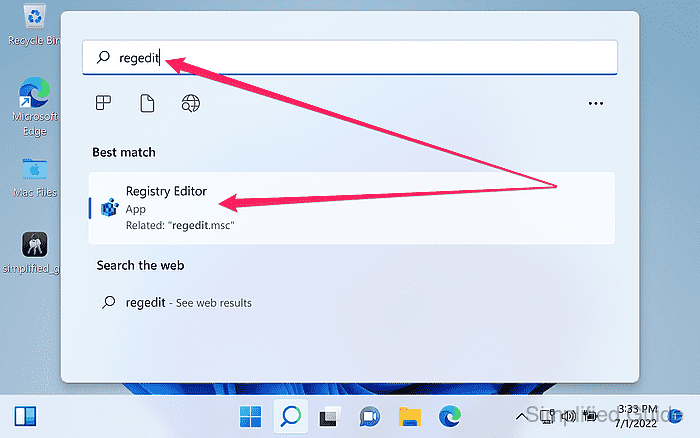
- Launch Registry Editor by running regedit from the search bar.
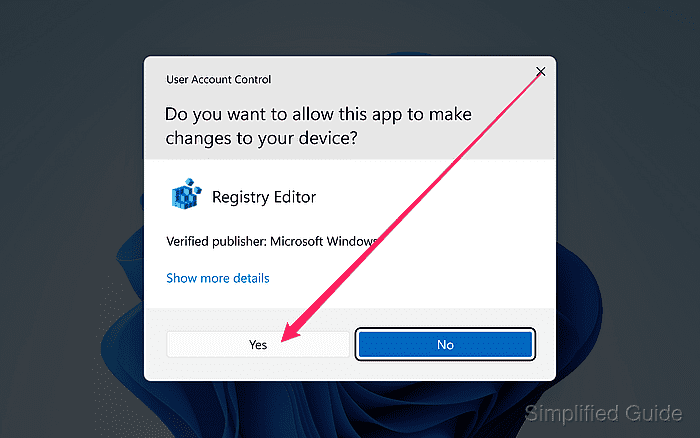
- Click Yes to allow registry editor to make changes to the system.
- Navigate to the PuTTY host key store in the registry tree.
HKEY_CURRENT_USER\Software\SimonTatham\PuTTY\SshHostKeys
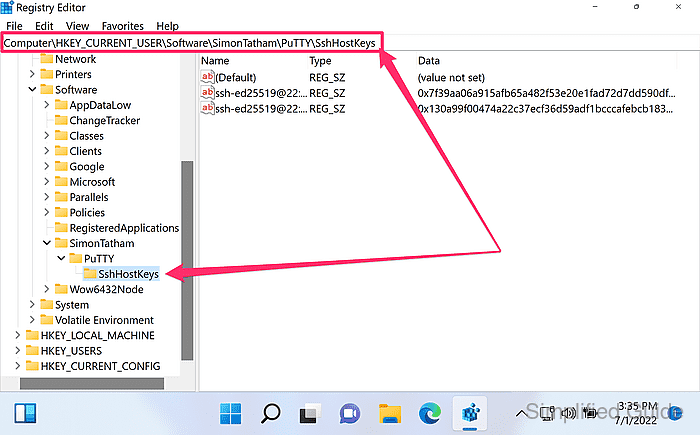
PuTTY host keys are stored per Windows user under HKEY_CURRENT_USER.
- Export the SshHostKeys key as a backup before making changes.
Use File → Export in Registry Editor with Selected branch set to SshHostKeys.
- Locate the host key entry that matches the server name or IP address and port.
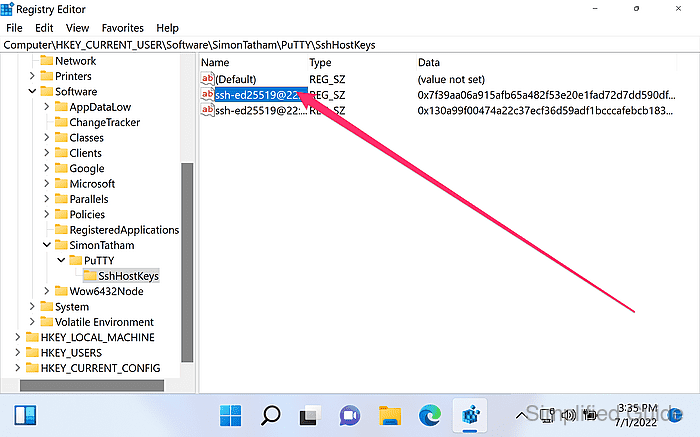
Entry names typically look like ed25519@22:example.com or rsa2@2222:192.0.2.10.
- Double-click on the key from the list to see more details.
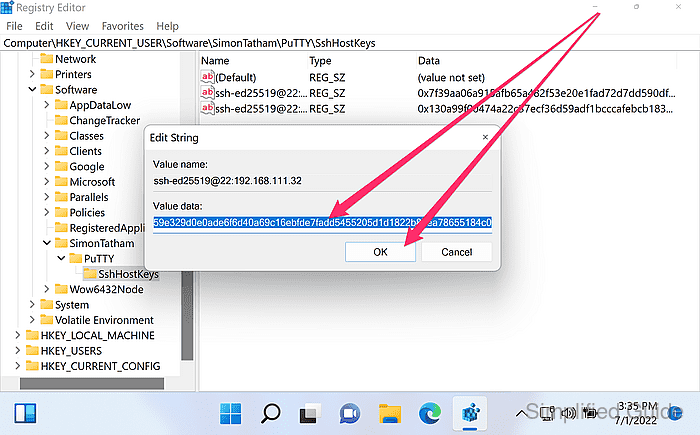
Deleting and reconnecting is usually safer than manually editing the stored key string.
- Edit key value to update as necessary and click OK to save.
Only replace the key value when the exact new host key data is obtained through a trusted channel, or the change can hide a man-in-the-middle attack.
- Right click on the key from the list and click on Delete to delete the host key fingerprint.
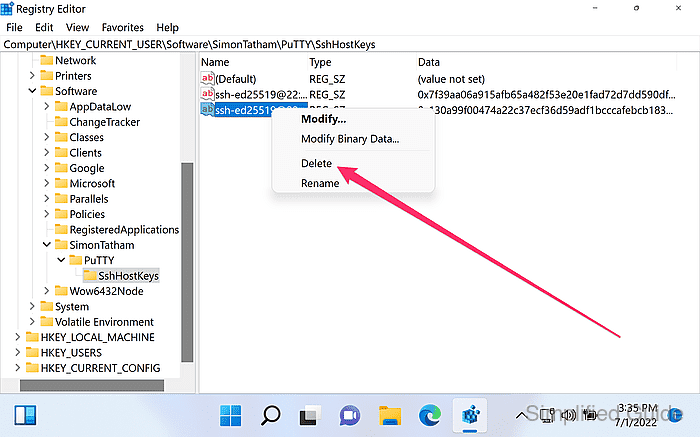
Remove additional entries for the same host if a host key warning persists for a different key type.
- Click Yes to confirm the deletion.
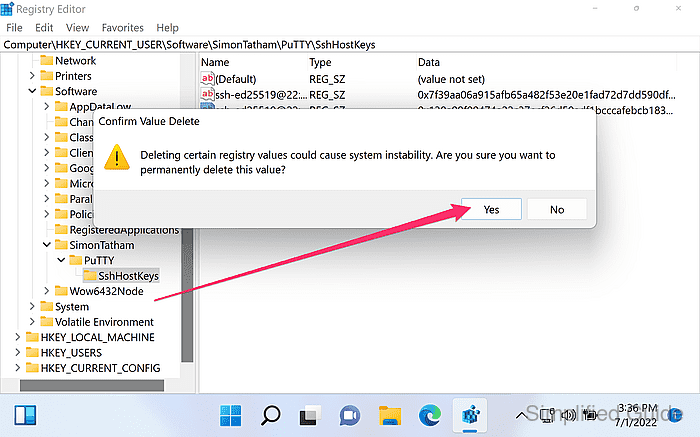
- Reconnect to the server in PuTTY to trigger the new host key prompt.
- Verify the fingerprint against a trusted source before clicking Accept.
Accepting an unverified host key can enable a man-in-the-middle attack.