How to test Prometheus rule files
Testing Prometheus rule files before a reload catches parser errors and incorrect rule behavior while the running server keeps its active rules. Use promtool when editing alerting or recording rule YAML and when a change should fail fast in review or CI.
promtool check rules reads one or more rule files and confirms that each group, expression, and rule definition can be parsed by Prometheus. A successful syntax check does not prove that a recording rule returns the labels or values expected from real samples.
A promtool test rules file supplies input series and expected evaluation results. Keep the test file beside the rule file when the rule feeds an alert or dashboard that should be verified before the file is loaded through rule_files.
Related: How to create a Prometheus recording rule
Related: How to load a Prometheus rule file
Steps to test Prometheus rule files:
- Open the rule file that will be checked.
$ vi rules.yml
groups:
  - name: api.rules
    interval: 1m
    rules:
      - record: job:http_requests:rate5m
        expr: sum by (job) (rate(http_requests_total[5m]))
The sample recording rule stores a five-minute per-job request rate. Replace the expression and record name with the rule that should be checked.
- Check the rule file syntax with promtool.
$ promtool check rules rules.yml
Checking rules.yml
  SUCCESS: 1 rules found
Run this check before adding the file to rule_files or reloading Prometheus. Add --lint-fatal in CI if duplicate-rule lint findings should fail the job.
- Create a rule test file beside the rule file.
$ vi rule-tests.yml
rule_files:
  - rules.yml
evaluation_interval: 1m
tests:
  - interval: 1m
    input_series:
      - series: 'http_requests_total{job="api",instance="api-1"}'
        values: '0 60 120 180 240 300'
    promql_expr_test:
      - expr: job:http_requests:rate5m
        eval_time: 5m
        exp_samples:
          - labels: 'job:http_requests:rate5m{job="api"}'
            value: 1
The input counter increases by 60 every minute, so the five-minute rate should evaluate to 1 request per second for the api job.
- Run the rule unit test.
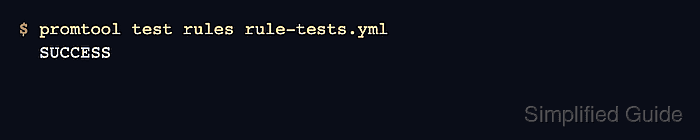
$ promtool test rules rule-tests.yml
  SUCCESS
promtool test rules can also test alerting rules with alert_rule_test cases when the rule should become pending or firing at a specific evaluation time.
- Fix parser or test failures before loading the rule file.
promtool check rules validates rule syntax, while promtool test rules validates expected PromQL results from supplied samples. A passing syntax check alone can still leave a rule with the wrong labels, value, or firing condition.
- Load the tested rule file only after both checks pass.
Related: How to load a Prometheus rule file
Related: How to reload Prometheus configuration