How to build a PostgreSQL primary and standby setup
A PostgreSQL primary-and-standby build is complete only when the standby is replaying WAL from the primary. Copying data without the recovery signal, connection settings, and final replication checks can leave a server that starts as a separate database or waits with stale data.
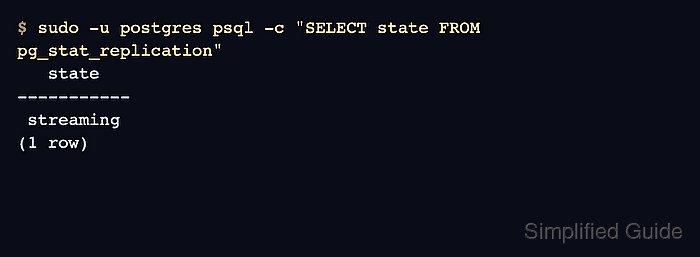
Physical streaming replication sends Write-Ahead Log records from one primary server to one standby server. Commands use Debian/Ubuntu package-managed PostgreSQL, where cluster configuration stays under /etc/postgresql/18/main and the data directory stays under /var/lib/postgresql/18/main. pg_basebackup seeds the standby data directory, and --write-recovery-conf through -R writes standby.signal, primary_conninfo, and primary_slot_name into the standby data directory.
Run the build on two hosts with the same PostgreSQL major version and the same CPU architecture. The standby data directory is removed before seeding, so use a new standby host or one whose PostgreSQL data has already been backed up and intentionally retired. Replication is asynchronous unless synchronous replication is configured later, and the replication role can read WAL contents, so restrict the network path with firewall rules, pg_hba.conf, and TLS where required.
Related: How to tune WAL settings in PostgreSQL \\
Related: How to configure pg_hba.conf in PostgreSQL \\
Related: How to manage the PostgreSQL service with systemctl on Linux
Steps to build a PostgreSQL primary and standby setup:
- Confirm that both hosts run the same PostgreSQL major version.
$ psql --version
psql (PostgreSQL) 18.4 (Ubuntu 18.4-0ubuntu0.26.04.1)
Repeat the check on the standby host before seeding it. Physical replication does not support different PostgreSQL major versions between the primary and standby.
- On the primary host, confirm the active data directory and pg_hba.conf path.
$ sudo -u postgres psql -c "SHOW data_directory;" data_directory ----------------------------- /var/lib/postgresql/18/main (1 row) $ sudo -u postgres psql -Atc "SHOW hba_file;" /etc/postgresql/18/main/pg_hba.conf - On the primary host, set the sender-side replication parameters.
$ sudo -u postgres psql
postgres=# ALTER SYSTEM SET listen_addresses = '*';
ALTER SYSTEM
postgres=# ALTER SYSTEM SET wal_level = 'replica';
ALTER SYSTEM
postgres=# ALTER SYSTEM SET max_wal_senders = '5';
ALTER SYSTEM
postgres=# ALTER SYSTEM SET max_replication_slots = '5';
ALTER SYSTEM
postgres=# \q
Use a specific listen address instead of * when the server has a fixed database-facing address. Keep firewall rules limited to trusted PostgreSQL clients and standby servers.
- Restart PostgreSQL on the primary host because these parameters are applied at server start.
$ sudo systemctl restart postgresql
$ sudo -u postgres psql -c "SHOW wal_level;"
 wal_level
-----------
 replica
(1 row)
- Add a host-based authentication rule on the primary for the standby server's address.
$ sudoedit /etc/postgresql/18/main/pg_hba.conf
# TYPE  DATABASE     USER  ADDRESS          METHOD
host    replication  repl  203.0.113.25/32  scram-sha-256
Replace 203.0.113.25/32 with the standby host's real management or replication address. Related: How to configure pg_hba.conf in PostgreSQL
- Reload the primary host authentication rules.
$ sudo -u postgres psql -c "SELECT pg_reload_conf();"
 pg_reload_conf
----------------
 t
(1 row)
- Create a dedicated replication role and physical replication slot on the primary.
$ sudo -u postgres psql
postgres=# SET password_encryption = 'scram-sha-256';
SET
postgres=# CREATE ROLE repl WITH REPLICATION LOGIN PASSWORD 'change-this-replication-password';
CREATE ROLE
postgres=# SELECT slot_name FROM pg_create_physical_replication_slot('standby1');
 slot_name
-----------
 standby1
(1 row)
postgres=# \q
A physical replication slot keeps WAL on the primary until the standby receives it. Monitor free space under pg_wal and drop unused slots instead of leaving them inactive. Related: How to set password encryption method in PostgreSQL
- On the standby host, stop PostgreSQL before replacing the package-created data directory.
$ sudo systemctl stop postgresql
- Remove and recreate only the standby data directory.
This deletes the standby host's local PostgreSQL data. Do not run it on the primary or on a standby host that contains data that must be preserved.
$ sudo rm -rf /var/lib/postgresql/18/main
$ sudo install -d -m 0700 -o postgres -g postgres /var/lib/postgresql/18/main
On Debian/Ubuntu packages, keep /etc/postgresql/18/main in place. That directory contains the package-managed cluster configuration used when the standby service starts.
- Store the replication password in the postgres account password file on the standby.
$ sudoedit /var/lib/postgresql/.pgpass
primary-db.example.net:5432:replication:repl:change-this-replication-password
$ sudo chown postgres:postgres /var/lib/postgresql/.pgpass
$ sudo chmod 600 /var/lib/postgresql/.pgpass
Use the primary host name or IP address that the standby will use in the pg_basebackup command. Keep the database field as replication so password lookup matches replication connections.
- Seed the standby data directory from the primary with pg_basebackup.
$ sudo -u postgres pg_basebackup -h primary-db.example.net -p 5432 -U repl -D /var/lib/postgresql/18/main -X stream -R -S standby1 --progress
waiting for checkpoint
   76/31375 kB (0%), 0/1 tablespace
31386/31386 kB (100%), 0/1 tablespace
31386/31386 kB (100%), 1/1 tablespace
-R writes the standby recovery files, -X stream streams required WAL during the backup, and -S standby1 makes the standby use the physical slot created on the primary.
- Start PostgreSQL on the standby host.
$ sudo systemctl start postgresql
- Verify that the standby is running in recovery mode.
$ sudo -u postgres psql -c "SELECT pg_is_in_recovery();"
 pg_is_in_recovery
-------------------
 t
(1 row)
- Verify that the standby WAL receiver is streaming from the primary.
$ sudo -u postgres psql -c "SELECT status, sender_host, sender_port FROM pg_stat_wal_receiver;"
  status   |      sender_host       | sender_port
-----------+------------------------+-------------
 streaming | primary-db.example.net |        5432
(1 row)
- On the primary host, verify that PostgreSQL sees the standby as a streaming replica.
$ sudo -u postgres psql -c "SELECT application_name, state, sync_state FROM pg_stat_replication;"
 application_name |   state   | sync_state
------------------+-----------+------------
 18/main          | streaming | async
(1 row)
sync_state shows async until synchronous replication is configured intentionally.
- On the primary host, verify that the replication slot is active.
$ sudo -u postgres psql -c "SELECT slot_name, slot_type, active FROM pg_replication_slots WHERE slot_name = 'standby1';"
 slot_name | slot_type | active
-----------+-----------+--------
 standby1  | physical  | t
(1 row)
- Run a small data-flow check through a non-production database, replacing appdb with an existing database name.
$ sudo -u postgres psql -d appdb -c "CREATE TABLE replication_probe(id integer PRIMARY KEY, note text);"
CREATE TABLE

$ sudo -u postgres psql -d appdb -c "INSERT INTO replication_probe VALUES (1, 'replication check');"
INSERT 0 1
- Query the same table on the standby to confirm replay has reached the test write.
$ sudo -u postgres psql -d appdb -c "SELECT * FROM replication_probe;"
 id |       note
----+-------------------
  1 | replication check
(1 row)
- Drop the temporary probe table from the primary after the standby check succeeds.
$ sudo -u postgres psql -d appdb -c "DROP TABLE replication_probe;"
DROP TABLE