How to generate Playwright tests with codegen
Browser journeys are easier to turn into Playwright coverage when the first pass starts from the page itself. The codegen recorder opens a browser and writes Playwright Test code while the interaction is performed, which helps create an initial spec before it is refactored into project style.
The recorder runs from the project root and can save the generated script directly with --output. Treat that file as a draft spec: keep the recorded navigation, actions, and assertions that describe the flow, then rename the test and tighten any locator that depends on fragile page text.
Use a graphical developer session for recording because codegen opens a browser window and the Playwright Inspector. After the file is saved, a normal npx playwright test run proves the generated spec works outside the recorder.
Steps to generate Playwright tests with codegen:
- Open a terminal at the Playwright project root.
$ cd ~/projects/playwright-demo
- Start the recorder for the target page and write the generated test to a file.
$ npx playwright codegen --target=playwright-test --output=tests/home.spec.ts http://127.0.0.1:4173
The browser window and Playwright Inspector stay open while the command is running. Replace the URL with the page or preview environment that should be recorded.
- Perform the user flow in the browser window and add the assertion from the Playwright Inspector toolbar.
Use assertion buttons such as assert visibility or assert text on the final state that proves the flow. Close the Inspector when the saved file has the recorded actions and assertion.
- Review the generated spec before committing it.
import { test, expect } from '@playwright/test';

test('home page shows ready state', async ({ page }) => {
  await page.goto('http://127.0.0.1:4173/');
  await page.getByRole('button', { name: 'Start' }).click();
  await expect(page.getByText('Recorded action ready')).toBeVisible();
});
Rename the default generated test title and prefer role, text, or test-id locators that match the UI contract. Use --test-id-attribute when the project uses a custom data-test attribute.
Related: How to use Playwright role locators
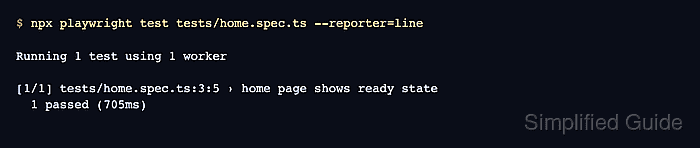
- Run the saved test file with the line reporter.
$ npx playwright test tests/home.spec.ts --reporter=line

Running 1 test using 1 worker

[1/1] tests/home.spec.ts:3:5 › home page shows ready state
  1 passed (705ms)
Use the same browser project or environment variables that the rest of the suite uses when the recorded page depends on project configuration.
Related: How to run specific Playwright tests