How to capture a screenshot with Playwright
Browser tests often reach a visual state that is easier to diagnose from an image than from logs alone. Playwright can write that state to a PNG during a test, leaving a reviewable artifact without changing the page under test.
The page.screenshot() API captures the current Page object, while fullPage expands the image to the complete scrollable document. testInfo.outputPath() keeps the file inside the test's isolated output directory so parallel tests do not write to the same path.
A deterministic in-memory page keeps the first run self-contained. In an application suite, navigation or fixture setup can replace that markup while the auto-retrying visibility assertion remains before the capture.
Steps to capture a screenshot with Playwright:
- Create tests/screenshot.spec.ts with the Playwright import and per-test output path.
import { expect, test } from '@playwright/test'; test('capture a full-page screenshot', async ({ page }, testInfo) => { const screenshotPath = testInfo.outputPath('home-page.png'); - Insert the screenshot target markup after the output-path declaration.
await page.setContent(` <main style="font-family: system-ui, sans-serif; padding: 48px; min-height: 900px;"> <h1>Release dashboard</h1> <p>Build 2048 is ready for review.</p> </main> `); - Add an auto-retrying heading check after page.setContent().
await expect(page.getByRole('heading', { name: 'Release dashboard' })).toBeVisible(); - Append the full-page screenshot call after the heading check.
await page.screenshot({ path: screenshotPath, fullPage: true, }); }); - Run the completed screenshot test in the Chromium project.
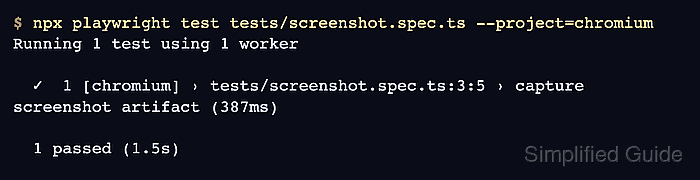
$ npx playwright test tests/screenshot.spec.ts --project=chromium

Running 1 test using 1 worker

  ✓  1 [chromium] › tests/screenshot.spec.ts:3:5 › capture a full-page screenshot (432ms)

  1 passed (32.9s)
The chromium project name comes from /playwright.config.ts; configurations with one browser target do not require --project.
Related: How to run Playwright tests - Inspect the PNG created in the test output directory.
$ file test-results/tests-screenshot-capture-a-full-page-screenshot-chromium/home-page.png
test-results/tests-screenshot-capture-a-full-page-screenshot-chromium/home-page.png: PNG image data, 1280 x 1012, 8-bit/color RGB, non-interlaced
The default output path includes the test file, title, and project name. A custom outputDir setting changes the directory prefix.