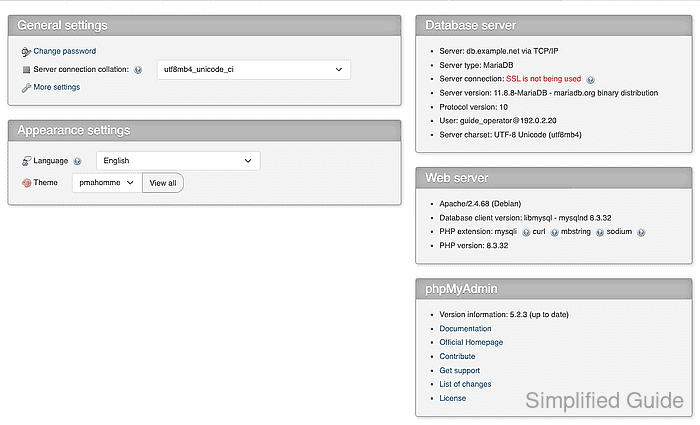
How to fix phpMyAdmin error 2002 server not responding
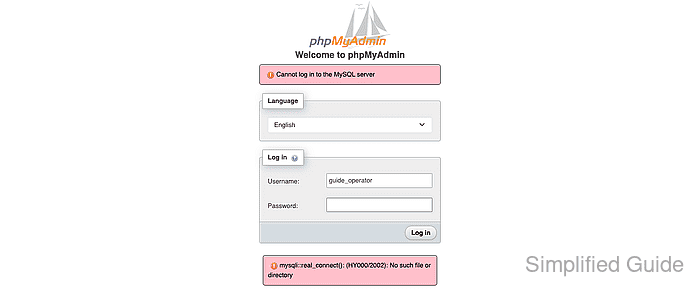
phpMyAdmin reports error 2002 before MySQL or MariaDB evaluates the supplied username and password. The web application could not open the configured Unix socket or TCP endpoint, so changing account privileges will not repair this failure.
The hostname localhost selects a local Unix socket in MySQL client libraries, and a configured port does not change that selection. A literal IP address or non-local hostname selects TCP, which is the required path when the database listens on a port or runs on another host or container.
Correcting the endpoint does not require wider database bind addresses or firewall rules. A database account with only the required application privileges is sufficient, and an interactive password prompt keeps the credential out of shell history. The active phpMyAdmin authentication settings do not need to change.
Steps to fix phpMyAdmin error 2002:
- Reproduce error 2002 in phpMyAdmin with the intended database account.
- Test the configured localhost path inside the phpMyAdmin container with the same database account.
$ mariadb --host=localhost --user=guide_operator --password inventory_app
Enter password:
ERROR 2002 (HY000): Can't connect to local server through socket '/run/mysqld/mysqld.sock' (2)
The socket path in the error identifies the connection path that failed. Error 1045 instead means the server was reached and rejected authentication.
- Set the selected server entry in the active phpMyAdmin configuration file to the database hostname and TCP port.
- config.user.inc.php
$cfg['Servers'][$i]['host'] = 'db.example.net';
$cfg['Servers'][$i]['port'] = '3306';
127.0.0.1 is appropriate only when the database listens on the same host. 0.0.0.0 is not a client destination, and widening the database listener to bypass a local socket mismatch exposes an unrelated network surface.
- Validate the active phpMyAdmin configuration file inside the container with the PHP syntax checker.
$ php -l /etc/phpmyadmin/config.user.inc.php
No syntax errors detected in /etc/phpmyadmin/config.user.inc.php
/etc/phpmyadmin/config.user.inc.php is loaded by the official phpMyAdmin container image; package and source installations can use a different active file.
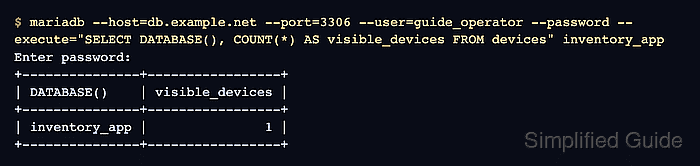
- Query the target database from inside the phpMyAdmin container through the corrected TCP endpoint.
$ mariadb --host=db.example.net --port=3306 --user=guide_operator --password --execute="SELECT DATABASE(), COUNT(*) AS visible_devices FROM devices" inventory_app
Enter password:
+---------------+-----------------+
| DATABASE()    | visible_devices |
+---------------+-----------------+
| inventory_app |               1 |
+---------------+-----------------+
The hostname, account, database, table, and query are neutral examples of values the account is expected to read. A returned application row proves both TCP reachability and database access without using an administrative account.
- Retry the phpMyAdmin login with the intended database account to confirm the corrected endpoint.