How to check PHP version
Checking the active PHP version before a deployment, extension change, or upgrade prevents one of the easiest runtime mismatches to miss. A shell session can report one interpreter while the application is served by a different build with older syntax support, different deprecation behavior, or a separate extension set.
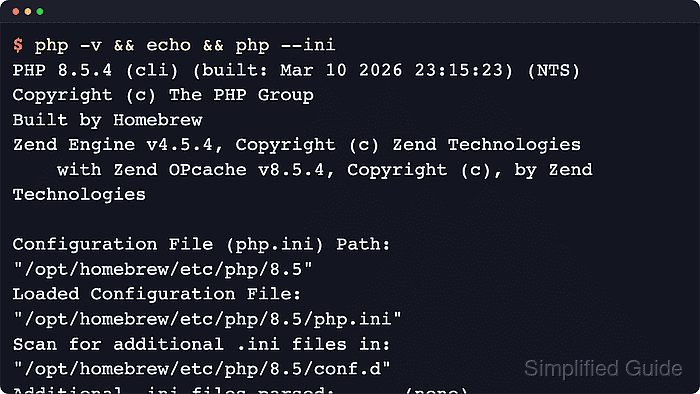
PHP version checks are runtime-specific. The CLI binary reports the interpreter resolved in the current shell, while the web-facing runtime reports the SAPI behind the site such as apache2handler or fpm-fcgi, and each runtime can load its own configuration files and extensions.
Confirm the CLI version first, then query the web-served runtime when the site might not use the same interpreter. The command examples were verified with the Ubuntu 26.04 php-cli package, but hosts that mix distro packages, Homebrew, control panels, or custom builds often keep multiple binaries on one machine, so compare the reported version with the executable path and active configuration files before assuming every request is using the same PHP branch.
Related: How to show loaded PHP extensions
Steps to check PHP version:
- Open a terminal session on the system that runs the target PHP workload.
- Run php -v to read the active CLI version and SAPI from the binary currently resolved in the shell.
$ php -v
PHP 8.5.4 (cli) (built: May 25 2026 12:19:37) (NTS)
Copyright (c) The PHP Group
Built by Ubuntu
Zend Engine v4.5.4, Copyright (c) Zend Technologies
    with Zend OPcache v8.5.4, Copyright (c), by Zend Technologies
The first line reports the dotted PHP release and the cli SAPI. Build strings and loaded extension lines vary by package source.
- Print the version, numeric version ID, and SAPI from inside the interpreter when automation or deployment checks need machine-friendly output.
$ php -r 'printf("Version: %s\nVersion ID: %d\nSAPI: %s\n", PHP_VERSION, PHP_VERSION_ID, PHP_SAPI);'
Version: 8.5.4
Version ID: 80504
SAPI: cli
PHP_VERSION_ID is the integer form used for version comparisons, and PHP_SAPI identifies which runtime answered the command.
- Resolve the executable path when the reported version is not the expected one.
$ command -v php
/usr/bin/php
A mismatch often means another PHP binary appears earlier in PATH than the runtime that was expected.
- Show the active CLI configuration files when the version looks right but behavior, modules, or defaults do not.
$ php --ini
Configuration File (php.ini) Path: "/etc/php/8.5/cli"
Loaded Configuration File:         "/etc/php/8.5/cli/php.ini"
Scan for additional .ini files in: "/etc/php/8.5/cli/conf.d"
Additional .ini files parsed:      /etc/php/8.5/cli/conf.d/10-pdo.ini,
/etc/php/8.5/cli/conf.d/20-calendar.ini,
##### snipped #####
/etc/php/8.5/cli/conf.d/20-tokenizer.ini
These paths belong only to the CLI runtime that answered the command.
Related: How to find PHP configuration files
- Create a short-lived version probe in the document root when the web-served runtime may differ from the CLI binary.
<?php
header('Content-Type: text/plain');
printf("Version: %s\n", PHP_VERSION);
printf("Version ID: %d\n", PHP_VERSION_ID);
printf("SAPI: %s\n", PHP_SAPI);
?>
A narrow text probe keeps the check focused on version and runtime identity. phpinfo() also shows the version, but it exposes much more configuration and environment data than this job needs.
Keep the probe temporary and place it in the same site, virtual host, or pool that serves the application. Leaving it reachable still exposes runtime details.
- Request the probe through the web server and compare the response with the CLI result.
$ curl -s https://portal.example.net/php-version-check.php
Version: 8.5.4
Version ID: 80504
SAPI: apache2handler
apache2handler means the site is using the Apache module. PHP-FPM deployments commonly report fpm-fcgi instead, and either value can differ from the CLI runtime.
- Remove the temporary probe after the version is confirmed.
$ rm /var/www/portal.example.net/public/php-version-check.php
Leaving the probe reachable after the check exposes version and runtime details with no operational benefit.