How to configure SSL verification in PHP cURL
PHP cURL requests fail with certificate errors when the target endpoint uses a private CA, a partner-issued chain, or a trust bundle that is not available to the PHP runtime. Keep certificate verification enabled and point the request at the CA file that should be trusted for that endpoint.
PHP exposes libcurl trust settings through curl_setopt_array(). CURLOPT_CAINFO names a PEM CA bundle, CURLOPT_SSL_VERIFYPEER verifies that the server certificate chains to a trusted CA, and CURLOPT_SSL_VERIFYHOST checks that the certificate name matches the host in the request URL.
Use a per-request CA path when one application calls a private API. Leave CURLOPT_CAINFO unset for ordinary public HTTPS endpoints that should use the operating system or libcurl default trust store, and use the php.ini curl.cainfo directive only when every PHP cURL request in that runtime should share the same absolute CA path.
Steps to configure SSL verification in PHP cURL:
- Confirm that the PHP cURL extension is loaded in the runtime that sends the request.
$ php -r "var_export(extension_loaded('curl')); echo PHP_EOL;"
true
Run the same check through the application runtime when the request is sent by PHP-FPM, Apache, or another web SAPI. A CLI check only proves the command-line PHP configuration.
- Inspect the CA certificate or bundle supplied for the endpoint.
$ openssl x509 -in api-ca.pem -noout -subject -issuer -dates
subject=CN = Example Private Root CA
issuer=CN = Example Private Root CA
notBefore=Jan  1 00:00:00 2026 GMT
notAfter=Jan  1 00:00:00 2027 GMT
CURLOPT_CAINFO expects a PEM file containing one or more CA certificates used to verify the server certificate. It is not the client certificate used for mutual TLS. Related: How to use a client certificate with PHP cURL
Tool: SSL CA Matcher
- Create a protected directory for application trust files.
$ sudo install -d -m 0755 -o root -g root /etc/myapp/trust
Use an application-specific directory when the CA bundle is only for one integration. Do not replace the system CA store unless the operating system itself needs to trust the CA.
- Install the CA bundle where the PHP runtime can read it.
$ sudo install -m 0644 -o root -g root api-ca.pem /etc/myapp/trust/api-ca.pem
Do not disable CURLOPT_SSL_VERIFYPEER or set CURLOPT_SSL_VERIFYHOST to 0 to bypass a certificate error. That hides hostname and issuer problems instead of fixing the trust path.
- Create the PHP request script with explicit SSL verification settings.
$ sudoedit /var/www/app/ssl-verify.php
- /var/www/app/ssl-verify.php
<?php
$url = getenv('API_URL') ?: 'https://api.example.net/health';
$caFile = getenv('API_CAINFO') ?: '/etc/myapp/trust/api-ca.pem';

if (!is_readable($caFile)) {
    fwrite(STDERR, "CA file is not readable: {$caFile}\n");
    exit(1);
}

$ch = curl_init($url);
curl_setopt_array($ch, [
    CURLOPT_RETURNTRANSFER => true,
    CURLOPT_CAINFO => $caFile,
    CURLOPT_SSL_VERIFYPEER => true,
    CURLOPT_SSL_VERIFYHOST => 2,
    CURLOPT_TIMEOUT => 15,
    CURLOPT_HTTPHEADER => [
        'Accept: text/plain',
    ],
]);

$body = curl_exec($ch);

if ($body === false) {
    fwrite(STDERR, 'cURL error: ' . curl_error($ch) . PHP_EOL);
    curl_close($ch);
    exit(1);
}

$status = curl_getinfo($ch, CURLINFO_RESPONSE_CODE);
curl_close($ch);

echo "HTTP status: {$status}\n";
echo "Verified TLS: yes\n";
echo trim($body) . PHP_EOL;

if ($status < 200 || $status >= 300) {
    exit(1);
}
If the same CA file should be the default for every cURL transfer in a PHP runtime, set curl.cainfo=/etc/myapp/trust/api-ca.pem in that runtime's active php.ini instead of repeating CURLOPT_CAINFO in each request. Keep CURLOPT_SSL_VERIFYPEER and CURLOPT_SSL_VERIFYHOST enabled either way.
- Run the request against the endpoint that uses the configured CA.
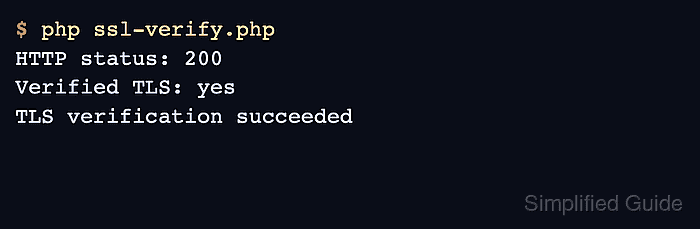
$ API_URL=https://api.example.net/health API_CAINFO=/etc/myapp/trust/api-ca.pem php /var/www/app/ssl-verify.php
HTTP status: 200
Verified TLS: yes
TLS verification succeeded
A successful response after curl_exec() proves that libcurl accepted the server certificate chain and hostname under the configured verification settings. If PHP prints SSL certificate problem: unable to get local issuer certificate, check that the CA file contains the issuer needed by the endpoint and that the PHP runtime can read the path.
- Temporarily enable verbose output only when the verified request still fails in the application.
$log = fopen('/tmp/php-curl-tls.log', 'w');
curl_setopt_array($ch, [
    CURLOPT_VERBOSE => true,
    CURLOPT_STDERR => $log,
]);
Remove verbose TLS logging after diagnosis. It can expose internal hostnames, proxy paths, and certificate details in logs.