How to set a timeout in PHP cURL
Slow API calls can hold a PHP worker open long after the caller has stopped waiting. Setting cURL timeouts gives each request a clear connection window and a total transfer limit, so a delayed upstream service becomes a handled transport error instead of a stuck script.
PHP cURL separates the connection phase from the full transfer. CURLOPT_CONNECTTIMEOUT_MS limits connection setup, while CURLOPT_TIMEOUT_MS limits the complete operation after the handle starts executing.
Timeouts do not replace HTTP status checks because a timed-out transfer has no response code. Read curl_errno() and curl_error() before closing the handle, then treat error 28 as the timeout branch that can be logged, retried, or returned to the caller.
Related: How to send a GET request with PHP cURL
Related: How to handle HTTP errors with PHP cURL
Related: How to retry a PHP cURL request
Related: How to debug PHP cURL with verbose output
Steps to set a timeout in PHP cURL:
- Confirm that the PHP cURL extension is loaded in the runtime that will run the request.
$ php -r 'var_export(extension_loaded("curl")); echo PHP_EOL;'
true
Install or enable the platform cURL extension package, such as php-curl on Debian or Ubuntu systems, when this command prints false.
- Create a local endpoint with one fast path and one deliberately slow path.
- timeout-server.php
<?php
$path = parse_url($_SERVER['REQUEST_URI'], PHP_URL_PATH);

header('Content-Type: application/json');

if ($path === '/fast') {
    echo json_encode([
        'status' => 'ok',
        'delay_seconds' => 0,
    ]) . PHP_EOL;
    return;
}

if ($path === '/slow') {
    sleep(2);
    echo json_encode([
        'status' => 'late',
        'delay_seconds' => 2,
    ]) . PHP_EOL;
    return;
}

http_response_code(404);
echo json_encode(['error' => 'not found']) . PHP_EOL;
- Start the local endpoint in a second terminal while testing the timeout client.
$ php -S 127.0.0.1:8080 timeout-server.php
The built-in PHP server keeps the example local and disposable. Stop it with Ctrl+C after the timeout and fast-response checks are complete.
- Create the PHP cURL client script with connection and total transfer timeouts.
- request-with-timeout.php
<?php
$url = $argv[1] ?? 'http://127.0.0.1:8080/slow';

$curl = curl_init($url);
if ($curl === false) {
    fwrite(STDERR, 'Could not initialize cURL' . PHP_EOL);
    exit(1);
}

curl_setopt_array($curl, [
    CURLOPT_RETURNTRANSFER => true,
    CURLOPT_CONNECTTIMEOUT_MS => 500,
    CURLOPT_TIMEOUT_MS => 1000,
    CURLOPT_HTTPHEADER => [
        'Accept: application/json',
    ],
]);

$started = microtime(true);
$body = curl_exec($curl);
$elapsed = microtime(true) - $started;

if ($body === false) {
    $errno = curl_errno($curl);
    $error = curl_error($curl);
    curl_close($curl);

    printf("cURL error %d after %.2f seconds: %s\n", $errno, $elapsed, $error);
    exit(1);
}

$status = curl_getinfo($curl, CURLINFO_RESPONSE_CODE);
curl_close($curl);

printf("HTTP status: %d\n", $status);
printf("Elapsed: %.2f seconds\n", $elapsed);
printf("Response body: %s\n", trim($body));
Keep the total timeout at least as long as the connection timeout. Use CURLOPT_CONNECTTIMEOUT and CURLOPT_TIMEOUT instead when the codebase uses whole-second values.
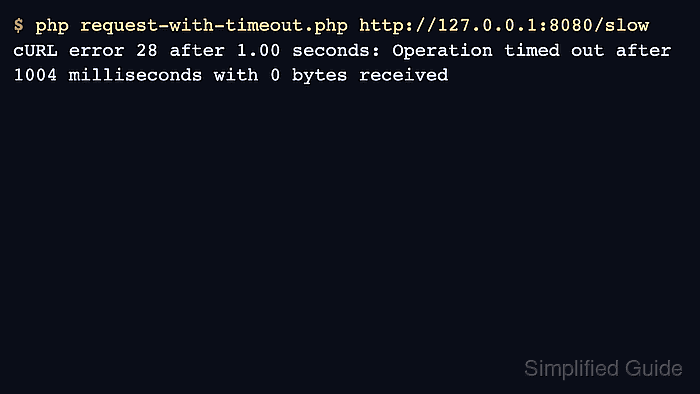
- Run the client against the slow endpoint and confirm cURL stops the transfer at about one second.
$ php request-with-timeout.php http://127.0.0.1:8080/slow
cURL error 28 after 1.01 seconds: Operation timed out after 1004 milliseconds with 0 bytes received
Error 28 is CURLE_OPERATION_TIMEDOUT. Read the error number before closing the handle so application code can distinguish timeouts from DNS, TLS, proxy, or connection failures.
- Run the same client against the fast endpoint and confirm the timeout settings still allow a completed response.
$ php request-with-timeout.php http://127.0.0.1:8080/fast HTTP status: 200 Elapsed: 0.00 seconds Response body: {"status":"ok","delay_seconds":0} - Move the timeout options into the application request and tune the values for the upstream service.
Use a shorter connection timeout to fail unreachable hosts quickly, and use the total timeout to cap slow responses, large downloads, or stalled transfers. Keep timeout handling separate from HTTP status handling because a timeout has no response body to parse.
Related: How to handle HTTP errors with PHP cURL
Related: How to retry a PHP cURL request - Stop the local endpoint with Ctrl+C in the server terminal after testing is complete.
- Remove the temporary test scripts if they are not part of the application.
$ rm request-with-timeout.php timeout-server.php