How to use a client certificate with PHP cURL
When an API requires mutual TLS, a PHP cURL request must present a client certificate during the TLS handshake before the server will return application data. The request can still use normal headers and payloads, but the server rejects the connection if the certificate, private key, or issuing CA chain does not match its policy.
PHP exposes libcurl TLS options through curl_setopt_array(). CURLOPT_SSLCERT names the client certificate file, CURLOPT_SSLKEY names the matching private key, and CURLOPT_CAINFO points cURL at the CA bundle used to verify the server certificate when the endpoint is private or self-signed.
Keep TLS peer verification enabled, store private keys outside the web root, and load paths from deployment configuration instead of hardcoding secrets into source. The example below uses separate PEM files, which is the common Linux layout; use CURLOPT_SSLCERTTYPE, CURLOPT_SSLKEYTYPE, or CURLOPT_KEYPASSWD only when your provider gives a PKCS#12 file, a non-PEM key, or an encrypted key.
Steps to use a client certificate with PHP cURL:
- Confirm the cURL extension is loaded in the PHP runtime that will send the request.
$ php -m
[PHP Modules]
Core
curl
date
##### snipped #####

[Zend Modules]
Zend OPcache
If the request runs under PHP-FPM or a web server module, confirm the same extension is enabled for that runtime as well as for the PHP CLI.
- Create a protected directory for the application certificate files.
$ sudo install -d -m 0750 -o www-data -g www-data /etc/myapp/mtls
Replace www-data with the account that runs the PHP application, such as the target PHP-FPM pool user.
- Install the client certificate and matching private key.
$ sudo install -m 0640 -o www-data -g www-data client.crt client.key /etc/myapp/mtls/
Keep the private key outside the document root and do not commit it with application source code.
- Install the API CA bundle when the endpoint uses a private or partner-issued server certificate.
$ sudo install -m 0644 -o root -g root api-ca.pem /etc/myapp/mtls/api-ca.pem
CURLOPT_CAINFO verifies the server certificate presented by the API endpoint. It does not replace the client certificate that the server uses to identify your application. Related: How to configure SSL verification in PHP cURL
- Create the PHP request script.
$ sudoedit /var/www/app/mtls-request.php
- /var/www/app/mtls-request.php
<?php
$endpoint = getenv('MTLS_URL') ?: 'https://api.example.net/health';

$certPath = getenv('MTLS_CERT') ?: '/etc/myapp/mtls/client.crt';
$keyPath = getenv('MTLS_KEY') ?: '/etc/myapp/mtls/client.key';
$caPath = getenv('MTLS_CA') ?: '/etc/myapp/mtls/api-ca.pem';

$ch = curl_init($endpoint);

curl_setopt_array($ch, [
    CURLOPT_RETURNTRANSFER => true,
    CURLOPT_SSLCERT => $certPath,
    CURLOPT_SSLKEY => $keyPath,
    CURLOPT_CAINFO => $caPath,
    CURLOPT_SSL_VERIFYPEER => true,
    CURLOPT_SSL_VERIFYHOST => 2,
    CURLOPT_TIMEOUT => 15,
    CURLOPT_HTTPHEADER => [
        'Accept: application/json',
    ],
]);

$response = curl_exec($ch);

if ($response === false) {
    fwrite(STDERR, 'cURL error: ' . curl_error($ch) . PHP_EOL);
    curl_close($ch);
    exit(1);
}

$statusCode = curl_getinfo($ch, CURLINFO_RESPONSE_CODE);
curl_close($ch);

echo "HTTP status: {$statusCode}\n";
echo $response;

if ($statusCode >= 400) {
    exit(1);
}
If the private key is encrypted, add CURLOPT_KEYPASSWD and read the passphrase from a secret store or protected runtime environment. For a PKCS#12 file, set CURLOPT_SSLCERTTYPE to P12 and follow the provider's key-handling requirements.
- Run the request against the mutual-TLS endpoint.
$ MTLS_URL=https://api.example.net/health \
  MTLS_CERT=/etc/myapp/mtls/client.crt \
  MTLS_KEY=/etc/myapp/mtls/client.key \
  MTLS_CA=/etc/myapp/mtls/api-ca.pem \
  php /var/www/app/mtls-request.php
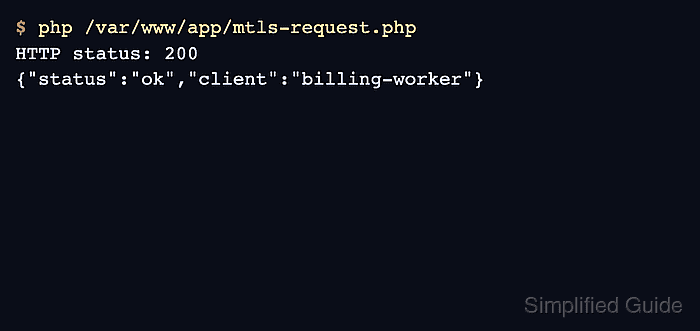
HTTP status: 200
{"status":"ok","client":"billing-worker"}
A printed HTTP status and response body prove that the TLS handshake accepted the client certificate and the API returned application data. If PHP prints a cURL error before the status line, enable verbose logging temporarily and inspect the certificate path, key match, passphrase, and CA bundle. Related: How to debug PHP cURL with verbose output