How to install Pacemaker, Corosync, and PCS on CentOS, Red Hat or Fedora
A Pacemaker cluster keeps critical services available by moving resources between nodes during failures and planned maintenance. Installing Pacemaker together with Corosync and PCS provides the base stack required for a high-availability cluster on CentOS, RHEL, and Fedora.
Corosync handles cluster membership and messaging, while Pacemaker manages resources based on health checks and policy. The pcs command configures and controls the cluster through the pcsd daemon running on each node.
Package availability depends on repository access: RHEL systems typically require enabling the High Availability repository before installing the packages, while Fedora often includes them in the default repositories. Run the installation steps on every intended cluster node, set a password for the hacluster account used by pcs authentication, and allow the required ports through firewalld before creating the cluster.
Steps to install Pacemaker, Corosync, and PCS on CentOS, Red Hat or Fedora:
- Open a terminal.
- Enable the High Availability repository.
$ sudo dnf config-manager --set-enabled highavailability
On RHEL systems without a HA repo entry, enable the repository with subscription-manager, for example on RHEL 9:
$ sudo subscription-manager repos --enable=rhel-9-for-x86_64-highavailability-rpms
On Fedora, skip this step if dnf can already resolve the packages. - Install the cluster packages with dnf.
$ sudo dnf install --assumeyes pacemaker corosync pcs
Rocky Linux 9 - BaseOS                          5.9 MB/s | 9.1 MB     00:01
Rocky Linux 9 - AppStream                       6.9 MB/s |  12 MB     00:01
Rocky Linux 9 - High Availability               165 kB/s | 117 kB     00:00
Rocky Linux 9 - Extras                           22 kB/s |  17 kB     00:00
Dependencies resolved.
===========================================================================================
 Package                          Arch     Version                  Repository         Size
===========================================================================================
Installing:
 corosync                         aarch64  3.1.9-2.el9_6            highavailability  259 k
 pacemaker                        aarch64  2.1.10-1.el9             highavailability  452 k
 pcs                              aarch64  0.11.10-1.el9_7.1        highavailability  4.0 M
##### snipped #####
Complete!
- Set the hacluster user password.
$ sudo passwd hacluster
New password: Retype new password: Changing password for user hacluster.
passwd: all authentication tokens updated successfully.
- Enable the pcsd service with immediate startup.
$ sudo systemctl enable --now pcsd
Created symlink /etc/systemd/system/multi-user.target.wants/pcsd.service -> /usr/lib/systemd/system/pcsd.service.
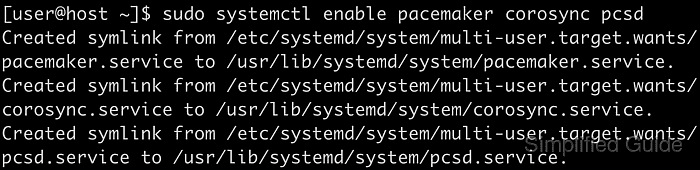
- Enable the pacemaker and corosync services to start on boot.
$ sudo systemctl enable pacemaker corosync
Created symlink /etc/systemd/system/multi-user.target.wants/pacemaker.service -> /usr/lib/systemd/system/pacemaker.service.
Created symlink /etc/systemd/system/multi-user.target.wants/corosync.service -> /usr/lib/systemd/system/corosync.service.
- Allow the High Availability service in firewalld.
$ sudo firewall-cmd --permanent --add-service=high-availability
success
- Reload the firewall to apply the rule.
$ sudo firewall-cmd --reload
success
- Verify the pcsd service is running.
$ sudo systemctl status pcsd ● pcsd.service - PCS GUI and remote configuration interface Loaded: loaded (/usr/lib/systemd/system/pcsd.service; enabled; preset: disabled) Active: active (running) since Wed 2025-12-31 22:58:18 UTC; 1s ago Docs: man:pcsd(8) man:pcs(8) Main PID: 842 (pcsd) Tasks: 31 (limit: 50115) Memory: 343.1M (peak: 344.5M) CPU: 4.763s ##### snipped ##### - Continue with cluster configuration.
Related: How to create a Pacemaker cluster