How to create a Pacemaker cluster
A Pacemaker cluster provides high availability for services that cannot tolerate long outages, keeping workloads online during node failures and planned maintenance. Automatic failover and controlled resource movement reduce downtime and operational risk when compared to manual recovery.
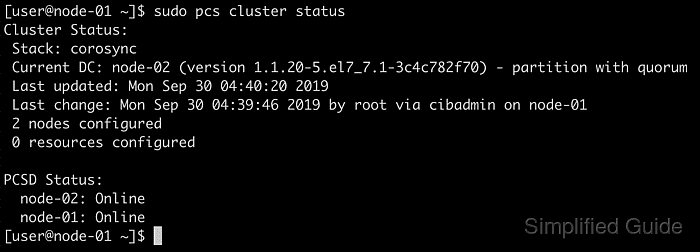
The typical stack combines Corosync for membership and messaging with Pacemaker as the resource manager, while pcs provides a consistent CLI for node authentication and cluster configuration. Configuration changes are distributed through the pcsd daemon, using the hacluster account for secure node-to-node access.
Cluster creation depends on stable hostnames, consistent name resolution, and reliable network reachability between all nodes. Fencing (STONITH) and quorum behavior define how the cluster reacts to partitions and must be planned before running shared-write resources, because unsafe settings can cause split-brain and permanent data loss.
Steps to create a Pacemaker cluster with PCS:
- Open a terminal on each cluster node.
- Install pacemaker, corosync, and pcs on every node.
- Confirm each node reports the hostname intended for cluster membership.
$ hostname
node-01
$ hostname -f
node-01
Use short hostnames or FQDNs consistently in pcs commands and name resolution.
- Define hostname resolution for the cluster nodes in /etc/hosts on each system when DNS is not available.
$ sudo vi /etc/hosts
127.0.0.1 localhost
##### snipped #####
192.0.2.11 node-01.example.net node-01
192.0.2.12 node-02.example.net node-02
192.0.2.13 node-03.example.net node-03
Keep existing localhost entries and avoid duplicate hostnames across different IP addresses.
- Verify hostname resolution from each node.
$ ping -c3 node-01
PING node-01 (192.0.2.11) 56(84) bytes of data.
64 bytes from node-01 (192.0.2.11): icmp_seq=1 ttl=64 time=0.038 ms
64 bytes from node-01 (192.0.2.11): icmp_seq=2 ttl=64 time=0.026 ms
64 bytes from node-01 (192.0.2.11): icmp_seq=3 ttl=64 time=0.027 ms

--- node-01 ping statistics ---
3 packets transmitted, 3 received, 0% packet loss, time 2067ms
rtt min/avg/max/mdev = 0.026/0.030/0.038/0.005 ms
ICMP can be blocked by policy; use getent hosts <name> to validate name resolution when ping fails.
- Set the hacluster password on each node.
$ sudo passwd hacluster
New password:
Retype new password:
passwd: password updated successfully.
The hacluster account is used by pcs for node authentication.
- Authenticate the nodes from one system.
$ sudo pcs host auth node-01 node-02 node-03 -u hacluster -p 'ClusterPass123!'
node-01: Authorized
node-02: Authorized
node-03: Authorized
- Create the cluster configuration.
$ sudo pcs cluster setup clustername node-01 node-02 node-03
No addresses specified for host 'node-01', using 'node-01'
No addresses specified for host 'node-02', using 'node-02'
No addresses specified for host 'node-03', using 'node-03'
Destroying cluster on hosts: 'node-01', 'node-02', 'node-03'...
node-01: Successfully destroyed cluster
node-03: Successfully destroyed cluster
node-02: Successfully destroyed cluster
Requesting remove 'pcsd settings' from 'node-01', 'node-02', 'node-03'
node-03: successful removal of the file 'pcsd settings'
node-01: successful removal of the file 'pcsd settings'
node-02: successful removal of the file 'pcsd settings'
Sending 'corosync authkey', 'pacemaker authkey' to 'node-01', 'node-02', 'node-03'
node-01: successful distribution of the file 'corosync authkey'
node-01: successful distribution of the file 'pacemaker authkey'
node-02: successful distribution of the file 'corosync authkey'
node-02: successful distribution of the file 'pacemaker authkey'
node-03: successful distribution of the file 'corosync authkey'
node-03: successful distribution of the file 'pacemaker authkey'
Sending 'corosync.conf' to 'node-01', 'node-02', 'node-03'
node-01: successful distribution of the file 'corosync.conf'
node-02: successful distribution of the file 'corosync.conf'
node-03: successful distribution of the file 'corosync.conf'
Cluster has been successfully set up.
Running pcs cluster setup rewrites /etc/corosync/corosync.conf on the listed nodes; avoid using it on systems that already belong to another cluster.
- Review the generated Corosync configuration on the node used for setup.
$ sudo cat /etc/corosync/corosync.conf
totem {
    version: 2
    cluster_name: clustername
    transport: knet
##### snipped #####
}

nodelist {
    node {
        ring0_addr: node-01
        name: node-01
        nodeid: 1
    }

    node {
        ring0_addr: node-02
        name: node-02
        nodeid: 2
    }

    node {
        ring0_addr: node-03
        name: node-03
        nodeid: 3
    }
}
Multi-homed nodes or dedicated cluster networks may require explicit ring addresses in the Corosync config.
- Start the cluster on all nodes.
$ sudo pcs cluster start --all
node-01: Starting Cluster...
node-02: Starting Cluster...
node-03: Starting Cluster...
- Enable cluster services to start on boot.
$ sudo pcs cluster enable --all
node-01: Cluster Enabled
node-02: Cluster Enabled
node-03: Cluster Enabled
- Review fencing and quorum-related cluster properties before creating resources.
$ sudo pcs property config
Cluster Properties: cib-bootstrap-options
  cluster-infrastructure=corosync
  cluster-name=clustername
  dc-version=2.1.6-6fdc9deea29
  have-watchdog=false
Disabling STONITH or quorum protection can lead to split-brain data loss during network partitions.
- Confirm cluster status and node membership.
$ sudo pcs status
Cluster name: clustername

WARNINGS:
No stonith devices and stonith-enabled is not false

Cluster Summary:
  * Stack: corosync (Pacemaker is running)
  * Current DC: node-02 (version 2.1.6-6fdc9deea29) - partition with quorum
  * Last updated: Wed Dec 31 08:17:00 2025 on node-01
  * Last change:  Wed Dec 31 08:14:16 2025 by hacluster via crmd on node-02
  * 3 nodes configured
  * 0 resource instances configured

Node List:
  * Online: [ node-01 node-02 node-03 ]

Full List of Resources:
  * No resources

Daemon Status:
  corosync: active/enabled
  pacemaker: active/enabled
  pcsd: active/enabled