How to instrument Flask with OpenTelemetry Python
Instrumenting a Flask app with OpenTelemetry Python adds server spans to handled HTTP requests without vendor-specific tracing code. It is useful when a Python web service needs route, status, and service identity data to reach an OpenTelemetry Collector before a backend is chosen.
The Python zero-code agent starts the Flask command through opentelemetry-instrument and patches installed frameworks at runtime. After Flask and the OpenTelemetry packages are installed, opentelemetry-bootstrap installs matching instrumentation libraries, including opentelemetry-instrumentation-flask when Flask is present in the project environment.
The local proof uses an OTLP/gRPC Collector on localhost:4317 with the debug exporter. Metrics and logs are disabled for the smoke test so the Collector output stays focused on one server span for the /checkout/<int:order_id> route; set the production endpoint and resource attributes in the service runtime after the local trace appears.
Steps to instrument Flask with OpenTelemetry Python:
- Install Flask and the OpenTelemetry packages in the app environment.
$ python -m pip install flask opentelemetry-distro opentelemetry-exporter-otlp
opentelemetry-exporter-otlp installs the OTLP exporters used by opentelemetry-instrument to send telemetry to a Collector.
- Install the matching auto-instrumentation packages.
$ opentelemetry-bootstrap -a install
Collecting opentelemetry-instrumentation-flask==0.63b1
##### snipped #####
Successfully installed opentelemetry-instrumentation-flask-0.63b1
Run opentelemetry-bootstrap after the application dependencies are installed so it can detect Flask and install the matching instrumentation library.
- Create a small Flask route for the local smoke test when the project does not already have a safe route to call.
- app.py
from flask import Flask, jsonify

app = Flask(__name__)


@app.get("/checkout/<int:order_id>")
def checkout(order_id):
    return jsonify({"order_id": order_id, "status": "accepted"})
- Create a local Collector configuration that receives OTLP/gRPC traces and prints them through the debug exporter.
- collector-config.yaml
receivers:
  otlp:
    protocols:
      grpc:
        endpoint: 0.0.0.0:4317

processors:
  batch:

exporters:
  debug:
    verbosity: detailed

service:
  pipelines:
    traces:
      receivers: [otlp]
      processors: [batch]
      exporters: [debug]
Use debug only for local proof because it writes service names, routes, and span attributes to logs.
Related: How to test OpenTelemetry Collector pipelines with the debug exporter
Tool: OpenTelemetry Collector Config Generator - Start the local Collector in a separate terminal.
$ docker run -d --rm --name otelcol-debug \
  -p 4317:4317 \
  -v "$PWD/collector-config.yaml:/etc/otelcol/config.yaml:ro" \
  otel/opentelemetry-collector:latest \
  --config=/etc/otelcol/config.yaml
0d7b3df71c55
Keep the Collector running while the Flask process sends telemetry.
- Start the Flask app through opentelemetry-instrument.
$ OTEL_SERVICE_NAME=checkout-flask \
  OTEL_TRACES_EXPORTER=otlp \
  OTEL_METRICS_EXPORTER=none \
  OTEL_LOGS_EXPORTER=none \
  opentelemetry-instrument flask --app app run --host 127.0.0.1 --port 8080
 * Serving Flask app 'app'
 * Debug mode: off
Keep the Flask debug reloader off for instrumentation checks. If a debug entry point is required, run the app with use_reloader=False so the instrumented process is the one handling requests.
- Send one request to the instrumented route from another terminal.
$ curl -sS http://localhost:8080/checkout/42
{"order_id":42,"status":"accepted"}
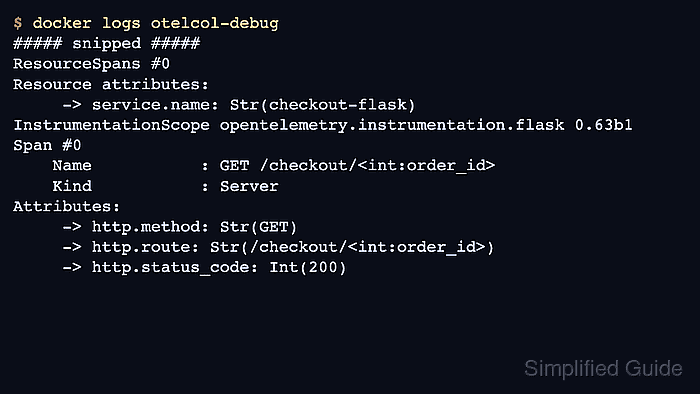
- Check the Collector output for the Flask server span.
$ docker logs otelcol-debug
##### snipped #####
ResourceSpans #0
Resource attributes:
     -> telemetry.sdk.language: Str(python)
     -> service.name: Str(checkout-flask)
     -> telemetry.auto.version: Str(0.63b1)
InstrumentationScope opentelemetry.instrumentation.flask 0.63b1
Span #0
    Name           : GET /checkout/<int:order_id>
    Kind           : Server
Attributes:
     -> http.method: Str(GET)
     -> http.target: Str(/checkout/42)
     -> http.route: Str(/checkout/<int:order_id>)
     -> http.status_code: Int(200)
The Flask app is instrumented when the Collector sees the configured service.name and a server span for the tested route.
- Stop the debug Collector after the smoke test.
$ docker stop otelcol-debug
otelcol-debug