How to instrument Express with OpenTelemetry Node.js
Instrumenting an Express application with OpenTelemetry Node.js adds traces to incoming HTTP requests without changing each route handler. The Express instrumentation records route-level spans, while the HTTP instrumentation creates the server span that carries the request method, matched route, and status code.
The setup must load before the Express application imports its routes. A small instrumentation.js bootstrap starts the Node SDK, enables the HTTP and Express instrumentation packages, and exports traces over OTLP/HTTP to a local Collector.
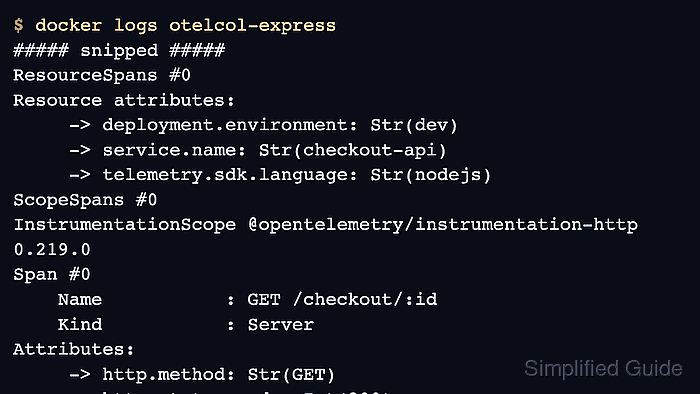
A local Collector with the debug exporter gives immediate proof before telemetry is sent to a vendor backend. The smoke test uses one GET /checkout/:id request, then checks the Collector output for the checkout-api service resource, an HTTP server span, and an Express request-handler span.
Steps to instrument Express with OpenTelemetry Node.js:
- Confirm the Node.js runtime is new enough for current OpenTelemetry packages.
$ node --version
v22.22.1
Recent OpenTelemetry JavaScript packages require Node.js 18.19 or newer, or Node.js 20.6 or newer. The Express instrumentation supports Express versions from 4.x through 5.x.
- Add the Express app dependency, OpenTelemetry Node SDK, OTLP trace exporter, and HTTP plus Express instrumentation packages.
$ npm install --save express \
  @opentelemetry/sdk-node \
  @opentelemetry/api \
  @opentelemetry/exporter-trace-otlp-proto \
  @opentelemetry/instrumentation-http \
  @opentelemetry/instrumentation-express

added 139 packages, and audited 140 packages
##### snipped #####
found 0 vulnerabilities
The Express instrumentation depends on HTTP instrumentation. Enable both so the request has a server span and the Express route handler has its own framework span.
- Create a local Collector configuration that receives OTLP/HTTP traces and prints them through the debug exporter.
- collector-express.yaml
receivers:
  otlp:
    protocols:
      http:
        endpoint: 0.0.0.0:4318

processors:
  batch:

exporters:
  debug:
    verbosity: detailed

service:
  pipelines:
    traces:
      receivers: [otlp]
      processors: [batch]
      exporters: [debug]
Use debug only for local proof because it writes service names, routes, and request attributes to Collector logs.
Related: How to test OpenTelemetry Collector pipelines with the debug exporter
Tool: OpenTelemetry Collector Config Generator - Start the local Collector.
$ docker run -d --rm --name otelcol-express \
  -p 127.0.0.1:4318:4318 \
  -v "$PWD/collector-express.yaml:/etc/otelcol/config.yaml:ro" \
  otel/opentelemetry-collector-contrib:latest \
  --config=/etc/otelcol/config.yaml
f8d3c1a4b6e2
Binding the published port to 127.0.0.1 keeps the smoke-test receiver on the local machine. Use a network-facing address only when the Collector is meant to receive telemetry from other hosts.
- Add the OpenTelemetry bootstrap file.
- instrumentation.js
const { NodeSDK } = require('@opentelemetry/sdk-node');
const { OTLPTraceExporter } = require('@opentelemetry/exporter-trace-otlp-proto');
const { HttpInstrumentation } = require('@opentelemetry/instrumentation-http');
const { ExpressInstrumentation } = require('@opentelemetry/instrumentation-express');

const sdk = new NodeSDK({
  traceExporter: new OTLPTraceExporter(),
  instrumentations: [
    new HttpInstrumentation(),
    new ExpressInstrumentation(),
  ],
});

sdk.start();

process.on('SIGTERM', () => {
  sdk.shutdown()
    .then(() => console.log('tracing terminated'))
    .finally(() => process.exit(0));
});
OTLPTraceExporter reads OTEL_EXPORTER_OTLP_TRACES_ENDPOINT when it is set. The shutdown handler flushes queued spans when the service receives SIGTERM.
- Keep an Express route available for the smoke test.
- app.js
const express = require('express');

const app = express();
const port = Number(process.env.PORT || 8080);

app.get('/checkout/:id', (req, res) => {
  res.status(200).json({
    id: req.params.id,
    status: 'ok',
  });
});

app.listen(port, () => {
  console.log(`checkout-api listening on http://127.0.0.1:${port}`);
});
Use an existing route in a real service. The sample route keeps the proof output deterministic for a local check.
- Start the Express app with the instrumentation loaded before app.js.
$ OTEL_SERVICE_NAME=checkout-api \
  OTEL_RESOURCE_ATTRIBUTES=deployment.environment=dev \
  OTEL_EXPORTER_OTLP_TRACES_ENDPOINT=http://localhost:4318/v1/traces \
  node --require ./instrumentation.js app.js
checkout-api listening on http://127.0.0.1:8080
–require ./instrumentation.js loads the SDK before Express is imported. For ESM applications, use the matching Node.js preload or loader pattern for the application's module format.
- Send one request to the instrumented route from another terminal.
$ curl -sS http://localhost:8080/checkout/42
{"id":"42","status":"ok"}
- Check the Collector output for the server span and Express handler span.
$ docker logs otelcol-express
##### snipped #####
ResourceSpans #0
Resource attributes:
     -> deployment.environment: Str(dev)
     -> service.name: Str(checkout-api)
     -> telemetry.sdk.language: Str(nodejs)
ScopeSpans #0
InstrumentationScope @opentelemetry/instrumentation-http 0.219.0
Span #0
    Name           : GET /checkout/:id
    Kind           : Server
Attributes:
     -> http.method: Str(GET)
     -> http.status_code: Int(200)
     -> http.route: Str(/checkout/:id)
ScopeSpans #1
InstrumentationScope @opentelemetry/instrumentation-express 0.67.0
Span #0
    Name           : request handler - /checkout/:id
The app is instrumented when the Collector shows the configured service.name, the HTTP server span for the matched route, and the Express request-handler span.
- Stop the local debug Collector after the smoke test.
$ docker stop otelcol-express
otelcol-express