How to encrypt a file with a password using OpenSSL
Password-protected file wrapping is useful when one local file must be handed off or stored briefly without setting up public-key recipients. OpenSSL can produce that encrypted copy in the terminal, but the file should not be shared or archived until the same password can recover identical bytes.
The openssl enc command wraps file contents with a symmetric cipher and derives the encryption key from a password. Use -pbkdf2 so the password runs through PBKDF2, keep salt enabled, and repeat the same cipher and iteration count during decryption because those choices control how the key is rebuilt.
Treat enc output as password-protected file wrapping, not a complete archival security system. OpenSSL stores a random salt with the encrypted file, but enc does not support authenticated encryption modes such as GCM, so verify the recovered file before trusting it and choose a different file-encryption tool when tamper detection or recipient key management is required.
Steps to encrypt a file with a password using OpenSSL:
- Confirm the file that will be encrypted and choose a separate output filename.
$ ls -l project-notes.txt
-rw-r--r-- 1 operator operator 81 Jun 30 07:26 project-notes.txt
The example uses project-notes.txt.enc for the encrypted copy and project-notes.decrypted.txt for the recovery test. Keep the original file unchanged until the decrypt-and-hash check passes.
- Encrypt the file with AES-256-CBC, salt, and PBKDF2 key derivation.
$ openssl enc -aes-256-cbc -salt -pbkdf2 -iter 200000 -in project-notes.txt -out project-notes.txt.enc
enter AES-256-CBC encryption password:
Verifying - enter AES-256-CBC encryption password:
The password is typed twice and is not echoed back to the terminal. Record the cipher, -pbkdf2, and -iter 200000 with the handoff notes because the decrypt command must use the same values.
Do not use -pass pass:password for real files. OpenSSL accepts it, but the password can appear in process listings and shell history. For automation, use a protected password file or secret-mounted path with -pass file:/secure/path.
- Check that the encrypted file was created without replacing the original.
$ ls -l project-notes.txt project-notes.txt.enc
-rw-r--r-- 1 operator operator  81 Jun 30 07:26 project-notes.txt
-rw-r--r-- 1 operator operator 112 Jun 30 07:26 project-notes.txt.enc
The encrypted file is larger in this small example because OpenSSL stores salt metadata and block padding with the ciphertext.
- Decrypt the encrypted file to a new filename before sharing or deleting anything.
$ openssl enc -d -aes-256-cbc -pbkdf2 -iter 200000 -in project-notes.txt.enc -out project-notes.decrypted.txt
enter AES-256-CBC decryption password:
Use a different output filename so a failed recovery test cannot overwrite the original file. If the wrong password or wrong iteration count is used, decryption should fail or produce bytes that do not match the original hash.
- Compare the original and recovered file hashes.
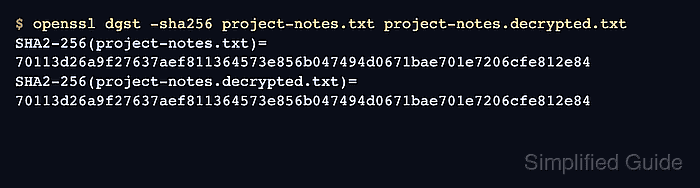
$ openssl dgst -sha256 project-notes.txt project-notes.decrypted.txt
SHA2-256(project-notes.txt)= 78828786145658a2372a2c960f3090b91fc1187fa6032bb30514cf71ce9b90e2
SHA2-256(project-notes.decrypted.txt)= 78828786145658a2372a2c960f3090b91fc1187fa6032bb30514cf71ce9b90e2
Matching SHA-256 values prove that the decrypted file has the same bytes as the source file used for the test. Send the password through a separate channel from the encrypted file.
- Compare the original and recovered files byte for byte.
$ cmp project-notes.txt project-notes.decrypted.txt
No output from cmp means the files match.
- Remove the temporary decrypted test file after verification passes.
$ rm project-notes.decrypted.txt