How to transpose a NumPy array
Array dimensions often represent different kinds of data, such as samples, rows, columns, or channels. Changing their order lets the same values fit an operation that expects a different layout without manually rebuilding the array.
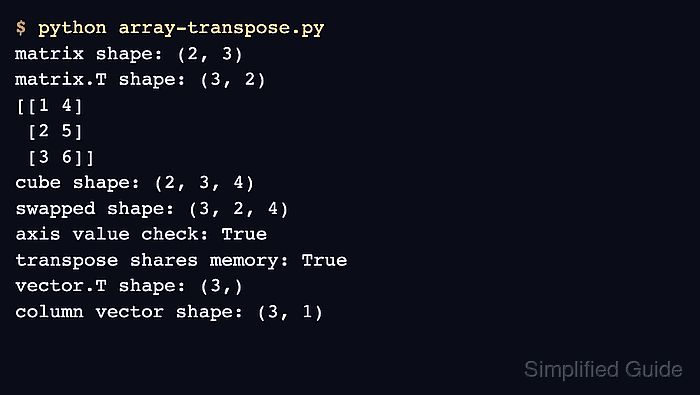
For a two-dimensional array, the .T attribute exchanges rows and columns. For arrays with three or more dimensions, np.transpose() accepts an axes tuple whose positions state which input axis becomes each output axis.
NumPy returns a view for a transpose whenever possible, so an in-place change through the result can also change the source array. A one-dimensional array has only one axis and remains one-dimensional after .T; add a new axis when another operation requires a column shape.
Related: Multiply matrices
Related: Reshape an array
Steps to transpose a NumPy array:
- Create array-transpose.py with a two-dimensional matrix and its .T result.
- array-transpose.py
import numpy as np

matrix = np.array([[1, 2, 3], [4, 5, 6]])
columns = matrix.T

print("matrix shape:", matrix.shape)
print("matrix.T shape:", columns.shape)
print(columns)
The (2, 3) source becomes a (3, 2) result whose rows contain the original columns.
- Add an explicit three-dimensional axis permutation after the matrix output.
cube = np.arange(24).reshape(2, 3, 4)
swapped = np.transpose(cube, axes=(1, 0, 2))

print("cube shape:", cube.shape)
print("swapped shape:", swapped.shape)
print("axis value preserved:", cube[1, 2, 3] == swapped[2, 1, 3])
The tuple (1, 0, 2) makes input axis 1 the first output axis, input axis 0 the second, and leaves input axis 2 last.
- Add a memory-sharing check after the axis-permutation output.
print("transpose shares memory:", np.shares_memory(matrix, columns))
A True result means that columns and matrix overlap in memory. The independent form is matrix.T.copy() when later in-place edits must not affect matrix.
Related: Check view or copy state - Add a one-dimensional column conversion after the memory check.
vector = np.array([1, 2, 3])
column_vector = vector[:, np.newaxis]

print("vector.T shape:", vector.T.shape)
print("column vector shape:", column_vector.shape)
vector.T keeps the shape (3,) because a one-dimensional array has no second axis to exchange. Indexing with np.newaxis creates the (3, 1) column shape.
- Run the completed script to verify the transposed shapes, values, axis mapping, and memory relationship.
$ python3 array-transpose.py
matrix shape: (2, 3)
matrix.T shape: (3, 2)
[[1 4]
 [2 5]
 [3 6]]
cube shape: (2, 3, 4)
swapped shape: (3, 2, 4)
axis value preserved: True
transpose shares memory: True
vector.T shape: (3,)
column vector shape: (3, 1)