How to reshape a NumPy array
Tabular and batched code often receives values in a flat sequence even though later operations expect rows, columns, or records. A NumPy reshape assigns those dimensions without changing the sequence of elements.
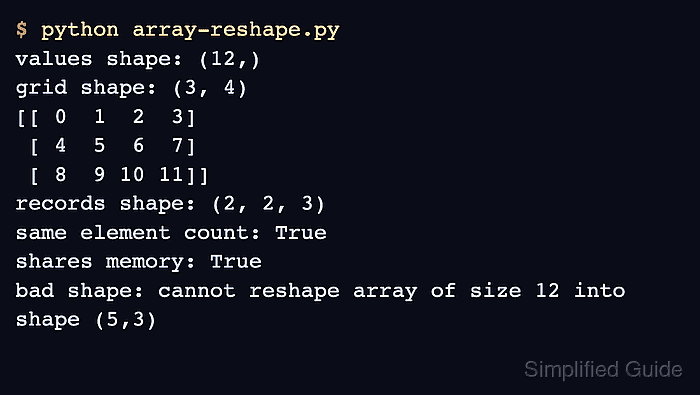
The ndarray.reshape() method accepts only dimensions whose product matches the array's size. One dimension can be -1 when NumPy should infer its length from the remaining dimensions.
A reshape returns a view when the existing memory layout can represent the requested dimensions and a copy otherwise. The contiguous source used here shares memory with both reshaped results, so code that needs independent data should call .copy() before making in-place edits.
Related: Flatten an array
Related: Transpose an array
Related: Check view or copy state
Steps to reshape a NumPy array:
- Define the 12-value source array in array-reshape.py.
- array-reshape.py
import numpy as np

values = np.arange(12)
- Append the two-dimensional grid reshape to array-reshape.py.
grid = values.reshape(3, 4)

print("values shape:", values.shape)
print("grid shape:", grid.shape)
print(grid)
- Extend array-reshape.py with an inferred record axis and computed preservation checks.
records = grid.reshape(2, -1, 3)
values_preserved = np.array_equal(grid.reshape(-1), values)
shares_memory = np.shares_memory(values, records)

print("records shape:", records.shape)
print("values preserved:", values_preserved)
print("shares memory:", shares_memory)

assert grid.shape == (3, 4)
assert records.shape == (2, 2, 3)
assert values_preserved
assert shares_memory
The -1 dimension becomes 2 because the other dimensions already account for six positions and the source contains 12 values.
- Compare the constructed sections with the completed array-reshape.py file.
- array-reshape.py
import numpy as np

values = np.arange(12)

grid = values.reshape(3, 4)

records = grid.reshape(2, -1, 3)
values_preserved = np.array_equal(grid.reshape(-1), values)
shares_memory = np.shares_memory(values, records)

print("values shape:", values.shape)
print("grid shape:", grid.shape)
print(grid)
print("records shape:", records.shape)
print("values preserved:", values_preserved)
print("shares memory:", shares_memory)

assert grid.shape == (3, 4)
assert records.shape == (2, 2, 3)
assert values_preserved
assert shares_memory
- Run array-reshape.py to verify both target shapes, value preservation, and the view relationship.
$ python3 array-reshape.py
values shape: (12,)
grid shape: (3, 4)
[[ 0  1  2  3]
 [ 4  5  6  7]
 [ 8  9 10 11]]
records shape: (2, 2, 3)
values preserved: True
shares memory: True
The two reshapes retain all 12 values. An incompatible request such as (5, 3) needs 15 values and raises ValueError instead of returning a partial array.