How to flatten a NumPy array
Multidimensional arrays often need to cross an interface that accepts a single sequence of values. NumPy can collapse every axis into one dimension while preserving a deliberate traversal order.
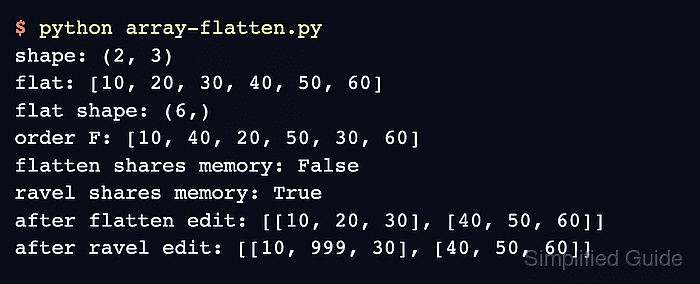
The ndarray.flatten() method always allocates a new array. Editing that flattened result therefore leaves the original matrix unchanged, unlike operations that may return a view over the same data.
The default order=“C” reads each row from left to right before moving to the next row. Use order=“F” when the consumer expects values column by column instead.
Related: Reshape an array
Related: Transpose an array
Steps to flatten a NumPy array:
- Define the source matrix in array-flatten.py.
- array-flatten.py
import numpy as np

grid = np.array([[10, 20, 30], [40, 50, 60]])
- Append the default flattened result with its shape and values to array-flatten.py.
flat = grid.flatten()

print("original shape:", grid.shape)
print("flattened shape:", flat.shape)
print("row-major:", flat.tolist())
- Extend array-flatten.py with column-major traversal plus a copy-isolation probe.
column_major = grid.flatten(order="F")
print("column-major:", column_major.tolist())

flat[0] = -1
print("flatten shares memory:", np.shares_memory(grid, flat))
print("source after edit:", grid.tolist())
The mutation changes only flat because flatten() returns a copy. The ravel() and reshape(-1) alternatives may share memory with the source array.
Related: Check view or copy state - Compare the completed array-flatten.py file with the consolidated program.
- array-flatten.py
import numpy as np

grid = np.array([[10, 20, 30], [40, 50, 60]])

flat = grid.flatten()

print("original shape:", grid.shape)
print("flattened shape:", flat.shape)
print("row-major:", flat.tolist())

column_major = grid.flatten(order="F")
print("column-major:", column_major.tolist())

flat[0] = -1
print("flatten shares memory:", np.shares_memory(grid, flat))
print("source after edit:", grid.tolist())
- Run array-flatten.py to verify both flattened orders and the independent copy.
$ python3 array-flatten.py
original shape: (2, 3)
flattened shape: (6,)
row-major: [10, 20, 30, 40, 50, 60]
column-major: [10, 40, 20, 50, 30, 60]
flatten shares memory: False
source after edit: [[10, 20, 30], [40, 50, 60]]
The (6,) shape proves that every value is in one dimension. The row-major and column-major lines expose the selected traversal order, while False plus the unchanged source matrix confirm copy isolation.