How to control npm dependency install scripts in Node.js
Dependency installs in a Node.js project can execute package lifecycle scripts before application code ever runs. npm can record which dependency install scripts have been reviewed, which helps maintainers reduce supply-chain code execution during local installs and continuous integration.
Current npm releases still run unreviewed install scripts by default and print warnings for packages that are not covered by an allowScripts policy. Running the first review pass with --ignore-scripts keeps package scripts from executing while the pending list is inspected.
Store the policy in the project rather than in a developer's global npm config so the same rule applies on every machine that uses the repository. strict-allow-scripts=true turns unreviewed scripts into install errors, while ignore-scripts=true overrides the policy and suppresses even approved scripts.
Steps to control npm dependency install scripts in Node.js:
- Install or refresh the dependency set without running lifecycle scripts.
$ npm install esbuild --ignore-scripts

added 2 packages, and audited 3 packages in 1s

found 0 vulnerabilities
Replace esbuild with the dependency being reviewed. For dependencies already listed in package.json, run npm install --ignore-scripts without a package name.
- List dependencies with pending install-script review.
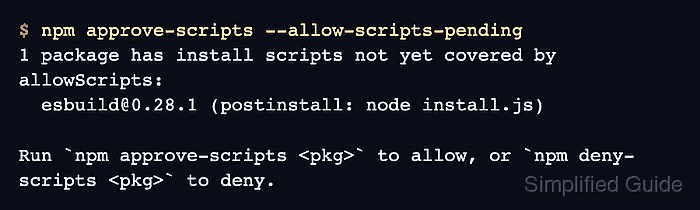
$ npm approve-scripts --allow-scripts-pending
1 package has install scripts not yet covered by allowScripts:
  esbuild@0.28.1 (postinstall: node install.js)

Run `npm approve-scripts <pkg>` to allow, or `npm deny-scripts <pkg>` to deny.
--allow-scripts-pending is read-only. It lists packages whose install scripts are not yet covered by the project's allowScripts field.
- Approve the reviewed dependency that must run its install script.
$ npm approve-scripts esbuild
Approved esbuild:
  added esbuild@0.28.1
Approving a package allows install-time code execution for the recorded dependency identity. Use npm deny-scripts <pkg> instead when the dependency should not run its install script, and test the package afterward because native binary packages can fail without their install step.
- Check the saved allowScripts policy.
$ npm pkg get allowScripts
{
  "esbuild@0.28.1": true
}
npm approve-scripts pins approvals by version by default. Use npm approve-scripts --no-allow-scripts-pin <pkg> only when every future version of that package should inherit the approval.
- Enable strict project enforcement.
$ npm config set strict-allow-scripts true --location=project
This writes strict-allow-scripts=true to the project .npmrc file instead of changing the user's global npm configuration.
- Confirm strict enforcement is active for the project.
$ npm config get strict-allow-scripts --location=project
true
- Run a clean dependency install with the reviewed policy.
$ npm ci

added 2 packages, and audited 3 packages in 526ms

found 0 vulnerabilities
With strict-allow-scripts=true, an unreviewed package fails with ESTRICTALLOWSCRIPTS instead of running its install script.
- Run a package smoke test that depends on the approved install script.
$ npx esbuild --version
0.28.1
Use the equivalent binary, import, build, or test command for the package being reviewed. The smoke test should prove the dependency still works under the recorded script policy.