How to manage a Node.js app with PM2
PM2 keeps a Node.js service running outside an interactive shell and gives operators one place to start, inspect, restart, and save that process. It fits small server deployments where the app already has a working entry point and the next job is to supervise it under a named process.
An ecosystem.config.js file is the safest way to name the app and pin the script plus environment values that PM2 should reuse. PM2 stores the managed process list for the Unix user that starts it, so the same deploy user should start, restart, save, and inspect the app.
For reboot recovery, create the startup service once on the real host and save the PM2 process list after the app is online. Use a PM2 process name such as guide-api and a smoke-test endpoint such as /health that prove the service is running in your environment.
Steps to manage a Node.js app with PM2:
- Open a terminal as the deploy user in the Node.js app directory.
The PM2 process list belongs to the current Unix user. Avoid starting the app once with sudo and later managing it as the deploy user.
- Create an ecosystem.config.js file for the app.
module.exports = {
  apps: [
    {
      name: "guide-api",
      script: "./server.js",
      env: {
        NODE_ENV: "production",
        PORT: "3000"
      }
    }
  ]
};
Keep the config file beside the app entry point, or add a cwd value with the absolute app directory when the config lives elsewhere.
- Start the app from the PM2 ecosystem file.
$ pm2 start ecosystem.config.js
[PM2][WARN] Applications guide-api not running, starting...
[PM2] App [guide-api] launched (1 instances)
- Check that PM2 lists the app as online.
$ pm2 status guide-api
┌────┬──────────────┬─────────────┬─────────┬─────────┬──────────┬────────┬──────┬───────────┬──────────┬──────────┬──────────┬──────────┐
│ id │ name         │ namespace   │ version │ mode    │ pid      │ uptime │ ↺    │ status    │ cpu      │ mem      │ user     │ watching │
##### snipped #####
│ 0  │ guide-api    │ default     │ N/A     │ fork    │ 7903     │ 0s     │ 0    │ online    │ 0%       │ 77.8mb   │ app      │ disabled │
└────┴──────────────┴─────────────┴─────────┴─────────┴──────────┴────────┴──────┴───────────┴──────────┴──────────┴──────────┴──────────┘
- Request the app through its local smoke-test endpoint.
$ curl -sS http://127.0.0.1:3000/health
{"status":"ok","service":"guide-api"}
Use the endpoint that proves your own app is ready. A PM2 online row only proves the process exists; the app still needs to answer a real request or command.
- Inspect the recent PM2 logs for the app.
$ pm2 logs guide-api --lines 20 --nostream
[TAILING] Tailing last 20 lines for [guide-api] process (change the value with --lines option)
/home/app/.pm2/logs/guide-api-error.log last 20 lines:
/home/app/.pm2/logs/guide-api-out.log last 20 lines:
0|guide-ap | guide-api listening on 3000
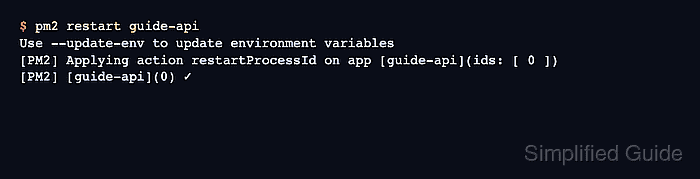
- Restart the managed app.
$ pm2 restart guide-api
Use --update-env to update environment variables
[PM2] Applying action restartProcessId on app [guide-api](ids: [ 0 ])
[PM2] [guide-api](0) ✓
If environment variables changed before the restart, run pm2 restart guide-api --update-env so PM2 refreshes them for the new process.
- Repeat the smoke test after the restart.
$ curl -sS http://127.0.0.1:3000/health {"status":"ok","service":"guide-api"} - Generate the startup-service command on the real server.
$ pm2 startup
Run the sudo command that PM2 prints. The generated command includes the current user, home directory, init system, and Node.js binary path, so do not copy it from another server.
- Save the current PM2 process list.
$ pm2 save
[PM2] Saving current process list...
[PM2] Successfully saved in /home/app/.pm2/dump.pm2
Run pm2 save again after adding, renaming, or deleting managed apps so reboot recovery uses the current process list.