How to install Nmap on Ubuntu or Debian
Nmap belongs on hosts that are explicitly approved to run network discovery or service checks. On Ubuntu and Debian, the distro package keeps the scanner, packet-capture libraries, service probes, and script data under APT management so updates and removal follow the normal operating system package path.
The package name is nmap on both platforms. Current distro packages install the command-line scanner and pull nmap-common data with the dependencies needed for normal scans, while companion tools such as Ncat, Ndiff, and Zenmap may remain separate packages depending on the release.
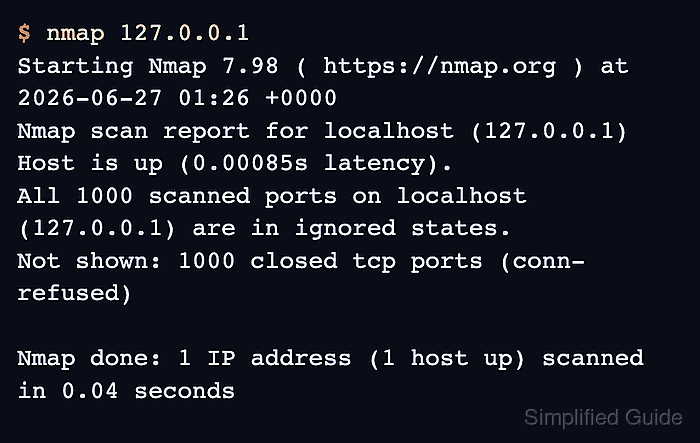
A completed install should report a packaged Nmap version and finish a localhost scan. The localhost scan proves the scanner starts, reads its installed data, and completes a target check without sending probes to any external network.
Related: How to discover live hosts with Nmap
Related: How to scan an authorized host with Nmap
Related: How to save Nmap scan output
Steps to install Nmap on Ubuntu or Debian:
- Open a terminal with sudo privileges.
- Refresh the APT package index.
$ sudo apt update
- Install the Nmap package.
$ sudo apt install --assume-yes nmap
Reading package lists...
Building dependency tree...
Reading state information...
Solving dependencies...
Installing:
  nmap

Installing dependencies:
  adduser                  ibverbs-providers  libnl-3-200
  dbus                     libblas3           libnl-route-3-200
  dbus-bin                 libdbus-1-3        libpcap0.8t64
  dbus-daemon              libibverbs1        libssh2-1t64
  dbus-session-bus-common  liblinear4         nmap-common
  dbus-system-bus-common   liblua5.4-0

Suggested packages:
  ncat
  ndiff
  zenmap

Summary:
  Upgrading: 0, Installing: 18, Removing: 0, Not Upgrading: 2
##### snipped #####
Setting up nmap-common (7.98+dfsg-1) ...
##### snipped #####
Setting up nmap (7.98+dfsg-1) ...
Processing triggers for libc-bin (2.43-2ubuntu2) ...
Ncat, Ndiff, and Zenmap are not required for the base scanner workflow. Install those packages separately only when a later task needs them.
- Confirm the installed scanner version.
$ nmap --version
Nmap version 7.98 ( https://nmap.org )
Platform: aarch64-unknown-linux-gnu
Compiled with: liblua-5.4.8 openssl-3.5.5 libssh2-1.11.1 libz-1.3.1 libpcre2-10.46 libpcap-1.10.6 nmap-libdnet-1.18.0 ipv6
Compiled without:
Available nsock engines: epoll poll select
The exact version, platform line, and library versions differ by Ubuntu or Debian release and CPU architecture. Look for the Nmap version line from the packaged binary.
- Run a localhost smoke test.
$ nmap 127.0.0.1
Starting Nmap 7.98 ( https://nmap.org ) at 2026-06-27 01:26 +0000
Nmap scan report for localhost (127.0.0.1)
Host is up (0.00085s latency).
All 1000 scanned ports on localhost (127.0.0.1) are in ignored states.
Not shown: 1000 closed tcp ports (conn-refused)

Nmap done: 1 IP address (1 host up) scanned in 0.04 seconds
The localhost scan confirms Nmap can start and complete a target check without touching any external host. Use only approved targets for discovery or service scans.
Related: How to discover live hosts with Nmap
Related: How to scan an authorized host with Nmap