How to discover live hosts with Nmap
Nmap host discovery narrows an approved address range to systems that respond before deeper scans are planned. It is useful during inventory checks, maintenance windows, and security reviews where the first question is which in-scope addresses appear to be online.
The -sn option keeps Nmap in host-discovery mode. It still sends discovery probes, and on local IPv4 Ethernet networks it normally uses ARP, but it does not follow with the usual port scan table for each live host.
Start with the smallest approved target expression that answers the inventory question. A CIDR range such as 192.168.10.0/24 fits an owned subnet, while explicit host addresses are safer when approval covers only named systems.
Steps to discover live hosts with Nmap:
- Confirm the approved target range before sending discovery probes.
Do not scan Internet ranges, customer networks, or neighboring subnets unless the written scope explicitly includes them.
- Run host discovery against the approved subnet.
$ sudo nmap -sn 192.168.10.0/24
Starting Nmap 7.94SVN ( https://nmap.org ) at 2026-06-27 09:10 +08
Nmap scan report for 192.168.10.1
Host is up (0.0012s latency).
MAC Address: 02:42:C0:A8:0A:01 (Unknown)
Nmap scan report for 192.168.10.24
Host is up (0.0034s latency).
MAC Address: 02:42:C0:A8:0A:18 (Unknown)
Nmap scan report for 192.168.10.42
Host is up (0.0021s latency).
MAC Address: 02:42:C0:A8:0A:2A (Unknown)
Nmap done: 256 IP addresses (3 hosts up) scanned in 3.41 seconds
-sn prints responsive hosts and the final host count. The absence of a PORT STATE SERVICE table is expected because this pass is not a port scan.
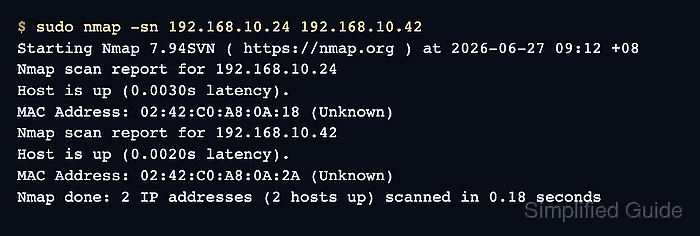
- Use explicit targets when the authorized scope is a short host list instead of a whole subnet.
$ sudo nmap -sn 192.168.10.24 192.168.10.42
Starting Nmap 7.94SVN ( https://nmap.org ) at 2026-06-27 09:12 +08
Nmap scan report for 192.168.10.24
Host is up (0.0030s latency).
MAC Address: 02:42:C0:A8:0A:18 (Unknown)
Nmap scan report for 192.168.10.42
Host is up (0.0020s latency).
MAC Address: 02:42:C0:A8:0A:2A (Unknown)
Nmap done: 2 IP addresses (2 hosts up) scanned in 0.18 seconds
- Save a grepable discovery report when the live-host list needs a reviewable file.
$ sudo nmap -sn -oG live-hosts.gnmap 192.168.10.0/24
Starting Nmap 7.94SVN ( https://nmap.org ) at 2026-06-27 09:15 +08
Nmap scan report for 192.168.10.1
Host is up (0.0011s latency).
MAC Address: 02:42:C0:A8:0A:01 (Unknown)
Nmap scan report for 192.168.10.24
Host is up (0.0032s latency).
MAC Address: 02:42:C0:A8:0A:18 (Unknown)
Nmap scan report for 192.168.10.42
Host is up (0.0020s latency).
MAC Address: 02:42:C0:A8:0A:2A (Unknown)
Nmap done: 256 IP addresses (3 hosts up) scanned in 3.38 seconds
Related: How to save Nmap scan output
- Review the saved discovery file for Status: Up records.
$ cat live-hosts.gnmap
# Nmap 7.94SVN scan initiated Sat Jun 27 09:15:10 2026 as: nmap -sn -oG live-hosts.gnmap 192.168.10.0/24
Host: 192.168.10.1 ()	Status: Up
Host: 192.168.10.24 ()	Status: Up
Host: 192.168.10.42 ()	Status: Up
# Nmap done at Sat Jun 27 09:15:13 2026 -- 256 IP addresses (3 hosts up) scanned in 3.38 seconds