How to create a Nextcloud admin user
Nextcloud administrator accounts control server settings, apps, users, groups, and sharing policy. Adding a separate admin account is useful when a team member needs named administrative access or when a recovery account should exist before changing the primary admin login.
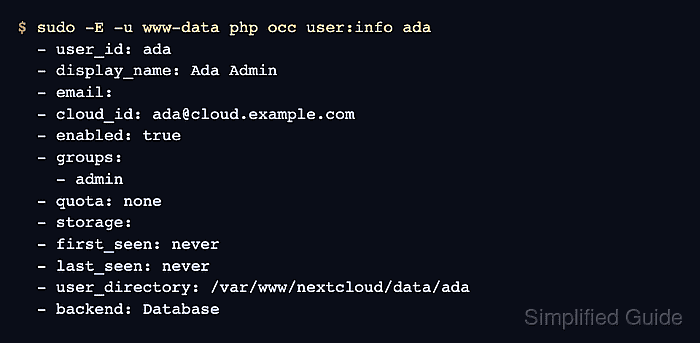
The occ command creates local accounts from the server shell and must run as the web-server user that owns the Nextcloud installation. Adding the account to the built-in admin group grants administrator privileges without changing existing accounts.
Use a named account such as ada instead of sharing the original admin login. The password is read into a temporary shell variable so it is not typed directly on the occ command line, and the final check confirms the account is enabled and belongs to admin.
Steps to create a Nextcloud admin user with occ:
- Open a shell on the Nextcloud server and enter the installation directory.
$ cd /var/www/nextcloud
- Confirm occ can read the installed instance.
$ sudo -E -u www-data php occ status
  - installed: true
##### snipped #####
  - maintenance: false
##### snipped #####
www-data is the HTTP user on Debian and Ubuntu. Use the web-server user that owns your Nextcloud files when the instance runs under a different account.
Related: How to run Nextcloud occ commands - Mark the password variable for export.
$ export OC_PASS
- Read the new account password into the variable.
$ read -rs OC_PASS
Type the password at the silent prompt. No characters are displayed while read stores the value.
- Create the account and add it to the admin group.
$ sudo -E -u www-data php occ user:add --password-from-env --display-name="Ada Admin" --group=admin ada
The account "ada" was created successfully
Display name set to "Ada Admin"
Account "ada" added to group "admin"
--password-from-env reads OC_PASS, and --group=admin assigns the administrator role during account creation. This creates a local database-backed user.
- Remove the temporary password variable from the shell.
$ unset OC_PASS
- Verify the new account is enabled and belongs to admin.
$ sudo -E -u www-data php occ user:info ada
  - user_id: ada
  - display_name: Ada Admin
  - email:
  - cloud_id: ada@cloud.example.com
  - enabled: true
  - groups:
    - admin
  - quota: none
  - storage:
  - first_seen: never
  - last_seen: never
  - user_directory: /var/www/nextcloud/data/ada
  - backend: Database
For a recovery account, sign in once through the web interface and store the credential where the operations team can retrieve it.