How to send a UDP datagram with Netcat
A UDP receiver can look broken when a TCP probe is used against it, because there is no connection handshake to accept. Netcat can send one short datagram to a chosen host and port so an operator can test a log collector, metrics listener, lab daemon, or firewall path with the same transport the service actually uses.
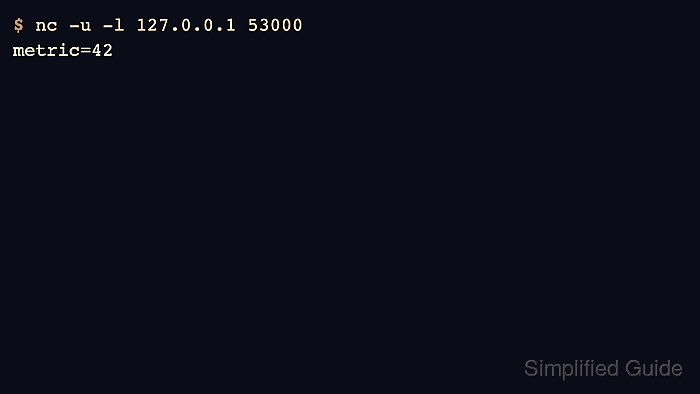
OpenBSD nc switches to UDP with -u and reads the payload from standard input. A local proof keeps both ends on 127.0.0.1: one terminal listens on a UDP port, and another terminal sends a short line into that port.
The examples use OpenBSD Netcat on Ubuntu 26.04. A successful sender command can still print nothing because UDP does not acknowledge delivery, so the receiver terminal, target application log, or packet capture is the proof surface; use a short timeout to return the sender shell after standard input closes.
Steps to send a UDP datagram with Netcat:
- Choose the destination address, UDP port, and short payload.
The examples use 127.0.0.1 and port 53000 for a same-host proof. Replace them with the receiver address and port only after the local syntax works.
- Start a UDP listener in the first terminal.
$ nc -u -l 127.0.0.1 53000
The listener prints nothing until a UDP datagram reaches the socket. Leave this terminal open while sending from another terminal.
- Send one short payload from a second terminal.
$ printf 'metric=42\n' | nc -u -w 1 127.0.0.1 53000
The printf command supplies the datagram bytes, -u selects UDP, and -w 1 lets OpenBSD Netcat return control after the quiet UDP session reaches the timeout.
- Confirm that the listener terminal received the exact payload.
$ nc -u -l 127.0.0.1 53000
metric=42
The sender can exit with no output even when the datagram was delivered. Treat the listener output, application log, or packet capture as the success signal.
- Stop the local listener with Ctrl-C after the payload appears.
A UDP listener keeps the local port open for as long as it runs. Keep temporary listeners on loopback or an approved private interface unless wider exposure is intentional.
- Send the same style of datagram to the real receiver.
$ printf 'metric=42\n' | nc -u -w 1 collector.example.net 53000
Replace collector.example.net, 53000, and metric=42 with the receiver and payload expected by the target service.
- Verify delivery on the receiving side instead of relying on the sender exit status.
Do not treat nc -uz host port as proof that a UDP service is open. UDP zero-I/O probes can report success without a listener; use a service log, application reply, packet capture, or a test listener that prints the payload.