How to set MySQL or MariaDB table name case sensitivity on Linux
Table-name case rules decide whether MySQL or MariaDB treats OrderLog and orderlog as two distinct objects or as the same name. That choice matters before cross-platform migrations, application rewrites, and backup restores because a schema that works on one host can fail or collide on another when identifier lettercase is inconsistent.
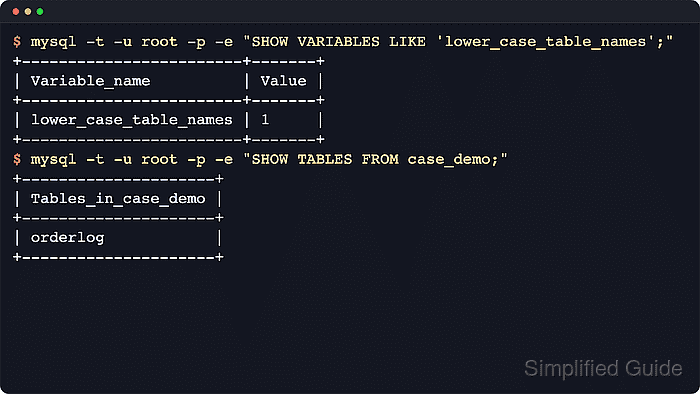
Both servers map database and table names to directories and files under the data directory, so Linux filesystem behavior matters. The lower_case_table_names setting controls how names are stored on disk and compared during lookup: Linux defaults to 0, while 1 converts database and table names to lowercase for storage and lookup. 2 is for case-insensitive filesystems and is not a normal Linux setting.
MySQL and MariaDB documentation treat lower_case_table_names as an initialization-time setting. A new or empty data directory can adopt the chosen value normally, but an already initialized instance with a different value must be dumped, rebuilt with the new setting, and then restored. For mixed Linux, Windows, and macOS fleets, a consistent lowercase naming convention and, when required, lower_case_table_names=1 usually avoids the most common portability failures.
Steps to set MySQL or MariaDB table name case sensitivity on Linux:
- Choose the target lower_case_table_names mode before touching the option files.
^Value^Linux meaning^Common use^
0 Store names as created and compare them case-sensitively. Default Linux behavior when applications already use exact identifier case consistently. 1 Store names in lowercase and compare them case-insensitively. Safer cross-platform choice when schemas or applications move between Linux, Windows, and macOS. 2 requires a case-insensitive filesystem and is not a normal choice on Linux servers.
- Check the current server value from a fresh administrative client session.
$ client_bin=$(command -v mariadb || command -v mysql)
$ "$client_bin" --table --user=root --password --execute "SHOW VARIABLES LIKE 'lower_case_table_names';"
Enter password:
+------------------------+-------+
| Variable_name          | Value |
+------------------------+-------+
| lower_case_table_names | 0     |
+------------------------+-------+
If the local root account uses Unix socket authentication, replace the explicit credentials with sudo mariadb or sudo mysql.
- Check whether the current schemas already contain names that would collide after lowercasing.
$ "$client_bin" --table --user=root --password --execute "
SELECT COUNT(*) AS collisions
FROM (
  SELECT table_schema, LOWER(table_name) AS table_name_lc, COUNT(*) AS cnt
  FROM information_schema.tables
  WHERE table_schema NOT IN ('mysql','information_schema','performance_schema','sys')
  GROUP BY table_schema, LOWER(table_name)
  HAVING COUNT(*) > 1
) AS collisions;"
Enter password:
+------------+
| collisions |
+------------+
|          1 |
+------------+
Any non-zero result means two or more tables differ only by lettercase, so switching to 1 would collapse those names into the same lookup key. Rename or merge those objects before rebuilding the instance.
- Inspect the server option-file search order so the override lands in a file that actually loads on the host.
$ server_bin=$(command -v mariadbd || command -v mysqld)
$ sudo "$server_bin" --verbose --help
mariadbd  Ver 11.4.12-MariaDB-ubu2404 for debian-linux-gnu on aarch64 (mariadb.org binary distribution)
##### snipped #####
Default options are read from the following files in the given order:
 /etc/my.cnf /etc/mysql/my.cnf ~/.my.cnf
##### snipped #####
Use the last server include directory that the base file actually reads, such as /etc/mysql/mariadb.conf.d/, /etc/mysql/mysql.conf.d/, /etc/mysql/conf.d/, or /etc/my.cnf.d/. This guide covers that discovery in more detail.
- Create or edit a dedicated override file under the active server include directory.
$ sudoedit /etc/mysql/conf.d/99-case-sensitivity.cnf
[mysqld] is the safest cross-compatible option group. MariaDB also reads [mariadb] and [mariadbd].
In option files, MySQL and MariaDB treat dashes and underscores as equivalent, so lower-case-table-names and lower_case_table_names are interchangeable spellings.
- Add the desired startup setting to the override file.
[mysqld]
lower_case_table_names = 1
Set the value before the data directory is initialized, or keep the existing value on an already initialized instance. This is not a runtime toggle.
- If the running instance already uses a different value, take a logical backup before any rebuild work.
$ dump_cmd=$(command -v mariadb-dump || command -v mysqldump)
$ sudo install --directory --owner=root --group=root --mode=0700 /var/backups/mysql
$ "$dump_cmd" --user=root --password --single-transaction --routines --events --triggers --all-databases > /var/backups/mysql/pre-lctn-change.sql
Enter password:
Current MariaDB hosts often provide mariadb-dump, while current MySQL hosts still provide mysqldump.
Do not change the option file and restart the same initialized data directory expecting the value to switch in place. Rebuild or provision a fresh instance with the new setting, then restore the logical backup with How to restore MySQL or MariaDB database from backup.
- Start or restart the service only after the option file and data directory are aligned.
$ sudo systemctl restart mariadb
$ systemctl is-active mariadb
active
If the previous value was different and the data directory was not rebuilt, stop here instead of retrying restarts. The instance must be reinitialized or replaced first.
Replace mariadb with the package's unit name on the host, such as mysql or mysqld.
- Confirm the active setting from a new client session after the service is up.
$ "$client_bin" --table --user=root --password --execute "SHOW VARIABLES LIKE 'lower_case_table_names';"
Enter password:
+------------------------+-------+
| Variable_name          | Value |
+------------------------+-------+
| lower_case_table_names | 1     |
+------------------------+-------+
- Validate the name storage and lookup behavior with a disposable schema.
$ "$client_bin" --table --user=root --password --execute "
DROP DATABASE IF EXISTS case_demo;
CREATE DATABASE case_demo;
CREATE TABLE case_demo.OrderLog (id INT PRIMARY KEY);
INSERT INTO case_demo.OrderLog VALUES (1);
SHOW TABLES FROM case_demo;
SELECT COUNT(*) AS row_count FROM case_demo.orderlog;"
Enter password:
+---------------------+
| Tables_in_case_demo |
+---------------------+
| orderlog            |
+---------------------+
+-----------+
| row_count |
+-----------+
|         1 |
+-----------+
With lower_case_table_names=1, the server stores the object name in lowercase and the lowercase lookup succeeds. With 0 on Linux, the same table would remain OrderLog and a lookup as orderlog would fail.