How to view the MySQL or MariaDB server error log
The MySQL and MariaDB server error log records startup failures, crash recovery, plugin loading, and configuration errors at the daemon layer. Check it first when the service will not start or when client tools only report a generic connection failure.
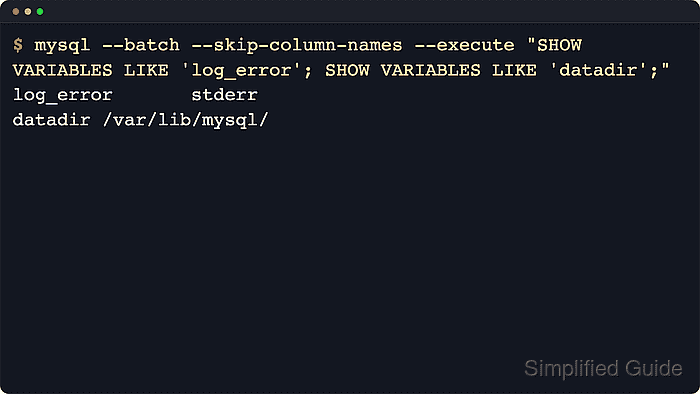
The server decides the error log destination through log_error. Current MySQL shows stderr when the default destination is the console and shows a file name when logging goes to disk, while MariaDB on Unix can leave log_error blank when it is writing to stderr. Relative log paths are resolved from datadir, and systemd-managed installs usually surface stderr output through the journal.
Reading the log commonly needs root or service-level access, and the entries can expose hostnames, paths, account names, plugin names, and fragments of failing statements. Package layouts and unit names differ by distribution, so the active log may be in the systemd journal, under /var/log/mysql/, in /var/log/mysqld.log/, or in a file below the database data directory. Rotated logs may also be compressed, which matters when the failure happened earlier than the current run.
Steps to view the MySQL or MariaDB server error log:
- Identify the database service unit name on the host.
$ systemctl list-unit-files mysql.service mariadb.service mysqld.service
UNIT FILE     STATE   PRESET
mysql.service enabled enabled

1 unit files listed.
Use the unit name shown on the left in later journalctl commands. Replace mysql.service with mariadb.service or mysqld.service when that is the active unit on the host.
- Query the server for the current error log destination and data directory.
$ mysql --batch --skip-column-names --execute "SHOW VARIABLES LIKE 'log_error'; SHOW VARIABLES LIKE 'datadir';"
log_error	stderr
datadir	/var/lib/mysql/
Use sudo mysql on socket-auth installs or add --user and --password for password-auth setups. On MariaDB hosts that ship the client as mariadb, run the same query with mariadb instead of mysql.
MariaDB on Unix can return a blank log_error value when the server is writing to stderr. Treat an empty result the same way as stderr and read the service journal or the process supervisor output.
- Read error-log lines from the systemd journal when log_error is stderr or blank.
$ sudo journalctl --unit=mysql.service --boot --no-pager
Jun 06 20:45:24 dbhost systemd[1]: Starting mysql.service - MySQL Community Server...
Jun 06 20:45:25 dbhost mysqld[121]: CA certificate ca.pem is self signed.
Jun 06 20:45:25 dbhost mysqld[121]: Channel mysql_main configured to support TLS. Encrypted connections are now supported for this channel.
##### snipped #####
Jun 06 20:45:28 dbhost mysqld[121]: /usr/sbin/mysqld: ready for connections. Version: '8.4.9'  socket: '/var/run/mysqld/mysqld.sock'  port: 3306  MySQL Community Server - GPL.
If the server will not start, this journal view is usually the first reliable place to look because the SQL query in the previous step needs a running daemon.
Containerized deployments that keep stderr attached expose the same stream through docker logs <container> or podman logs <container> instead of journalctl.
- Follow the live error stream while reproducing the problem.
$ sudo journalctl --unit=mysql.service --follow
Apr 09 21:28:38 dbhost mysqld[966]: Access denied for user 'root'@'localhost' (using password: NO)
Press Ctrl+C to stop the live stream after the relevant failure or warning appears.
- Read a file-backed error log when log_error returns a file name.
$ sudo cat /var/log/mysql/error.log
2026-06-06T20:45:24.802784Z 0 [System] [MY-010116] [Server] /usr/sbin/mysqld (mysqld 8.4.9) starting as process 121
2026-06-06T20:45:25.234268Z 0 [Warning] [MY-010068] [Server] CA certificate ca.pem is self signed.
2026-06-06T20:45:25.240949Z 0 [Warning] [MY-011810] [Server] Insecure configuration for --pid-file: Location '/var/run/mysqld' in the path is accessible to all OS users. Consider choosing a different directory.
##### snipped #####
2026-06-06T20:45:28.349016Z 0 [System] [MY-010931] [Server] /usr/sbin/mysqld: ready for connections. Version: '8.4.9'  socket: '/var/run/mysqld/mysqld.sock'  port: 3306  MySQL Community Server - GPL.
If log_error returns a relative name such as mysqld.err or ./mysqld.err, prepend the datadir value from the previous SQL query. For example, datadir=/var/lib/mysql/ plus mysqld.err resolves to /var/lib/mysql/mysqld.err/.
- Follow a file-backed error log across log rotation.
$ sudo tail -F /var/log/mysql/error.log
2026-06-06T20:45:28.349016Z 0 [System] [MY-010931] [Server] /usr/sbin/mysqld: ready for connections. Version: '8.4.9'  socket: '/var/run/mysqld/mysqld.sock'  port: 3306  MySQL Community Server - GPL.
Use tail -F instead of tail -f when logrotate may rename the file while monitoring is active.
- List rotated error logs when the incident happened before the current file.
$ sudo ls -lh /var/log/mysql/error.log*
-rw-r----- 1 mysql adm  17K Apr  9 15:42 /var/log/mysql/error.log
-rw-r----- 1 mysql adm 4.1K Apr  9 15:06 /var/log/mysql/error.log.1
-rw-r----- 1 mysql adm 1.2K Apr  8 03:17 /var/log/mysql/error.log.2.gz
Use zless, zgrep, or gunzip -c to inspect compressed .gz rotations without replacing the original archive.
- Query recent error events through SQL on MySQL when host log-file access is restricted.
$ mysql --table --execute "SELECT LOGGED, PRIO, ERROR_CODE, DATA FROM performance_schema.error_log ORDER BY LOGGED DESC LIMIT 5;"
+----------------------------+---------+------------+-------------------------------------------------------------------------------------------------------------------------------------------------------+
| LOGGED                     | PRIO    | ERROR_CODE | DATA                                                                                                                                                  |
+----------------------------+---------+------------+-------------------------------------------------------------------------------------------------------------------------------------------------------+
| 2026-04-09 15:06:17.557140 | System  | MY-011323  | X Plugin ready for connections. Bind-address: '::' port: 33060, socket: /var/run/mysqld/mysqlx.sock                                                   |
| 2026-04-09 15:06:17.557042 | System  | MY-010931  | /usr/sbin/mysqld: ready for connections. Version: '8.4.8'  socket: '/var/run/mysqld/mysqld.sock'  port: 3306  MySQL Community Server - GPL.           |
| 2026-04-09 15:06:17.534802 | Warning | MY-011810  | Insecure configuration for --pid-file: Location '/var/run/mysqld' in the path is accessible to all OS users. Consider choosing a different directory. |
| 2026-04-09 15:06:17.528103 | System  | MY-013602  | Channel mysql_main configured to support TLS. Encrypted connections are now supported for this channel.                                               |
| 2026-04-09 15:06:17.527878 | Warning | MY-010068  | CA certificate ca.pem is self signed.                                                                                                                 |
+----------------------------+---------+------------+-------------------------------------------------------------------------------------------------------------------------------------------------------+
The performance_schema.error_log table is available on current MySQL builds that have compatible error-log sinks enabled. MariaDB does not expose the same table, so use the journal or file path on MariaDB systems.