How to change MySQL or MariaDB bind address
Changing the MySQL or MariaDB bind address controls which local network addresses accept database TCP connections. Set it to localhost for local-only clients, to one private service IP when application servers connect over a trusted network, or to multiple specific addresses only when the server has more than one database-facing interface.
The server reads bind-address at startup from option files under the [mysqld] group, then creates the TCP listener for port 3306 on that address. Current upstream MySQL defaults to *, while MariaDB defaults to all addresses unless a package file overrides it; Debian and Ubuntu packages commonly ship a localhost setting such as 127.0.0.1.
A listener change does not create database accounts, open host firewalls, or bypass account host restrictions such as 'appuser'@'192.0.2.%'. Confirm the loaded option file, restart the database service during a maintenance window, and verify both the listening socket and a real TCP client login after the change.
Steps to change MySQL or MariaDB bind address:
- Check the currently loaded server options before editing any file.
$ my_print_defaults mysqld
--pid-file=/run/mysqld/mysqld.pid
--basedir=/usr
--bind-address=127.0.0.1
##### snipped #####
No bind-address line means no loaded option file is setting the listener explicitly. The server then falls back to its product default unless another startup option or service override supplies the value.
- Search the server configuration directories for existing listener settings.
$ sudo grep -Rni "bind-address" /etc/mysql 2>/dev/null
/etc/mysql/mariadb.conf.d/50-server.cnf:27:bind-address = 127.0.0.1

$ sudo grep -Rni "skip-networking" /etc/mysql 2>/dev/null
If skip-networking is enabled, the server will not accept TCP connections even when bind-address is set. Remove or disable that option before relying on a TCP listener.
- Create a dedicated override file in the last server include directory used by the local package.
$ sudoedit /etc/mysql/mariadb.conf.d/z-custom-bind.cnf
On MariaDB packages for Debian and Ubuntu, server snippets commonly live under /etc/mysql/mariadb.conf.d/. MySQL packages commonly use /etc/mysql/mysql.conf.d/ or /etc/mysql/conf.d/. Use the existing package include directory rather than editing unrelated client-only files.
- Set bind-address under [mysqld] to the address that should accept database TCP connections.
[mysqld]
bind-address = 192.0.2.40
Use 127.0.0.1 for local-only TCP access, or a specific private service IP for application servers on the same trusted network. MySQL 8.0.13+ and MariaDB 10.11+ also support comma-separated non-wildcard addresses, such as 192.0.2.40,2001:db8::40, when the server must listen on multiple specific addresses.
Setting bind-address to 0.0.0.0 exposes MySQL or MariaDB on every IPv4 interface. Use that only when host firewalls, network firewalls, and database account host values already restrict who can connect.
- Confirm the override is loaded before restarting the database service.
$ my_print_defaults mysqld
--pid-file=/run/mysqld/mysqld.pid
--basedir=/usr
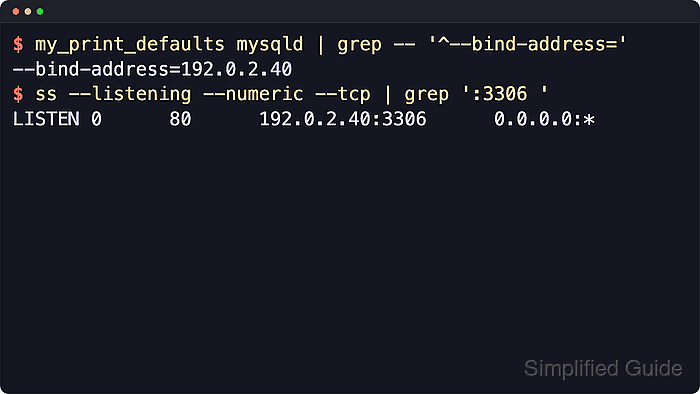
--bind-address=192.0.2.40
##### snipped #####
If the expected address does not appear, the file is in a directory the server does not read, the option is under the wrong group, or a later option file overrides it.
- Restart the database service to apply the listener change.
$ sudo systemctl restart mariadb
Restarting MySQL or MariaDB drops active database connections. Run the restart when connected applications can tolerate a short interruption.
Replace mariadb with mysql or mysqld when that is the installed service unit name on the host.
- Confirm the service returned to the active state after the restart.
$ systemctl is-active mariadb
active
If the service does not return active, inspect the recent journal before editing again.
$ sudo journalctl --unit=mariadb.service --no-pager --lines=50
##### snipped #####
- Check that the database server is listening on the intended address and port.
$ ss --listening --numeric --tcp 'sport = :3306'
State  Recv-Q Send-Q  Local Address:Port  Peer Address:Port
LISTEN 0      80      192.0.2.40:3306     0.0.0.0:*
If no listener appears on the expected address, recheck bind-address, skip-networking, and the service log for the restarted unit.
- Test a real TCP login from an allowed client.
$ mariadb --host=192.0.2.40 --port=3306 --protocol=TCP --user=appuser --password --execute="SELECT CURRENT_USER(), @@hostname, @@port;"
Enter password:
CURRENT_USER()        @@hostname    @@port
appuser@192.0.2.%     dbhost        3306
Use mysql instead of mariadb when the MySQL client is installed under that name. If the TCP socket opens but login fails, review the account host value, host firewall, and any security-group rule that still blocks the client.