How to enable general query log in MySQL or MariaDB
When an application sends unexpected SQL to MySQL or MariaDB, the general query log gives the server-side record of what arrived. It helps trace unexplained writes, match queries to a noisy client, or prove whether the application sent the statement the database team expected.
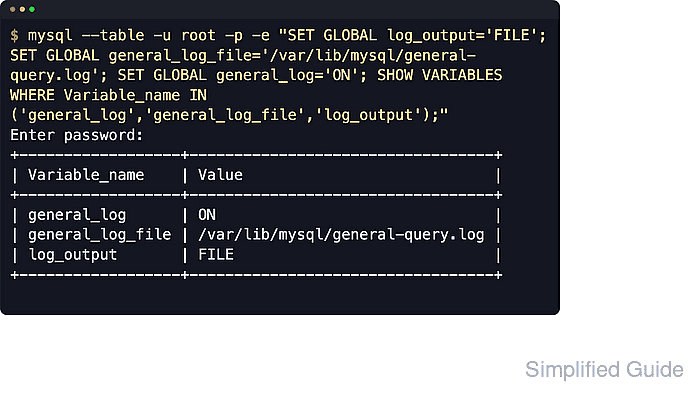
The server writes a general-log entry when a client connects, disconnects, or sends a SQL statement. Runtime control comes from general_log, general_log_file, and log_output, and the log records statements as they are received rather than when a transaction is committed, so it captures reads and other client activity that never appears in the binary log.
The general query log is disabled by default because it grows fast and can capture sensitive SQL text. Use /var/lib/mysql/general-query.log/ for a short diagnostic window when the default data directory is /var/lib/mysql/; custom locations under /var/log/ often need directory ownership changes and sometimes AppArmor or SELinux policy updates. Recent MariaDB packages may expose the client as mariadb instead of mysql, but the SQL is the same in either client.
Quick reference: general_log=ON enables capture, log_output=FILE writes to general_log_file, log_output=TABLE writes to mysql.general_log, log_output=FILE,TABLE writes to both, and NONE suppresses query output even when general_log=ON.
Steps to enable the general query log in MySQL or MariaDB:
- Review the current general-log state and the data directory.
$ mysql --table -u root -p -e "SHOW VARIABLES WHERE Variable_name IN ('datadir','general_log','general_log_file','log_output');"
Enter password:
+------------------+---------------------------------+
| Variable_name    | Value                           |
+------------------+---------------------------------+
| datadir          | /var/lib/mysql/                 |
| general_log      | OFF                             |
| general_log_file | db01.log                        |
| log_output       | FILE                            |
+------------------+---------------------------------+
On MariaDB the default general_log_file often appears as a relative name like db01.log instead of an absolute path. If that happens, treat it as /var/lib/mysql/db01.log/ when datadir=/var/lib/mysql/. Socket-auth installs often support
sudo mysql
or
sudo mariadb
instead of -u root -p.
- Switch the log to file output, point it at a dedicated file, enable it, and confirm the live settings.
$ mysql --table -u root -p -e "SET GLOBAL log_output='FILE'; SET GLOBAL general_log_file='/var/lib/mysql/general-query.log'; SET GLOBAL general_log='ON'; SHOW VARIABLES WHERE Variable_name IN ('general_log','general_log_file','log_output');"
Enter password:
+------------------+----------------------------------+
| Variable_name    | Value                            |
+------------------+----------------------------------+
| general_log      | ON                               |
| general_log_file | /var/lib/mysql/general-query.log |
| log_output       | FILE                             |
+------------------+----------------------------------+
Use a path under the current database log or data directories unless the custom destination has already been prepared for the mysql service account. If datadir is not /var/lib/mysql/ on the host, replace the example path with one under the actual data directory or an existing writable log directory.
- Run a recognizable query so the log contains a clear marker.
$ mysql -u root -p -e "SELECT NOW() AS general_log_marker;"
Enter password:
general_log_marker
2026-06-06 12:54:05
- Read the log file and confirm the marker query appears.
$ sudo cat /var/lib/mysql/general-query.log
/usr/sbin/mysqld, Version: 8.4.9 (MySQL Community Server - GPL). started with:
Tcp port: 3306  Unix socket: /var/run/mysqld/mysqld.sock
Time                 Id Command    Argument
2026-06-06T12:54:05.566530Z     10 Query   SHOW VARIABLES WHERE Variable_name IN ('general_log','general_log_file','log_output')
2026-06-06T12:54:05.567245Z     10 Quit
2026-06-06T12:54:05.620266Z     11 Connect root@127.0.0.1 on  using SSL/TLS
2026-06-06T12:54:05.620374Z     11 Query   select @@version_comment limit 1
2026-06-06T12:54:05.620508Z     11 Query   SELECT NOW() AS general_log_marker
2026-06-06T12:54:05.620628Z     11 Quit
The header and timestamp format differ by product and version. MariaDB often shows a mariadbd banner and timestamps such as 260606 12:54:05, but the decisive check is the presence of the test query in the final Argument column.
- Turn the general log back off as soon as the capture window ends.
$ mysql --table -u root -p -e "SET GLOBAL general_log='OFF'; SHOW VARIABLES LIKE 'general_log';"
Enter password:
+---------------+-------+
| Variable_name | Value |
+---------------+-------+
| general_log   | OFF   |
+---------------+-------+
Leaving general_log=ON on a busy server can consume disk quickly and expose sensitive statement text in the log file.
- Persist the setting in a server option-file drop-in only when startup logging is required.
[mysqld]
log_output = FILE
general_log = ON
general_log_file = /var/lib/mysql/general-query.log
On package-managed MariaDB hosts, /etc/mysql/mariadb.conf.d/ is also a common include directory. If the log file is moved under /var/log/, create the directory first, grant it to the mysql user, and update logrotate before restarting the service.
- Restart the database service or container wrapper that owns the server process.
$ sudo systemctl restart mysql
Substitute
mariadb
when the server unit is named mariadb, or restart the container or service wrapper used by the deployment.
- Recheck the live variables after the restart.
$ mysql --table -u root -p -e "SHOW VARIABLES WHERE Variable_name IN ('general_log','general_log_file','log_output');"
Enter password:
+------------------+----------------------------------+
| Variable_name    | Value                            |
+------------------+----------------------------------+
| general_log      | ON                               |
| general_log_file | /var/lib/mysql/general-query.log |
| log_output       | FILE                             |
+------------------+----------------------------------+