How to terminate an active user connection in MySQL or MariaDB
An active database session sometimes has to be stopped while it is holding a lock, blocking maintenance, or running a statement that should not finish. Terminating the wrong thread can disconnect a healthy application worker or roll back useful work, so the session ID and action type need to be checked before issuing KILL.
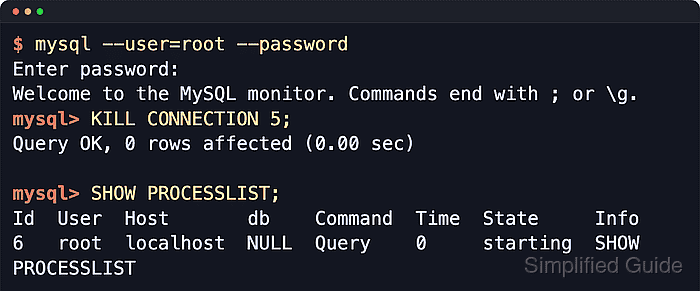
In MySQL and MariaDB, every client session has a connection ID in the process list. SHOW FULL PROCESSLIST shows the session, the client host, the current command, how long it has been in that state, and the SQL text when available. KILL QUERY cancels only the statement currently running on that session, while KILL CONNECTION removes the session itself.
Visibility and control depend on privileges. Seeing every thread requires PROCESS, and killing another user's session typically requires CONNECTION_ADMIN or, on older servers, SUPER. Current MySQL releases also require SYSTEM_USER to kill sessions running with that account category. Because disconnecting a live session can roll back open work and trigger application retries, identify the target thread carefully and use KILL QUERY first when stopping the statement is enough.
KILL QUERY stops only the current statement. KILL CONNECTION, or plain KILL, disconnects the client session.
Steps to terminate an active user connection in MySQL or MariaDB:
- Open the mysql client as an account that can view and terminate the target session.
$ mysql --user=root --password
Enter password:
Welcome to the MySQL monitor.  Commands end with ; or \g.
Your MySQL connection id is 11
Server version: 8.4.9 MySQL Community Server - GPL
##### snipped #####
mysql>
On hosts configured for local socket authentication, sudo mysql can open an administrative session without prompting for a password.
- Print the current session ID before touching other threads so you do not disconnect your own administrative session by mistake.
mysql> SELECT CONNECTION_ID();
+-----------------+
| CONNECTION_ID() |
+-----------------+
|              11 |
+-----------------+
1 row in set (0.00 sec)
- List visible sessions and identify the Id for the connection you want to stop.
mysql> SHOW FULL PROCESSLIST;
+----+-----------------+-----------+------+---------+------+------------------------+------------------------------------------------------------+
| Id | User            | Host      | db   | Command | Time | State                  | Info                                                       |
+----+-----------------+-----------+------+---------+------+------------------------+------------------------------------------------------------+
|  5 | event_scheduler | localhost | NULL | Daemon  |  134 | Waiting on empty queue | NULL                                                       |
| 10 | app_user        | localhost | NULL | Query   |    7 | executing              | SELECT BENCHMARK(1000000000, SHA2('connection-test', 256)) |
| 11 | root            | localhost | NULL | Query   |    0 | init                   | SHOW FULL PROCESSLIST                                      |
+----+-----------------+-----------+------+---------+------+------------------------+------------------------------------------------------------+
3 rows in set, 1 warning (0.00 sec)
SHOW PROCESSLIST truncates the Info column after 100 characters. Current MySQL releases may also emit warning 1287 because the Information Schema process-list implementation is deprecated; use performance_schema.processlist when you need SQL filtering on MySQL. MariaDB still exposes INFORMATION_SCHEMA.PROCESSLIST for queryable filtering.
- Cancel only the running statement when you want the client session to stay connected.
mysql> KILL QUERY 10;
Query OK, 0 rows affected (0.00 sec)
The target client sees the running statement end, but the session itself remains connected until it disconnects or you kill the connection.
- Check the process list again to confirm that the same session ID is still connected and has returned to Sleep.
mysql> SHOW PROCESSLIST;
+----+-----------------+-----------+------+---------+------+------------------------+------------------+
| Id | User            | Host      | db   | Command | Time | State                  | Info             |
+----+-----------------+-----------+------+---------+------+------------------------+------------------+
|  5 | event_scheduler | localhost | NULL | Daemon  |  157 | Waiting on empty queue | NULL             |
| 10 | app_user        | localhost | NULL | Sleep   |   30 |                        | NULL             |
| 11 | root            | localhost | NULL | Query   |    0 | init                   | SHOW PROCESSLIST |
+----+-----------------+-----------+------+---------+------+------------------------+------------------+
3 rows in set, 1 warning (0.00 sec)
- Disconnect the session entirely when the client itself must be removed.
mysql> KILL CONNECTION 10;
Query OK, 0 rows affected (0.00 sec)
Disconnecting a session drops that client's connection and rolls back any open transaction for that session. Plain KILL 10 is equivalent to KILL CONNECTION 10.
- Verify that the session ID no longer appears in the process list.
mysql> SHOW PROCESSLIST;
+----+-----------------+-----------+------+---------+------+------------------------+------------------+
| Id | User            | Host      | db   | Command | Time | State                  | Info             |
+----+-----------------+-----------+------+---------+------+------------------------+------------------+
|  5 | event_scheduler | localhost | NULL | Daemon  |  167 | Waiting on empty queue | NULL             |
| 11 | root            | localhost | NULL | Query   |    0 | init                   | SHOW PROCESSLIST |
+----+-----------------+-----------+------+---------+------+------------------------+------------------+
2 rows in set, 1 warning (0.00 sec)
- Exit the mysql client when finished.
mysql> EXIT;
Bye