How to burn ISO image to CD, DVD, or Blu-ray in Windows 11
ISO images make it possible to turn a single file into a bootable installer, recovery disc, or long-term archive on optical media. Burning an image is useful when a system needs offline installation media, legacy hardware prefers discs, or a permanent copy is required for compliance or disaster recovery.
Windows 11 includes Windows Disc Image Burner, which writes the ISO as an image so the disc layout matches the source. This preserves boot records and file structures when the ISO is bootable, instead of copying the .iso file onto the disc as regular data.
Choose media with enough capacity (about 700 MB for CD-R, 4.7 GB for single-layer DVD-R, and 25 GB for single-layer BD-R) and confirm the drive supports writing that format. Burning to rewritable media overwrites existing content, and interruptions during writing can leave the disc unusable.
Steps to burn ISO image to optical disc in Windows 11:
- Insert a blank writable CD, DVD, or Blu-ray disc into the optical drive.
Writing to CD-RW, DVD-RW, or BD-RE overwrites existing data on the disc.
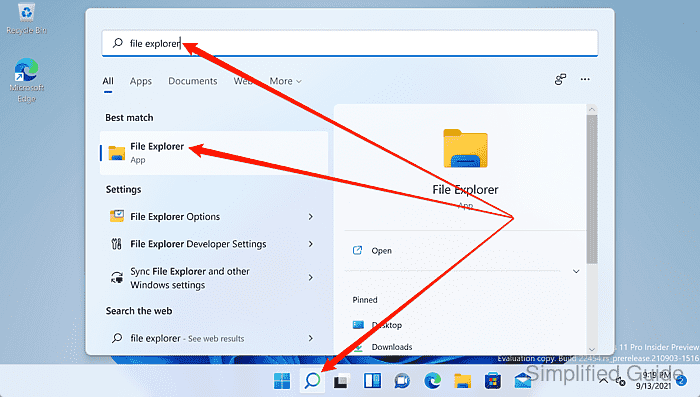
- Open File Explorer.
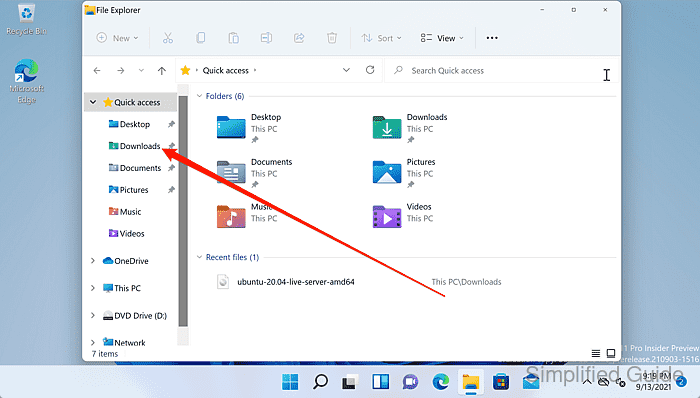
- Navigate to the location of the ISO file.
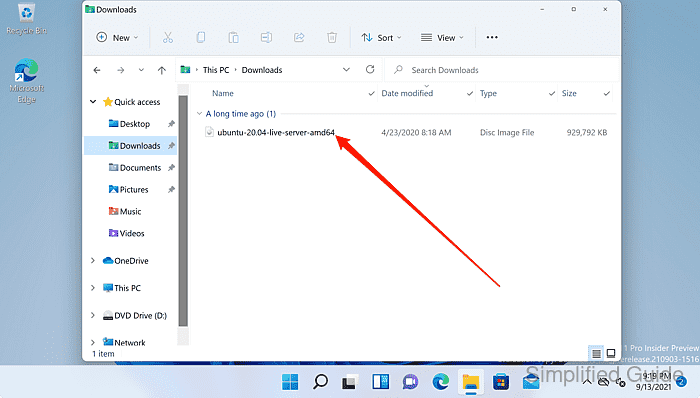
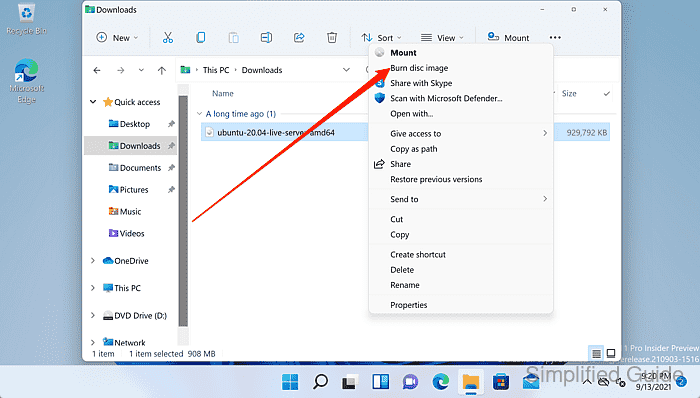
- Right-click the ISO file.
- Select Show more options from the context menu.
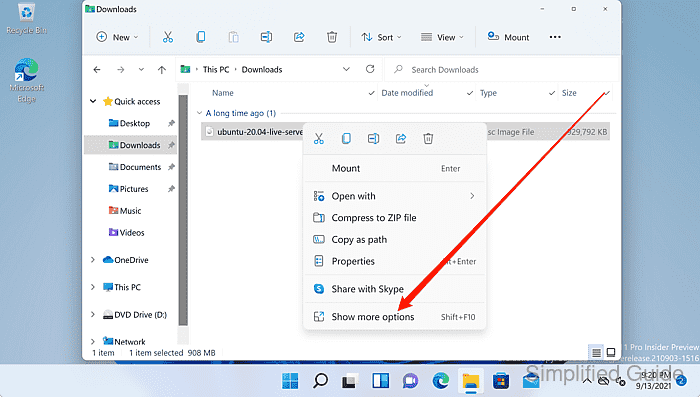
Some Windows 11 builds show Burn disc image in the first context menu.
- Click Burn disc image.
- Select the target optical drive in Windows Disc Image Burner.
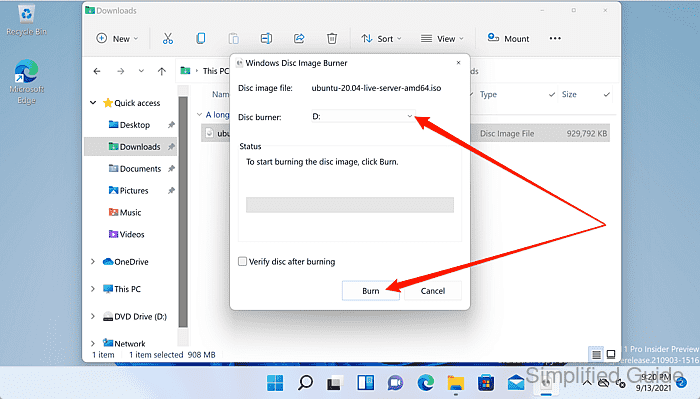
- Enable Verify disc after burning for an integrity check.
Verification adds time but helps detect write errors before the disc is stored or used for boot.
- Click Burn to start writing the image.
Do not eject the disc or power off the PC during writing, or the disc can become unusable.
- Wait for the burn and optional verify phases to complete.
- Confirm the completion status in Windows Disc Image Burner.
- Click Close to finish.