How to set an interactive Matplotlib backend
Every figure created by Matplotlib passes through a backend that combines a renderer with either a GUI event loop or a file-only canvas. A desktop script that must open a pan-and-zoom window needs a GUI backend supported by the active Python environment.
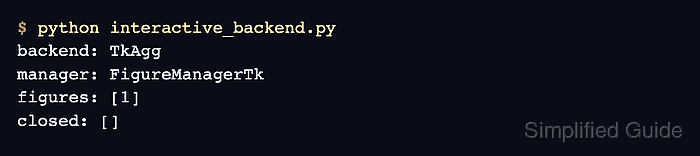
The TkAgg backend draws through Tkinter and works well for a small standalone verification script. Select it with matplotlib.use(“TkAgg”) before importing matplotlib.pyplot so the first figure is created with the intended canvas and event loop.
This method targets a standalone Python process in a local desktop session. Notebook kernels manage GUI integration differently, while SSH sessions, containers, and servers without a forwarded display need a file-only or notebook-aware backend instead.
Related: How to set the Matplotlib backend for headless scripts
Related: How to show Matplotlib plots inline in Jupyter
Prerequisite: The Python environment must already provide Tkinter and access to a local desktop display. Package installation varies by Python distribution and remains outside this backend-configuration task.
Steps to set an interactive Matplotlib backend:
- Run the Tkinter self-test from the Python environment that runs Matplotlib.
$ python -m tkinter
A small window should show the installed Tcl/Tk version.
- Close the Tkinter test window after its version appears.
- Create interactive_backend.py with the TkAgg selection before the pyplot import.
- interactive_backend.py
import matplotlib

matplotlib.use("TkAgg")

import matplotlib.pyplot as plt
- Append the figure construction section to interactive_backend.py.
fig, ax = plt.subplots(layout="constrained")
ax.plot([1, 2, 3, 4], [2, 5, 3, 6], marker="o")
ax.set_title("Interactive backend check")
ax.set_xlabel("Run")
ax.set_ylabel("Value")
- Append the backend report and blocking GUI event loop to interactive_backend.py.
print(f"backend: {matplotlib.get_backend()}", flush=True)
print(f"canvas: {type(fig.canvas).__name__}", flush=True)

plt.show()
A blocking plt.show() keeps the GUI event loop responsive until the figure window closes.
- Run the completed script from a local desktop session.
$ python interactive_backend.py
backend: TkAgg
canvas: FigureCanvasTkAgg
A process without access to a desktop display cannot open a TkAgg window. A local session or configured display forwarding is required; otherwise use the related headless or notebook backend.
- Confirm the plot window displays the line and navigation toolbar.
- Close the first plot window to end its blocking GUI event loop.
- Rerun the saved interactive_backend.py script to confirm TkAgg opens a new interactive canvas.
$ python interactive_backend.py
backend: TkAgg
canvas: FigureCanvasTkAgg