How to change the Bash prompt in macOS Terminal
Changing the Bash prompt in macOS Terminal makes it easier to see the information that matters before every command, such as the current time, account, host, or working directory. That reduces mistakes when moving between local shells, remote hosts, or multiple project folders.
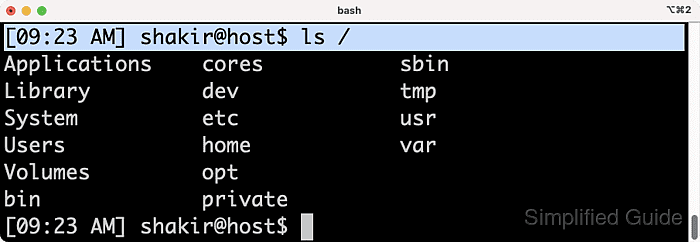
In Bash, the primary prompt is controlled by the PS1 shell variable. Each time Bash is ready for the next command, it expands the escape sequences stored in PS1 and redraws the prompt, so a single prompt string can show dynamic values like the current directory or clock. The same prompt syntax works in Apple's bundled /bin/bash and in newer Homebrew Bash builds.
Current macOS releases default new Terminal sessions to zsh, so these steps apply only to tabs or windows already running Bash. Terminal commonly opens login shells, which means persistent prompt changes usually belong in ~/.bash_profile, or in ~/.bashrc when that file is already sourced from ~/.bash_profile.
Steps to change the Bash prompt in macOS Terminal:
- Confirm that the current Terminal session is running Bash before changing any Bash-specific prompt variables.
$ echo "$BASH_VERSION"
5.3.9(1)-release
If the command returns nothing, the current shell is not Bash. Current macOS releases use zsh by default, so switch to a Bash session first or use How to change the zsh prompt in macOS Terminal instead.
- Review the current primary prompt string so the existing format can be compared or restored later.
$ printf '%s\n' "$PS1"
\s-\v\$
A stock Bash session without prompt customizations shows a value similar to
\s-\v\$
. If the output already includes colors, usernames, or path segments, the prompt is already being customized from a startup file.
- Test a new prompt in the current Bash window by assigning a new PS1 value.
$ PS1='[\A] \u@\h:\W\$ '
[06:22] user@macbook:projects$
Escape Meaning \A Current time in 24-hour HH:MM format \u Current username \h Short hostname \w Full current working directory \W Current directory name only \$ Shows # for root and $ for a regular user If ANSI color escapes are added later, wrap the non-printing sequences in
\[
and
\]
so cursor movement and line wrapping stay correct.
- Add the same prompt definition to the persistent startup file used by Terminal login shells.
$ nano ~/.bash_profile
PS1='[\A] \u@\h:\W\$ '
Bash reads ~/.bash_profile for interactive login shells. If ~/.bash_profile already sources ~/.bashrc and prompt customizations live there, update the existing PS1 line in ~/.bashrc instead of creating two competing prompt definitions.
Related: How to configure Bash login scripts
- Reload the updated startup file so the new prompt is applied in the current shell without closing the Terminal tab.
$ source ~/.bash_profile
Run source ~/.bashrc instead when the prompt definition is stored there and ~/.bash_profile does not source it.
- Open a new Terminal tab or window running Bash and confirm that the prompt still matches the new format.
If the old prompt returns, search ~/.bash_profile, ~/.bashrc, and /etc/bashrc for a later PS1= assignment because the last loaded definition wins.