How to avoid the [Process completed] prompt in macOS Terminal
When a Terminal window's shell exits, macOS can leave the window open with a [Process completed] message at the bottom. That is useful when the final screen contents need to stay visible, but it becomes distracting when short-lived commands, scripts, or launcher workflows should simply finish and disappear.
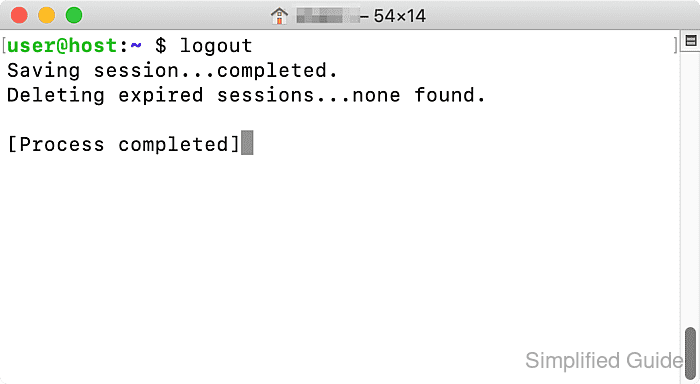
This behavior is controlled by the selected Terminal profile. In Terminal → Settings → Profiles → Shell, the When the shell exits menu decides whether a window closes immediately, closes only after a clean exit, or stays open and shows the completed state.
The change applies only to the profile selected in Profiles, not to Terminal as a whole. Close if the shell exited cleanly is usually the safer option because successful shells close automatically while shells that exit with an error remain open for review. Use Close the window only when every exiting shell should close its window.
Steps to avoid the [Process completed] prompt in macOS Terminal:
- Open Terminal and identify the profile used by the windows that stop at [Process completed].
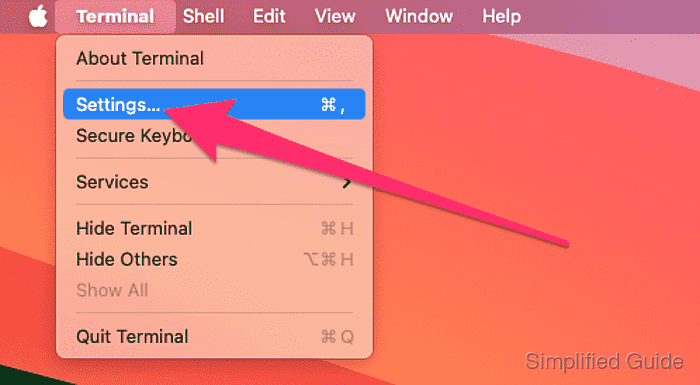
- Choose Terminal → Settings.
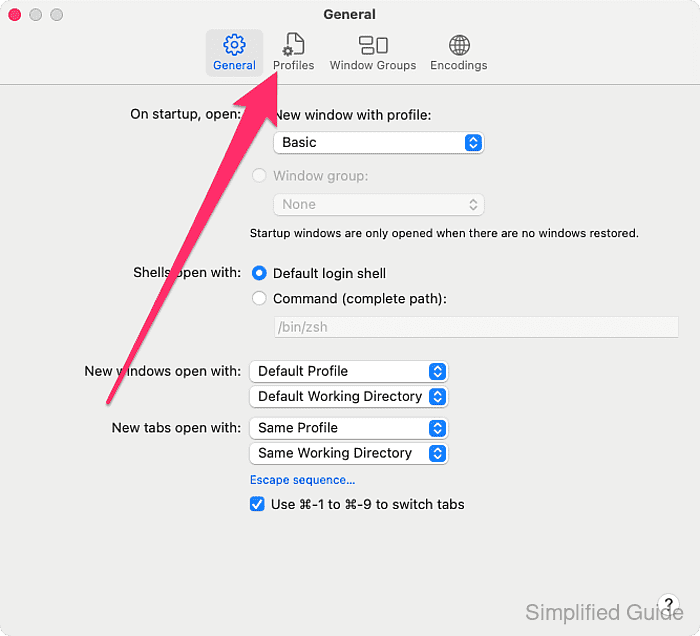
- Click Profiles.
- Select the profile used by the affected windows.
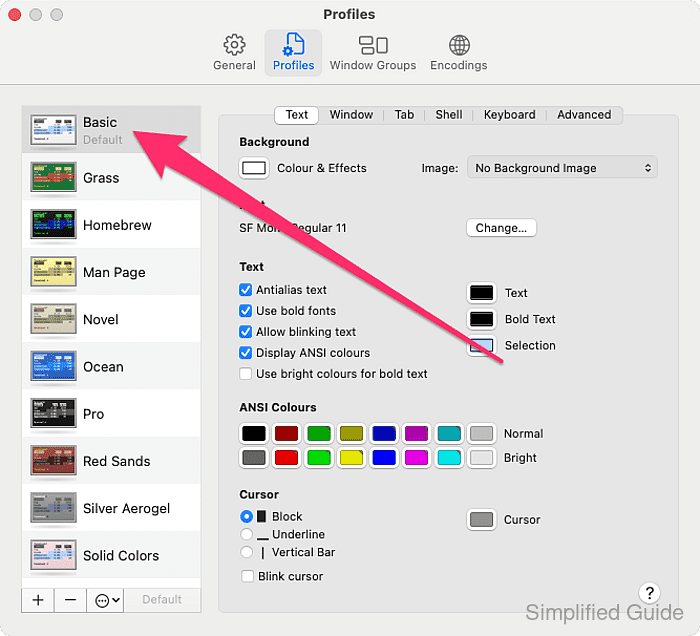
The When the shell exits setting applies only to the selected profile, so update the profile marked Default or Startup if that is the one opening new windows.
- Click Shell.

- Open the When the shell exits pop-up menu.
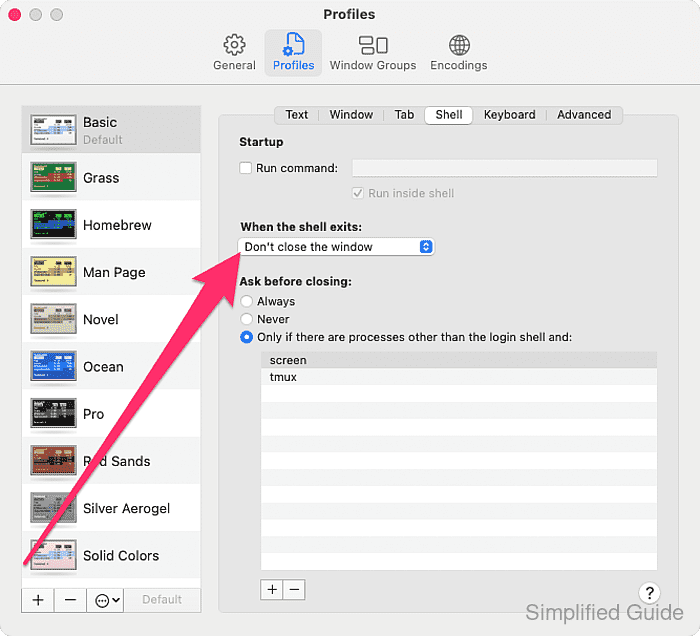
- Select Close if the shell exited cleanly.
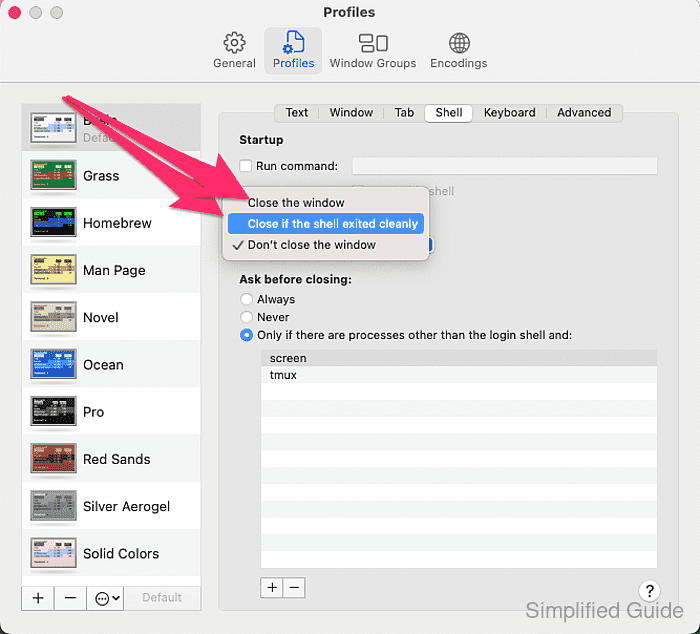
New windows that use this profile now close automatically after a clean shell exit instead of stopping at [Process completed]. Choose Close the window instead only when shells that exit with an error should also close immediately.